
Ready to bring your story to life? In the Scrively web app, ordering a printed copy is simple and seamless. Once your book is finished, you can turn your digital creation into a professionally printed book with just a few clicks. Whether it’s a bedtime story, a family keepsake, or your first publication, printing your book is the final step in the Scrively experience.
Click on the "My Library" tab.
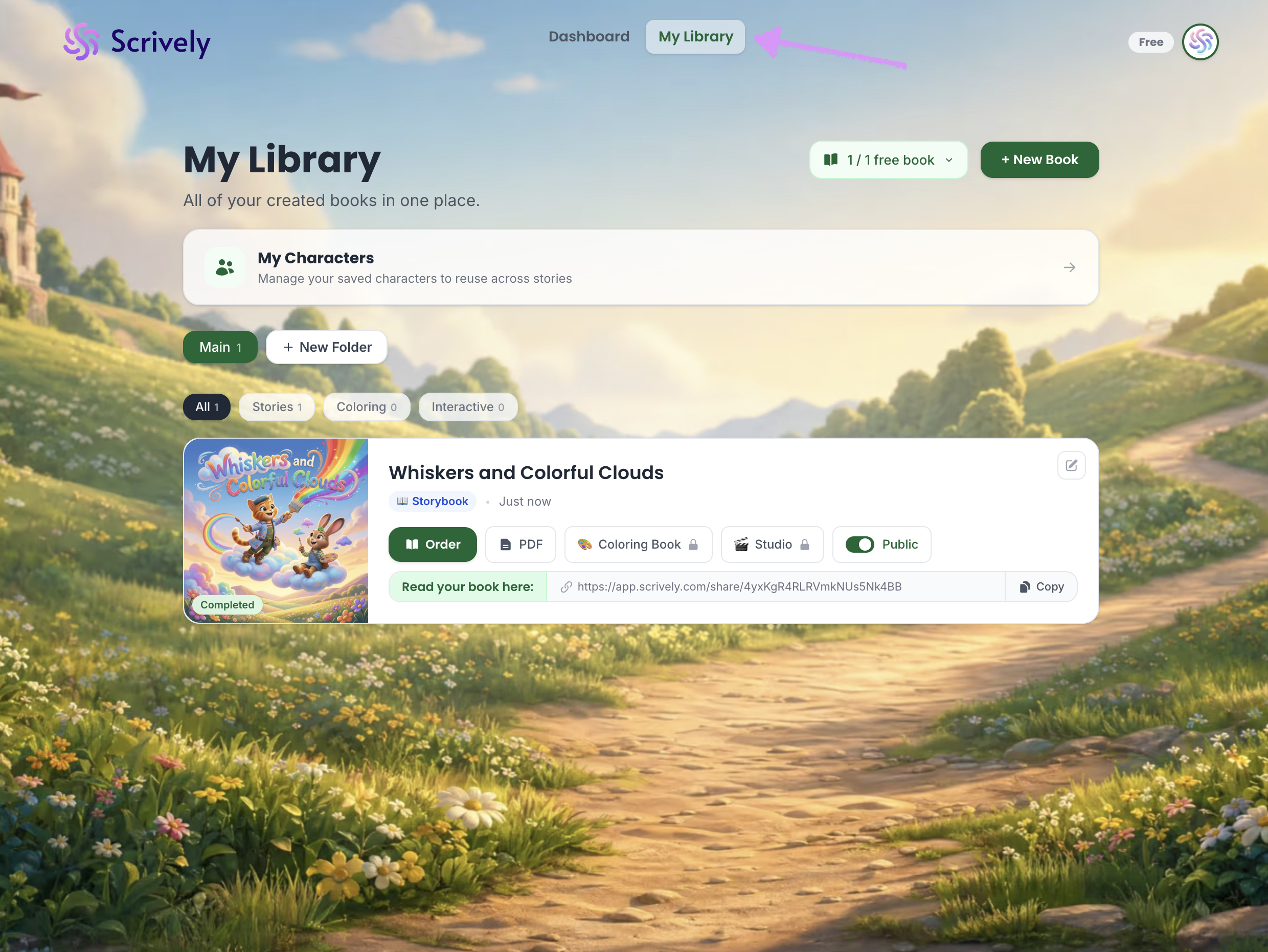
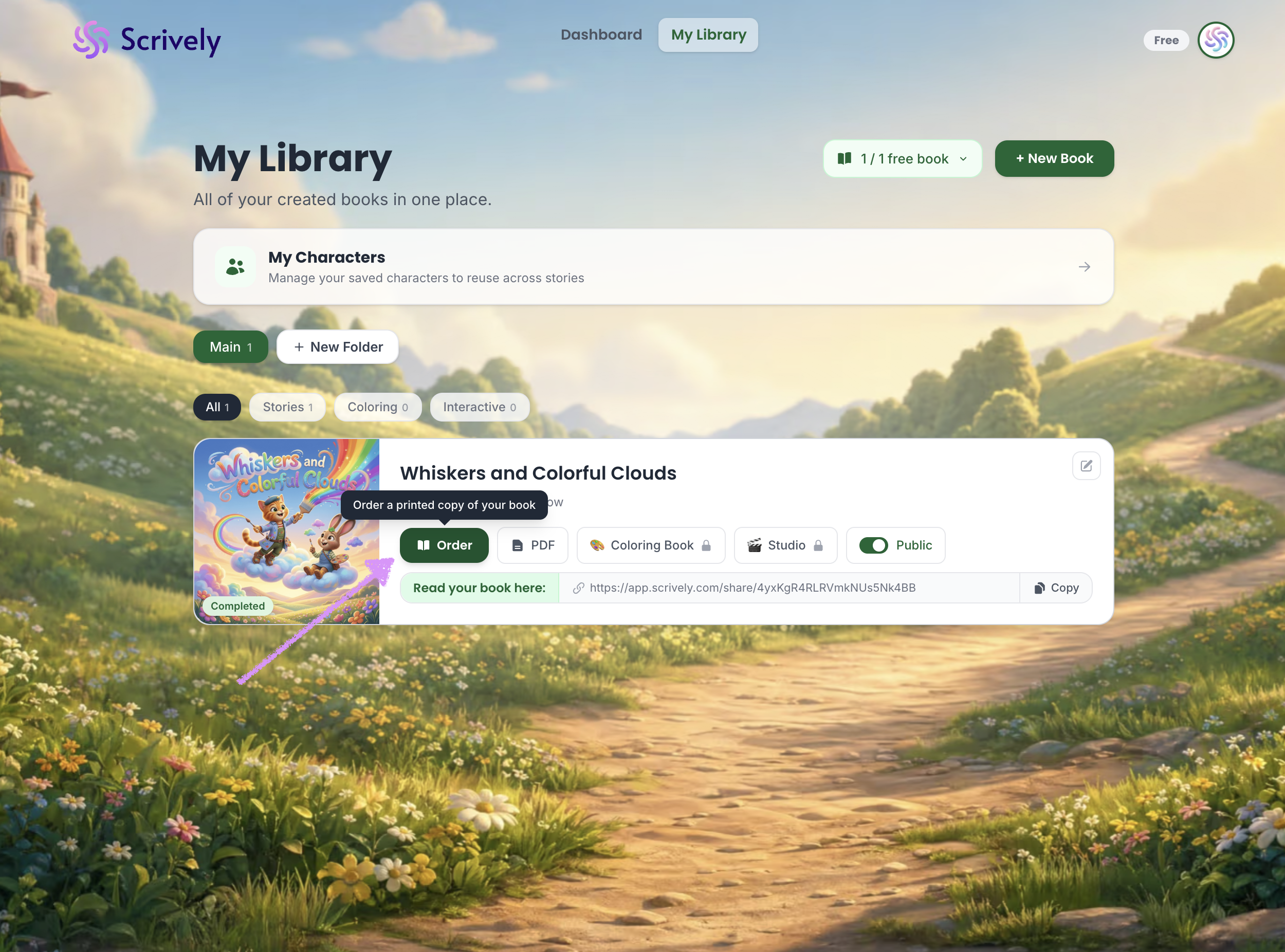
Click on "Order."
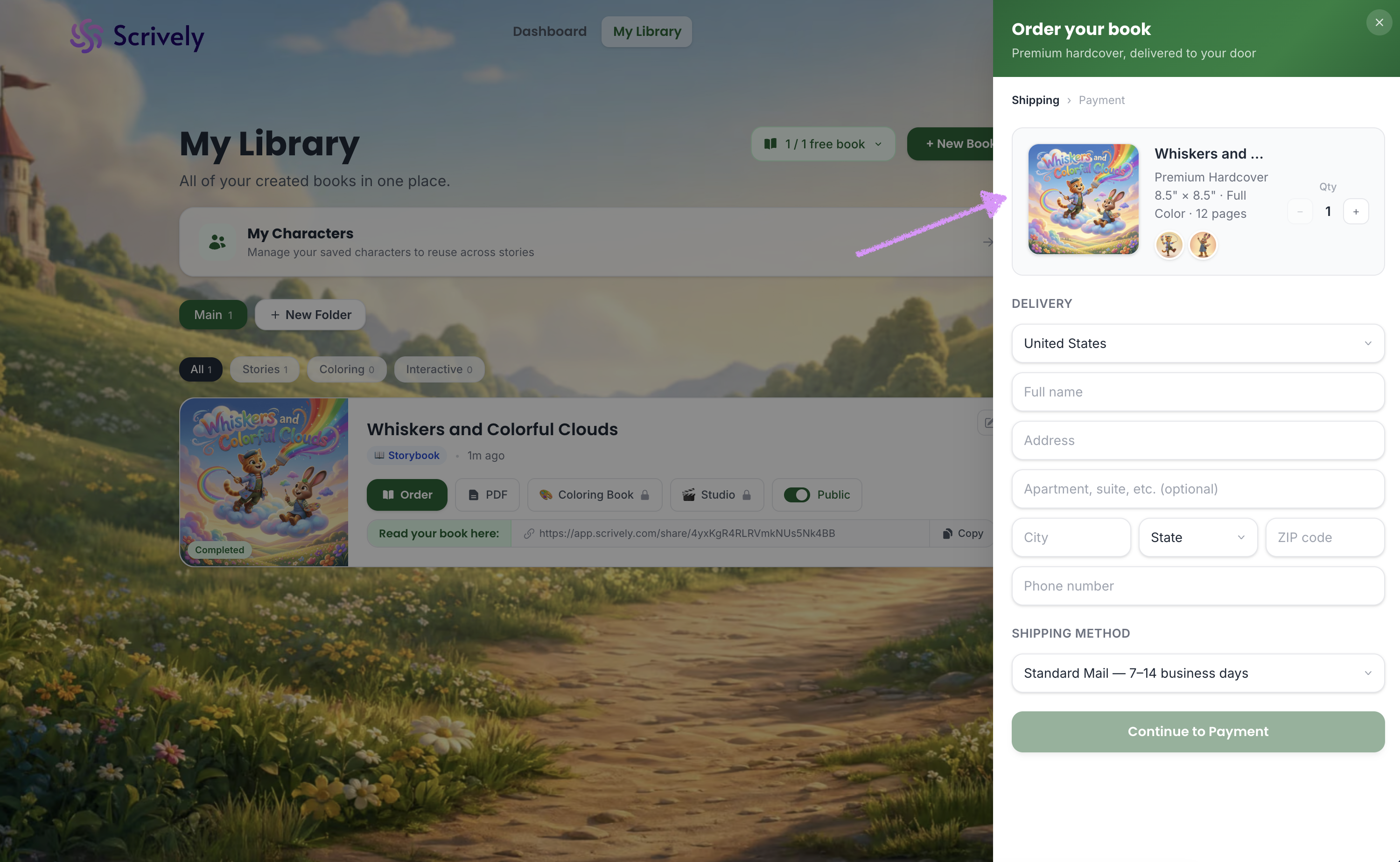
Confirm that the correct book has been selected for your order.
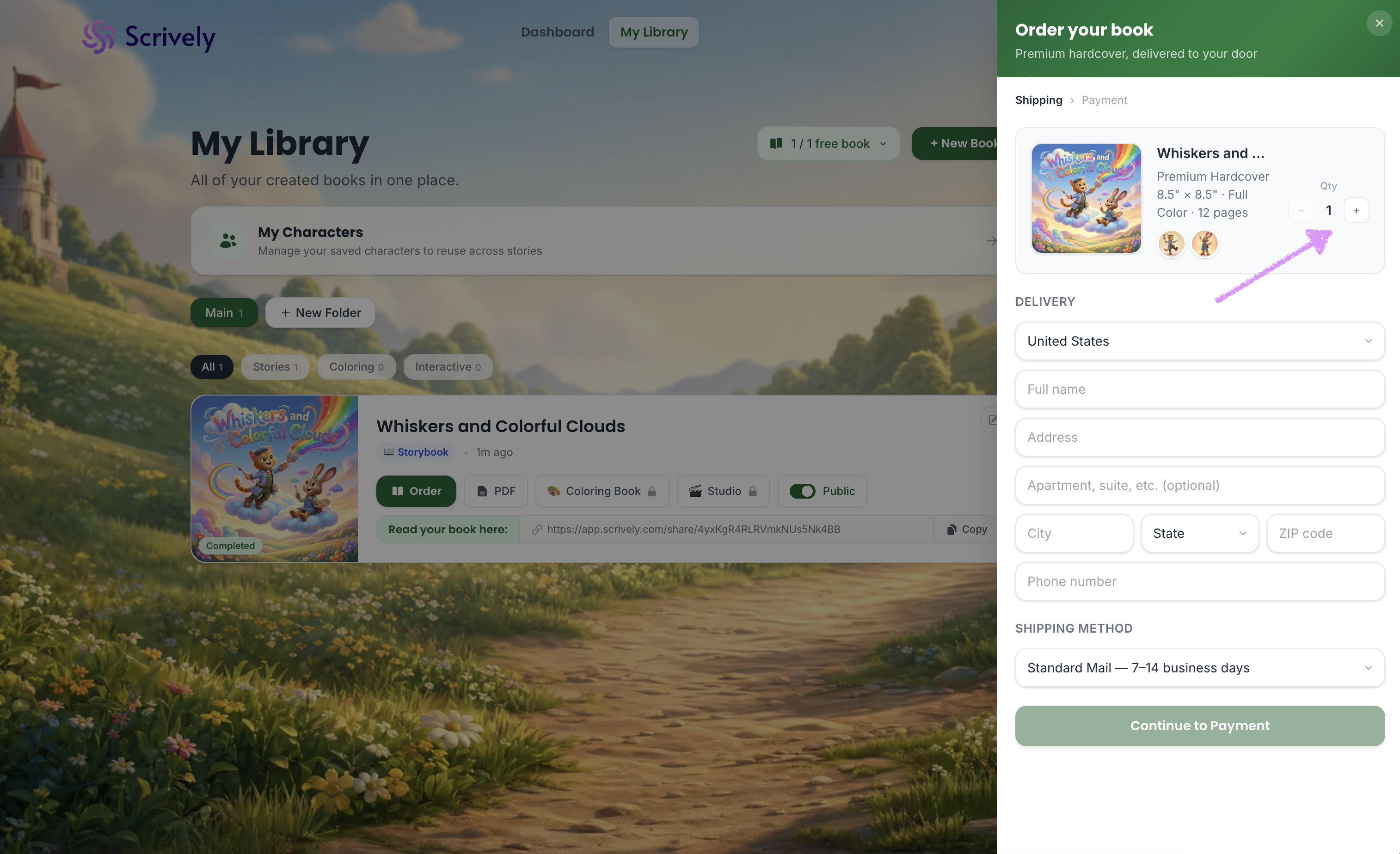
Adjust the quantity using the + / − buttons.
Enter your delivery address.
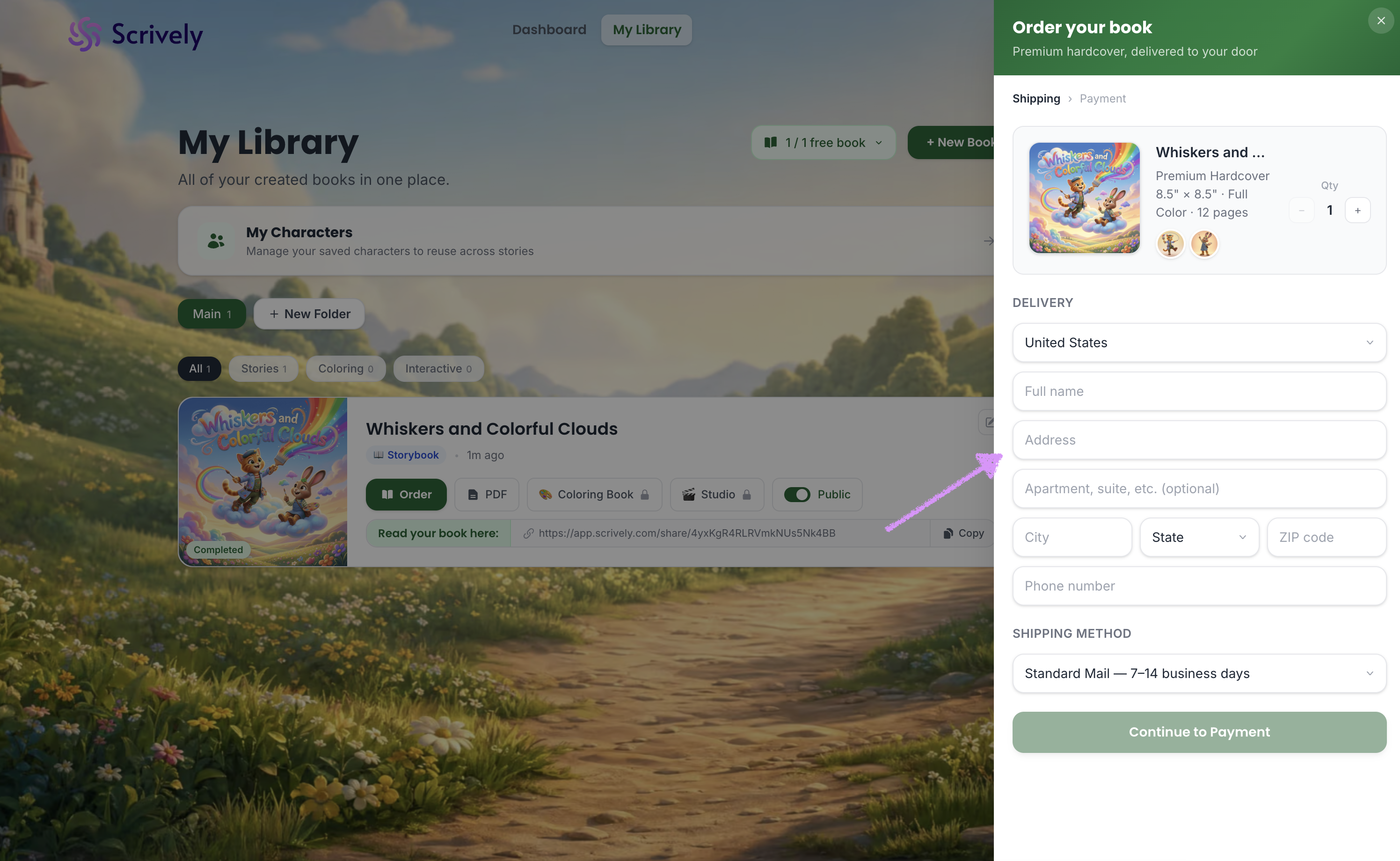
Choose your shipping method. Shipping costs will be automatically calculated based on your quantity and location.
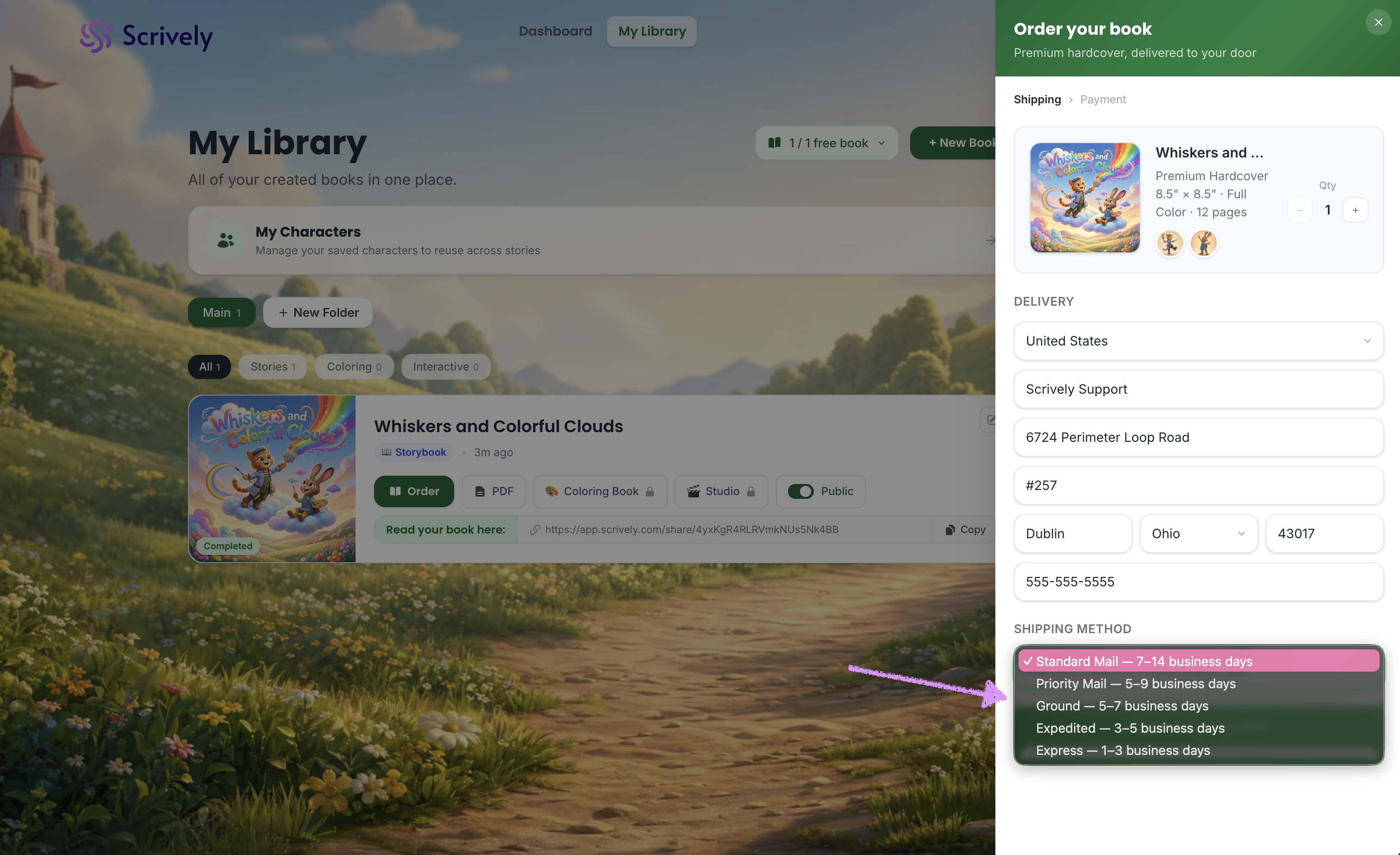
Review and confirm your shipping address.
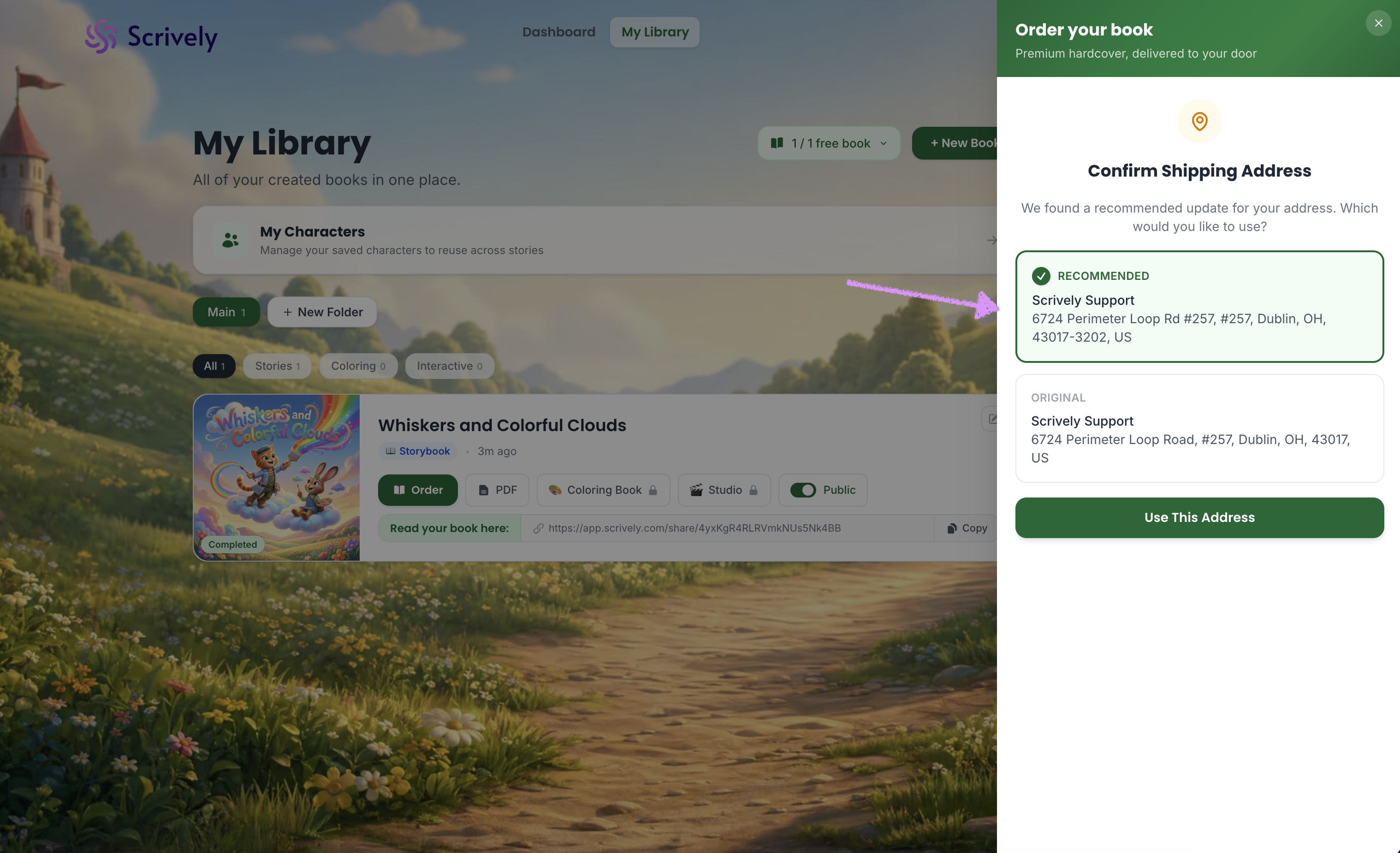
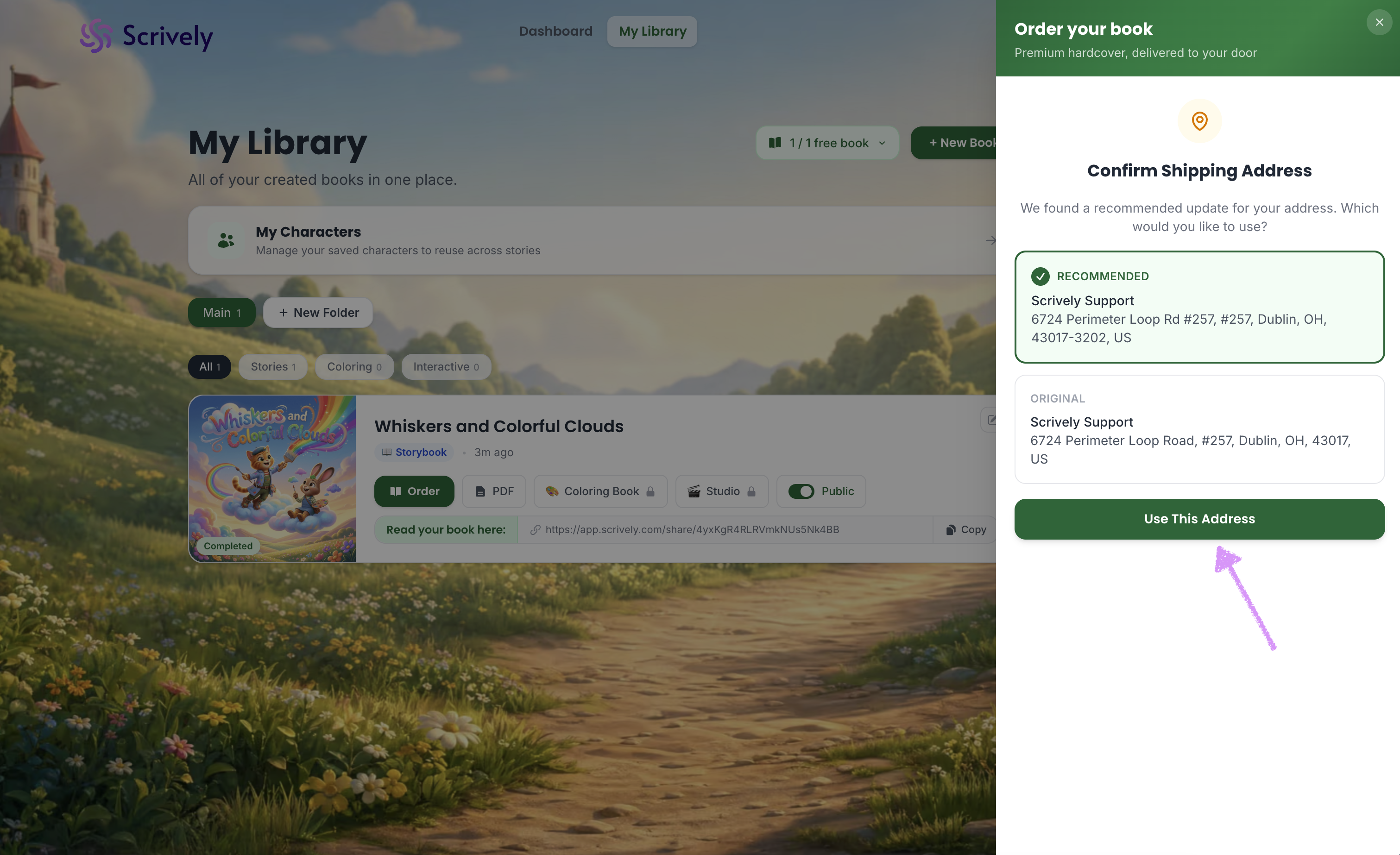
Click “Use This Address” to continue.
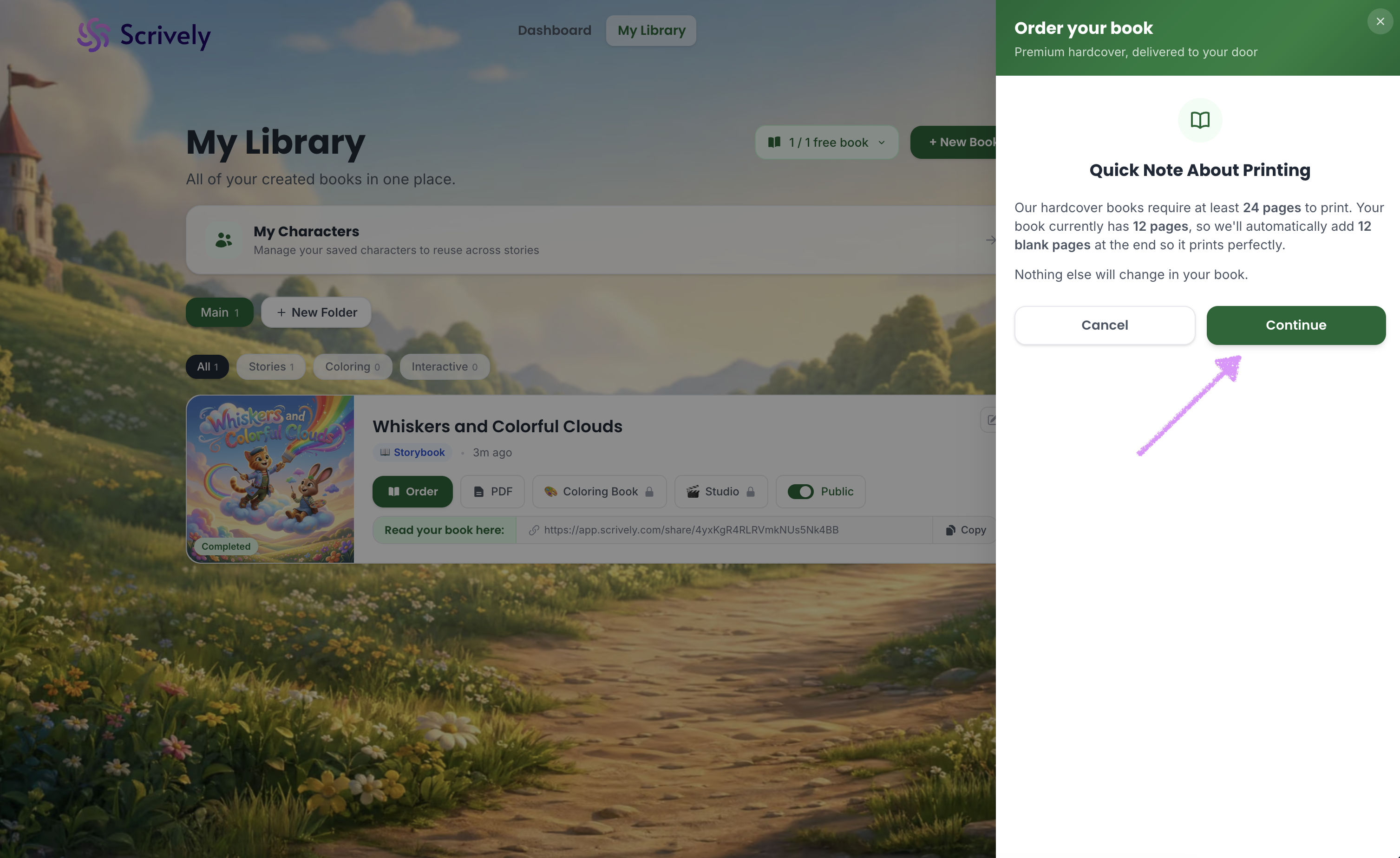
Ensure your book meets the minimum page requirements before ordering:
Storybooks: minimum 24 pages
Coloring books: minimum 32 pages
If your book is below the minimum, blank pages will be added automatically to meet the requirement. Click “Continue” to proceed.
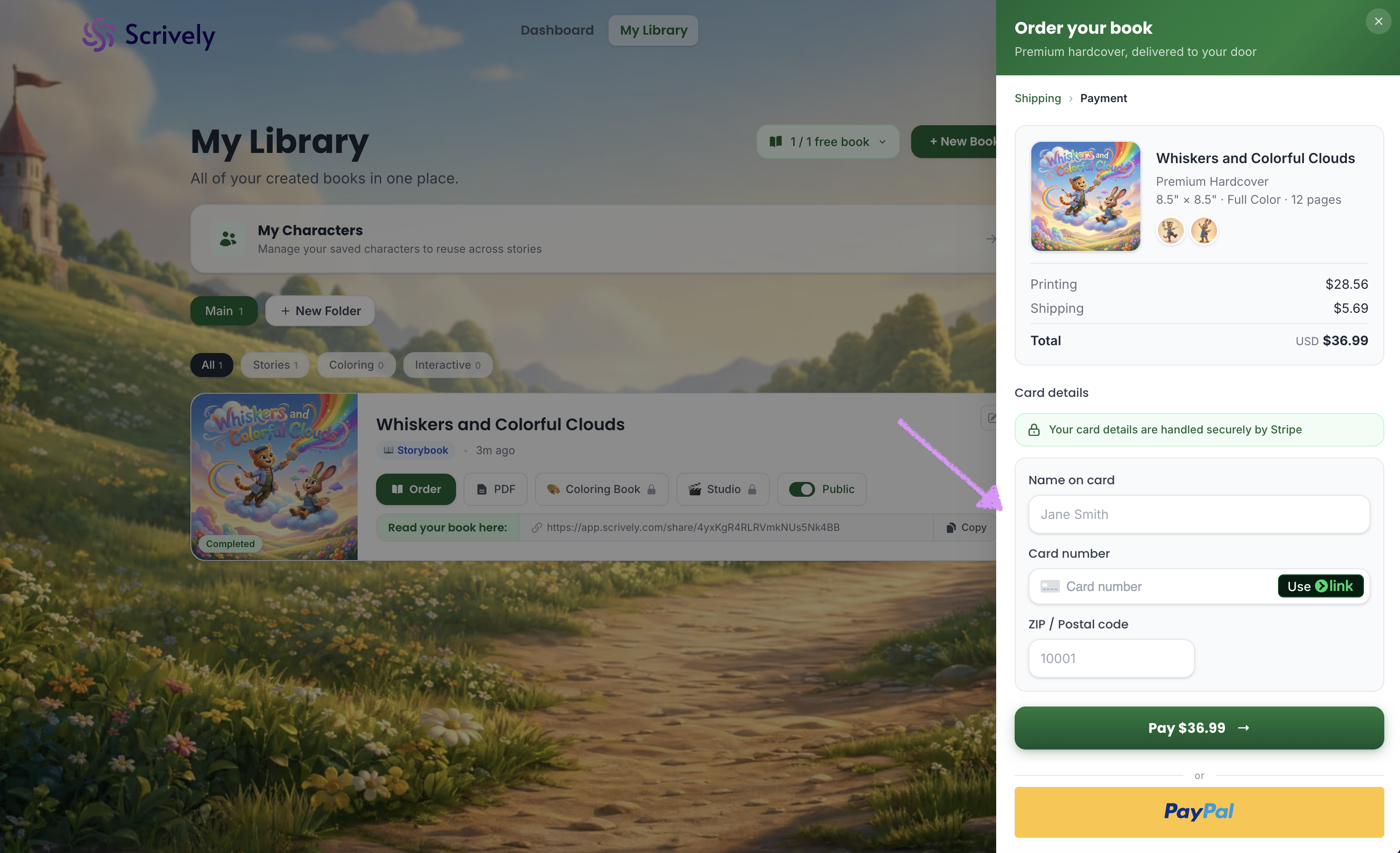
Enter your billing details or select a saved payment method.
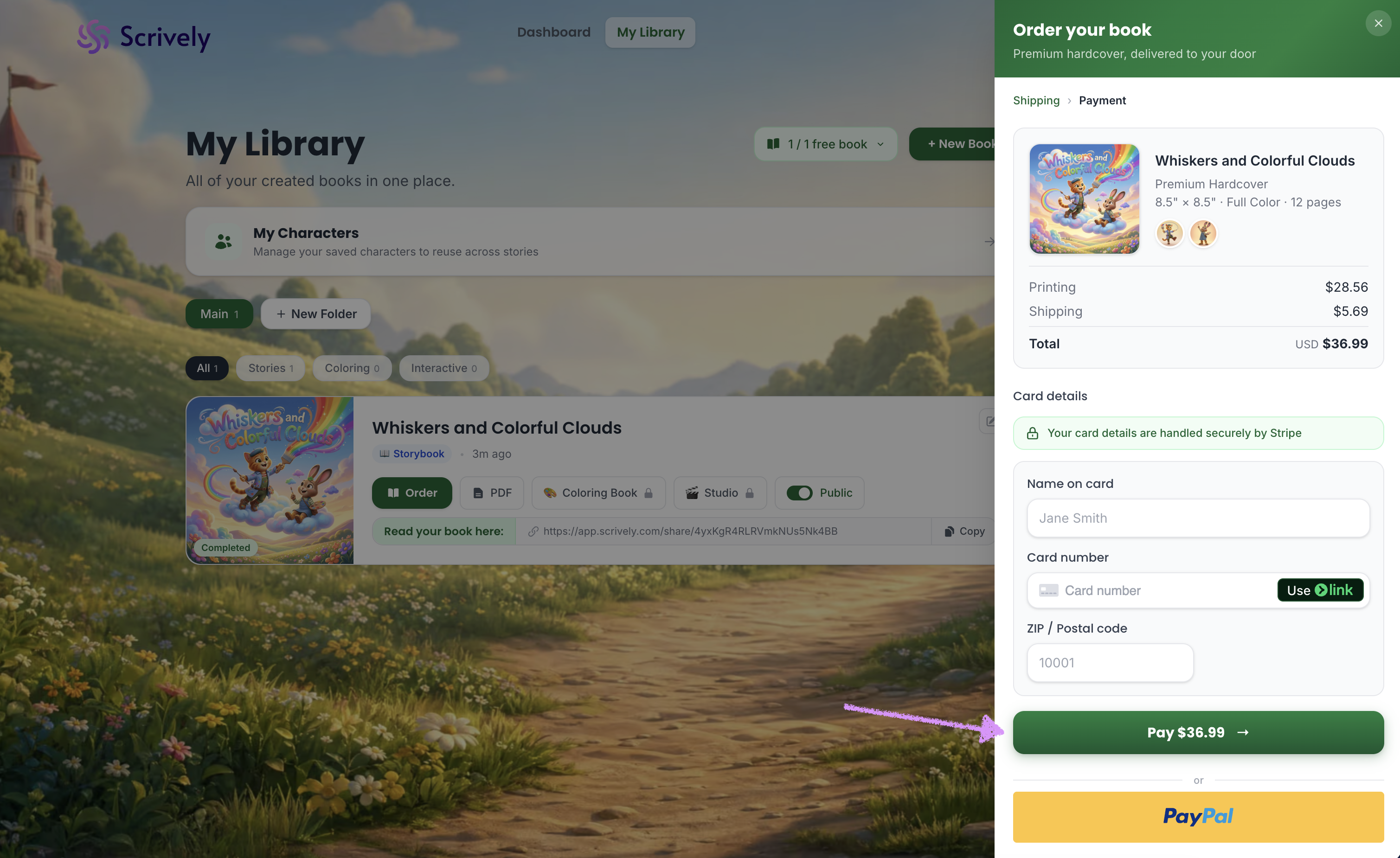
Click “Pay $XX.XX” to complete your order.
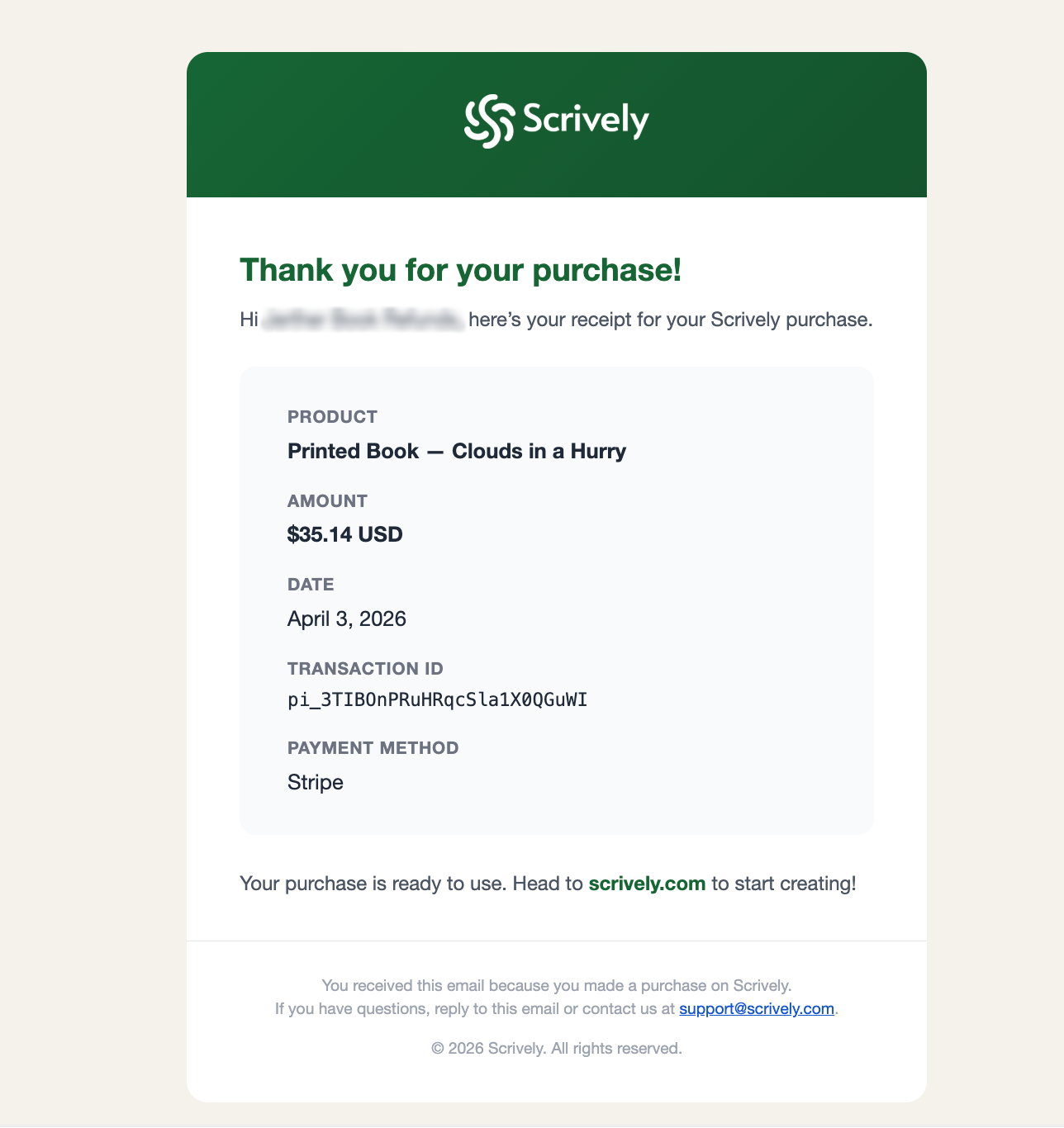
After payment, Scrively will prepare your book for printing. You’ll receive an email with your full order details.
When you’re ready, you can visit our guide here to learn how to track your orders.
Was this article helpful?
That’s Great!
Thank you for your feedback
Sorry! We couldn't be helpful
Thank you for your feedback
Feedback sent
We appreciate your effort and will try to fix the article
