
My Library
Folders make it easy to organize your books and keep your library clean and manageable. You can create folders to group books by theme, project, or any workflow that works best for you.
Head over to the "My Library" tab.
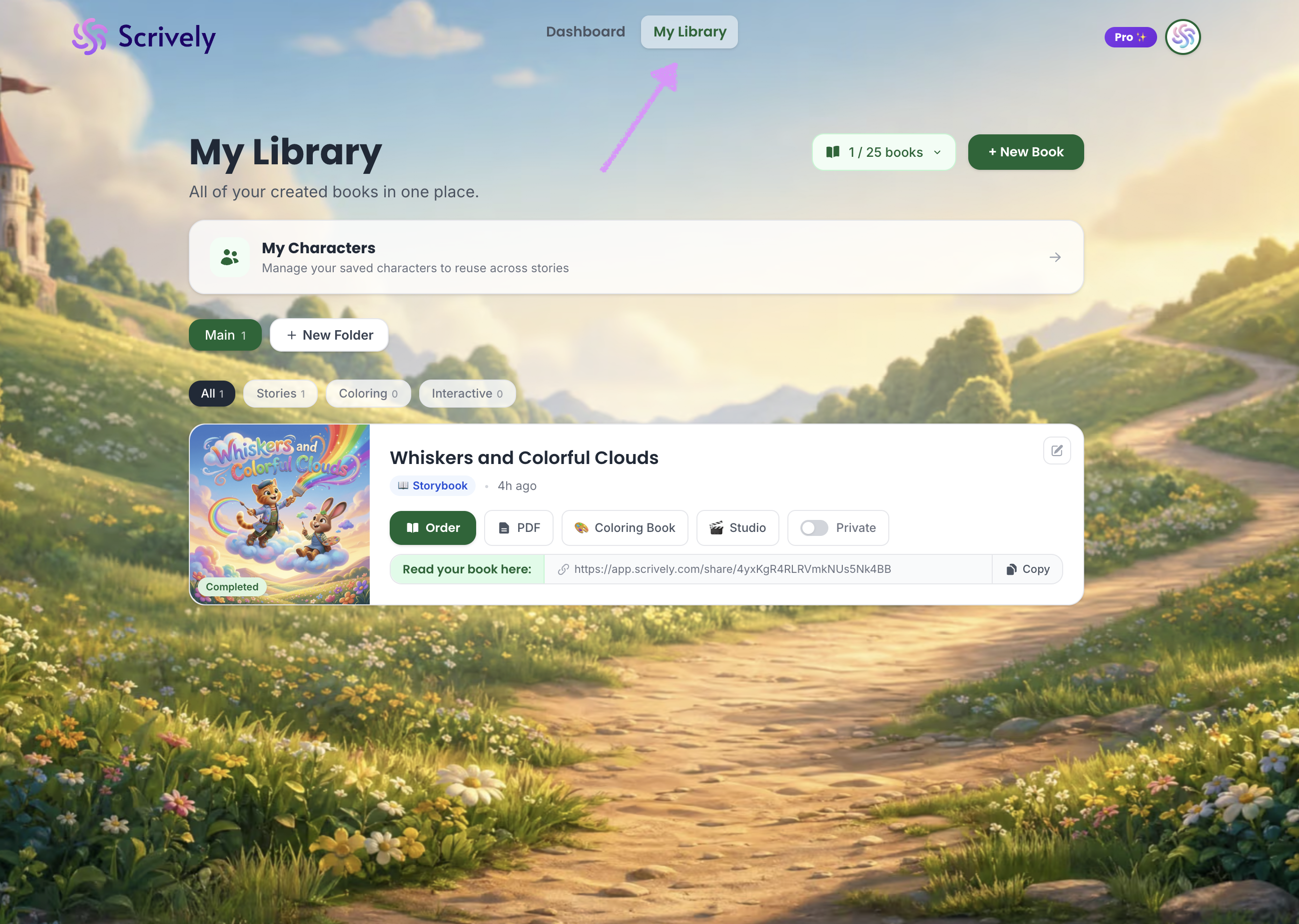
Every account includes a default “Main” folder where all of your books are stored.
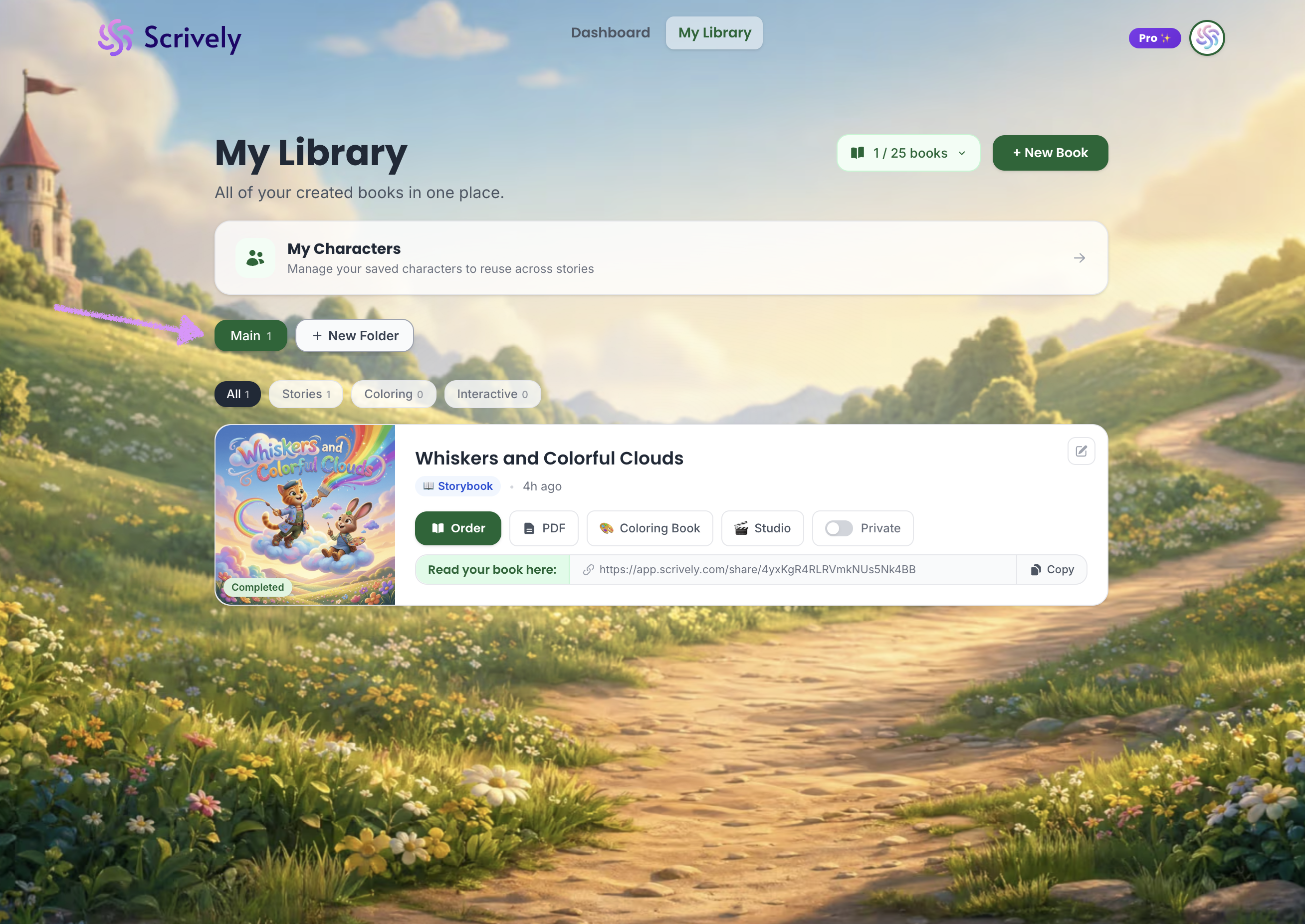
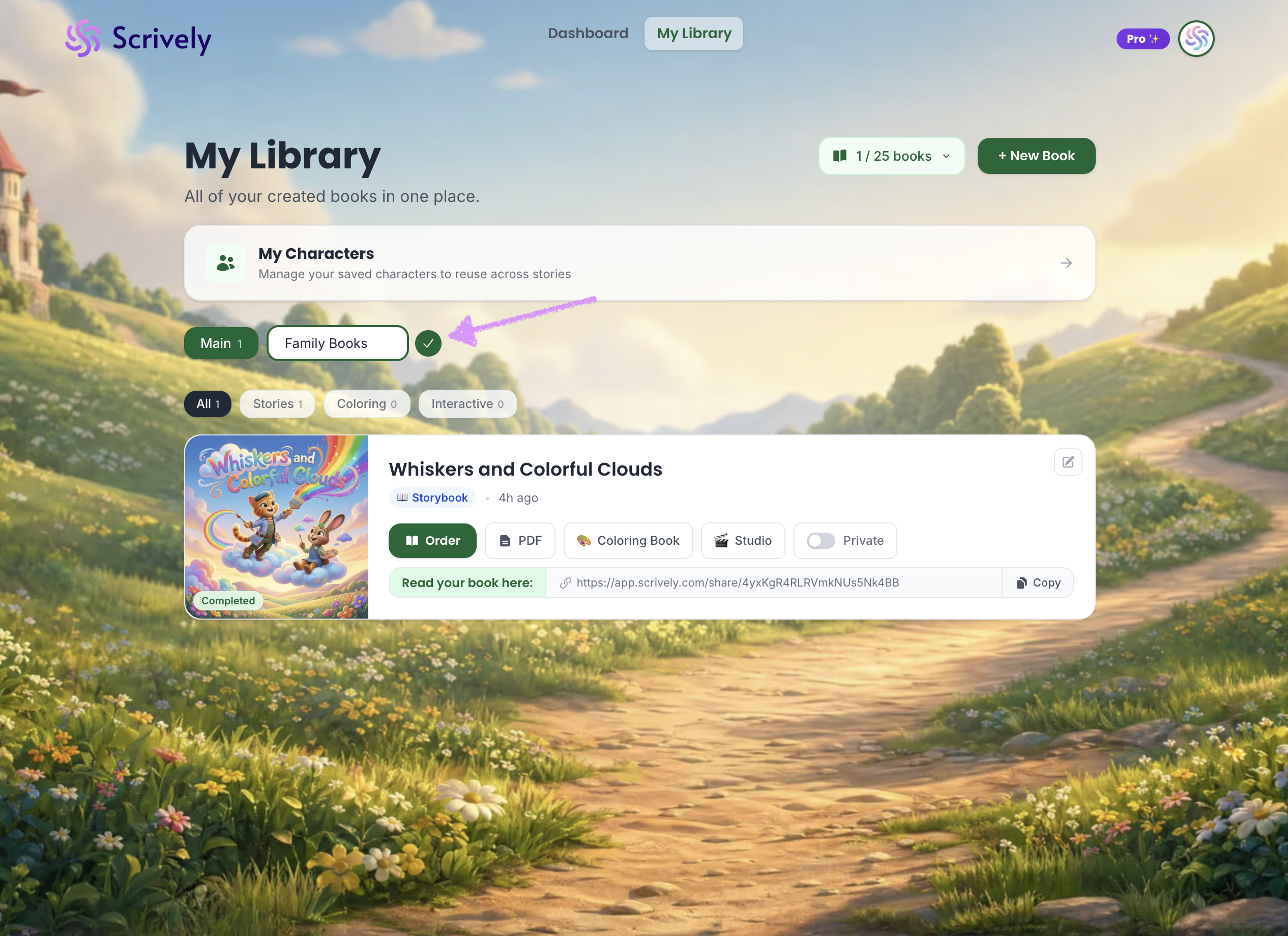
Click on "+ New Folder."
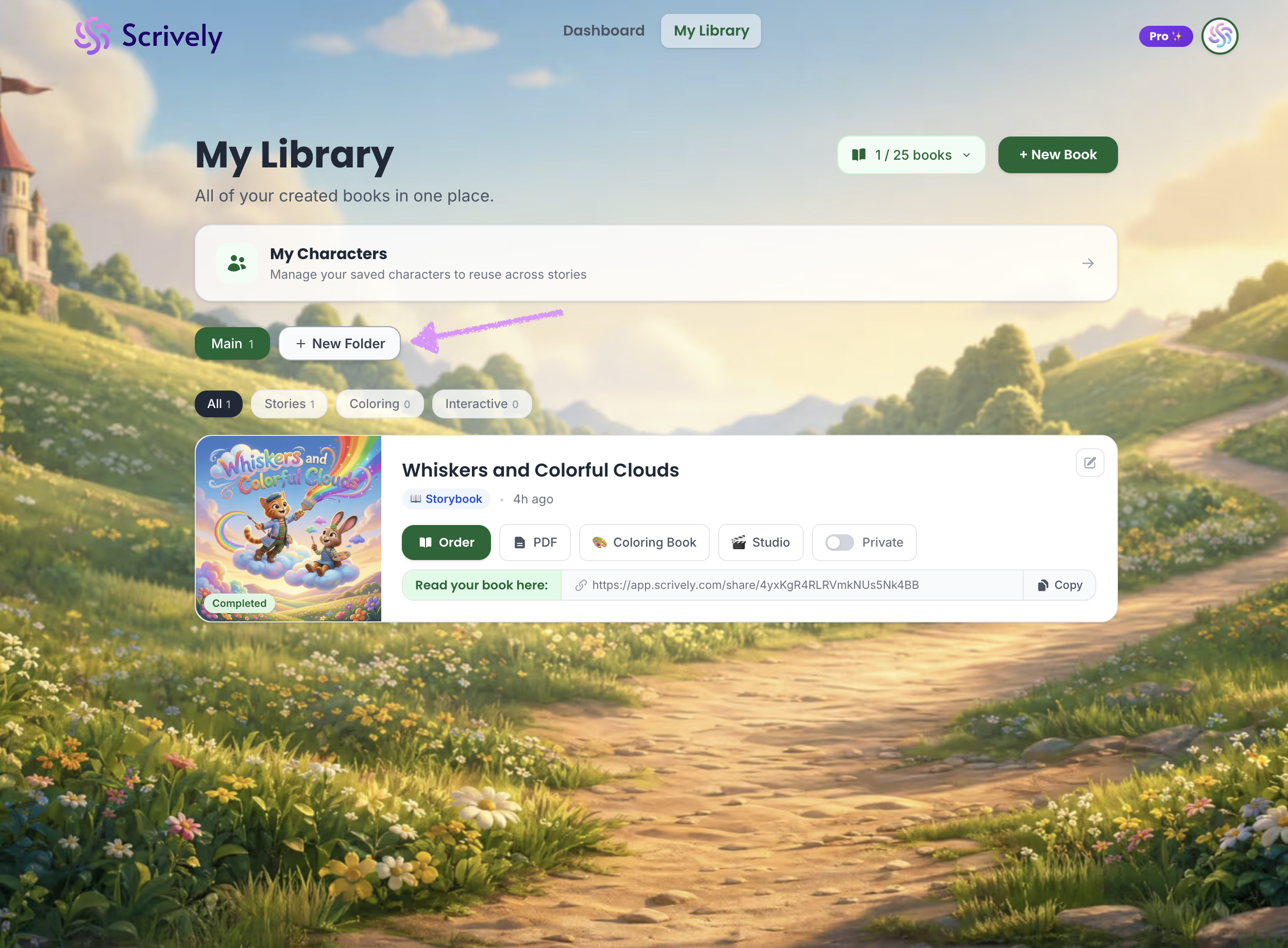
Enter the name of the folder.
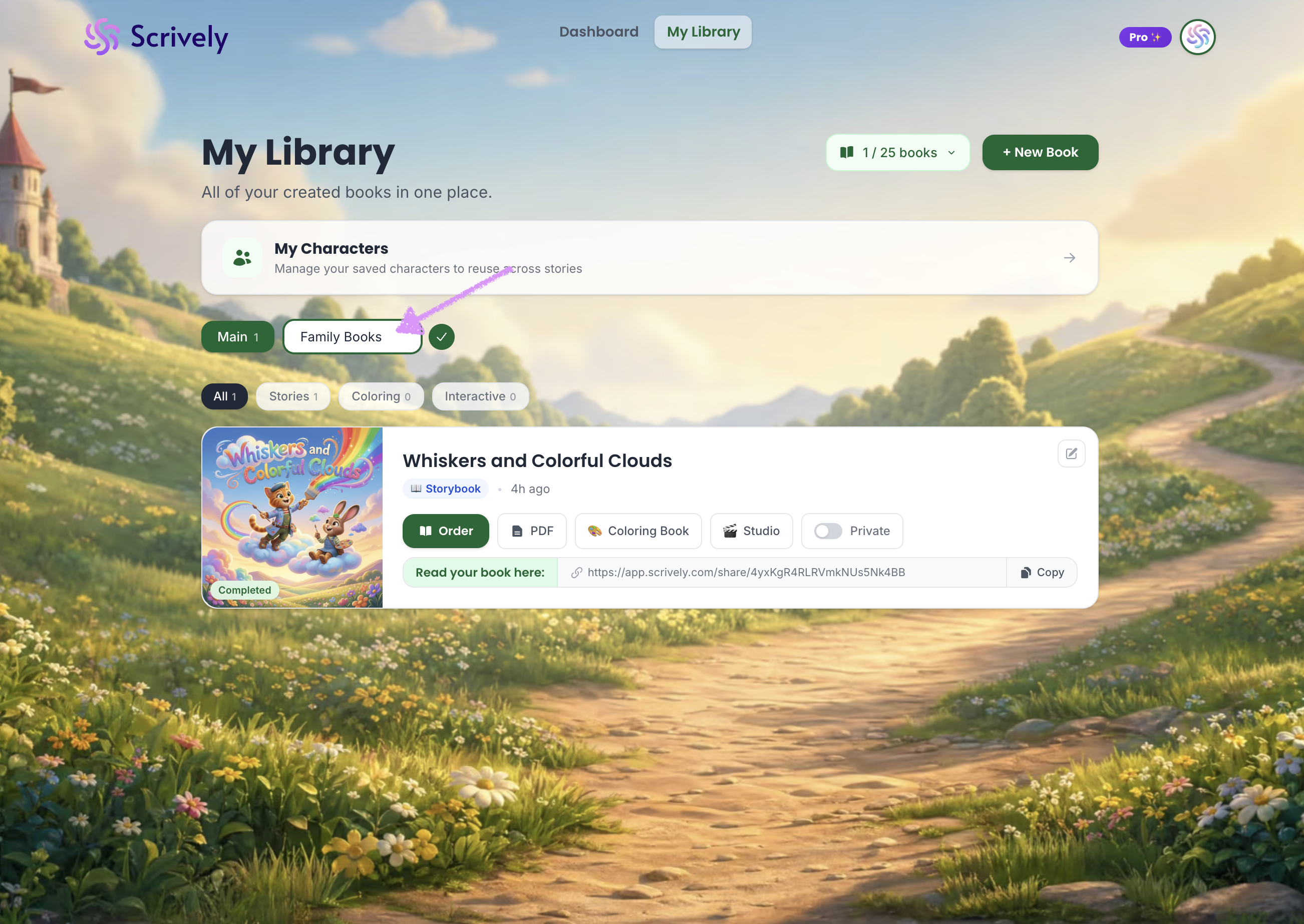
Click on the checkmark or return/enter on your keyboard to save it.
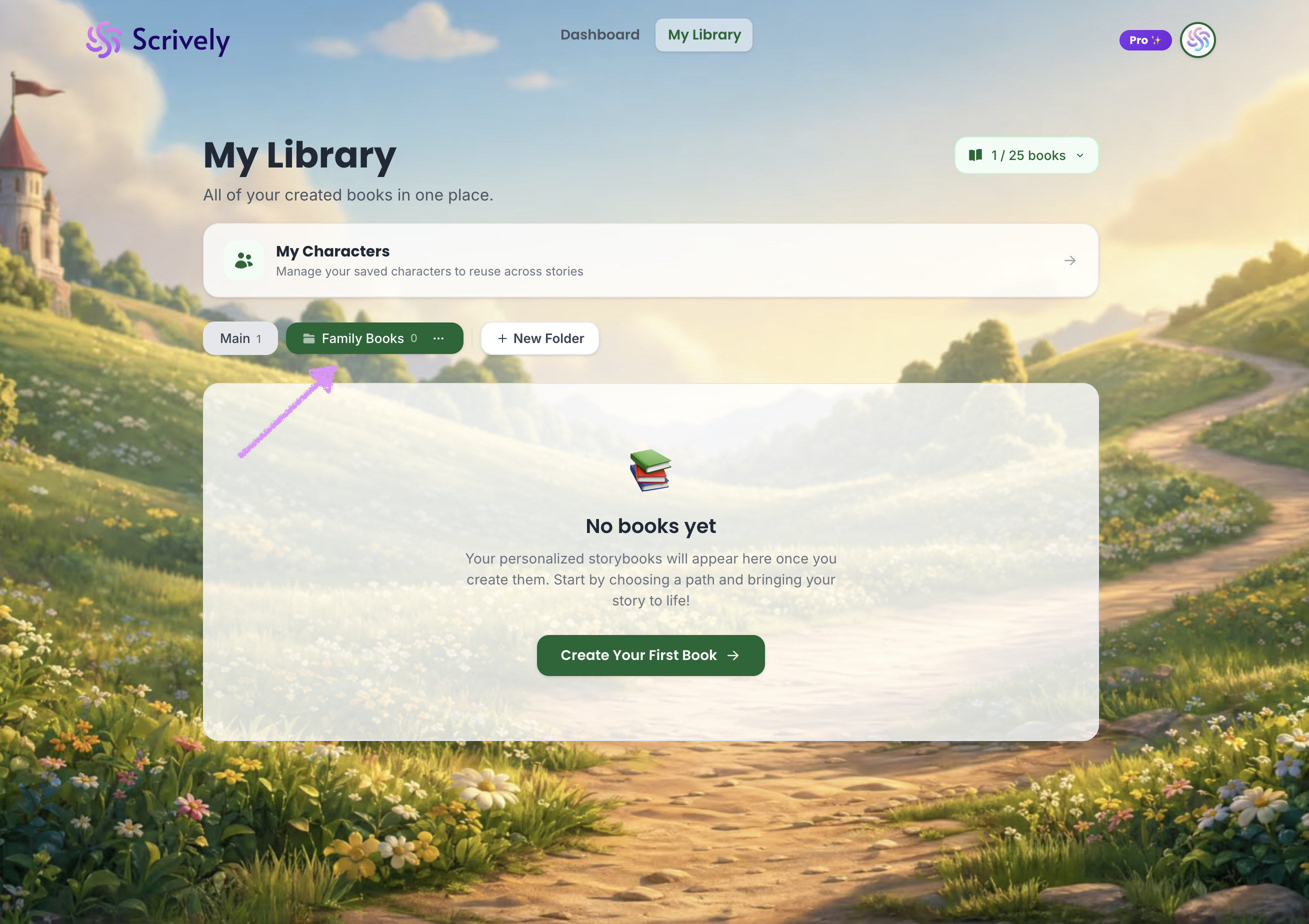
The folder will be created.
Was this article helpful?
That’s Great!
Thank you for your feedback
Sorry! We couldn't be helpful
Thank you for your feedback
Feedback sent
We appreciate your effort and will try to fix the article
