Keeping your projects organized is easy in Scrively. You can create folders/bookshelves to group your books by theme or project type. Adding a new folder takes just a few clicks and helps you keep your workspace tidy, so you can focus on creating instead of searching.
Head over to the "My Library" tab.

Scroll all the way down and click on "Bookshelves."

Give your bookshelf a name.

Select a background color.

Click on "Create."

A modal will be displayed with all of your books.

Use the search field to find the books you'd like to add to the bookshelf.

Click into the book you'd like to add to the bookshelf.

Click on "Update books."

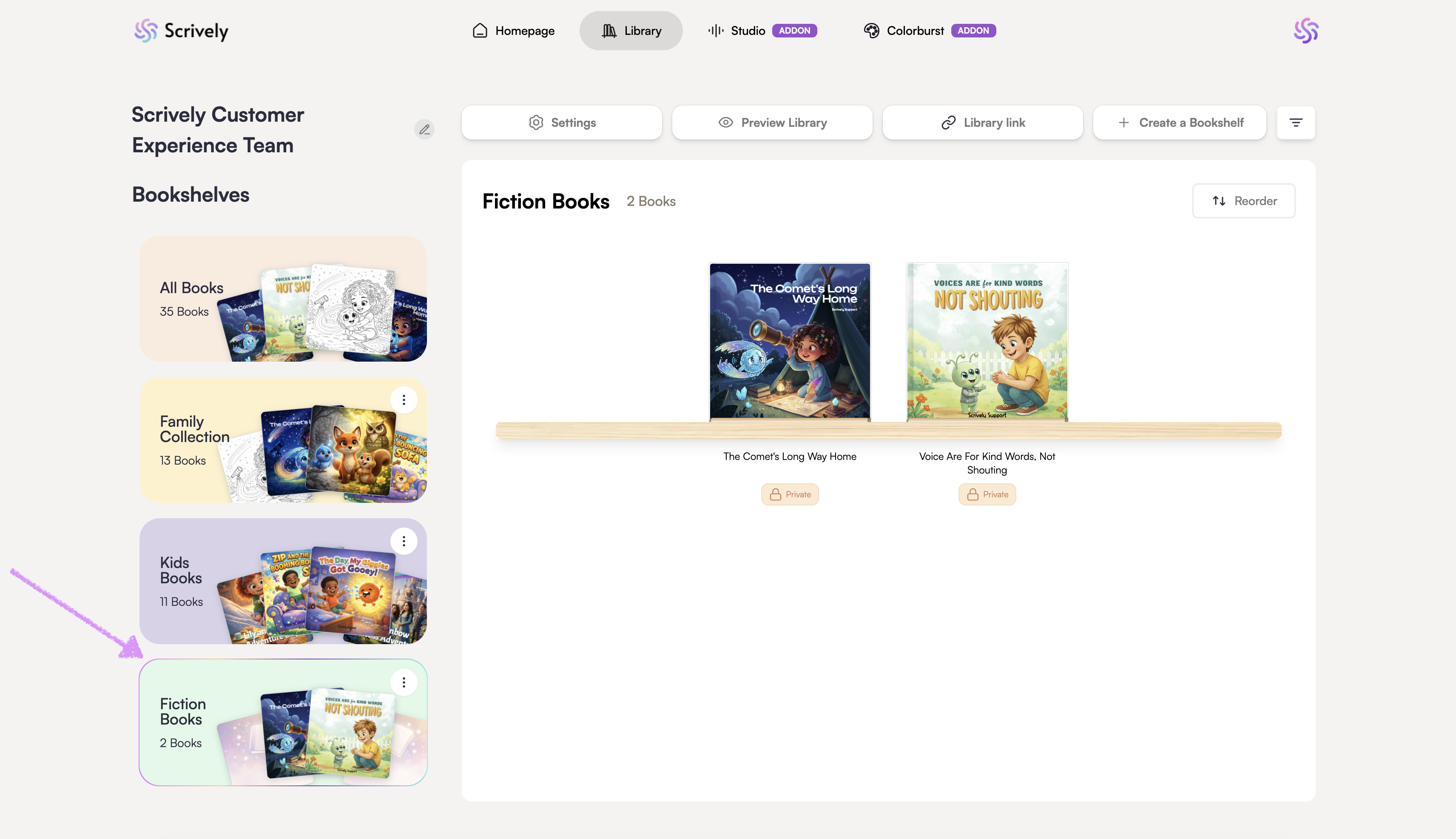
The bookshelf will be added on the left side and display the books that were added.
If you prefer not to add books right now, click the ‘X’ icon in the top-right corner of the modal to close it.
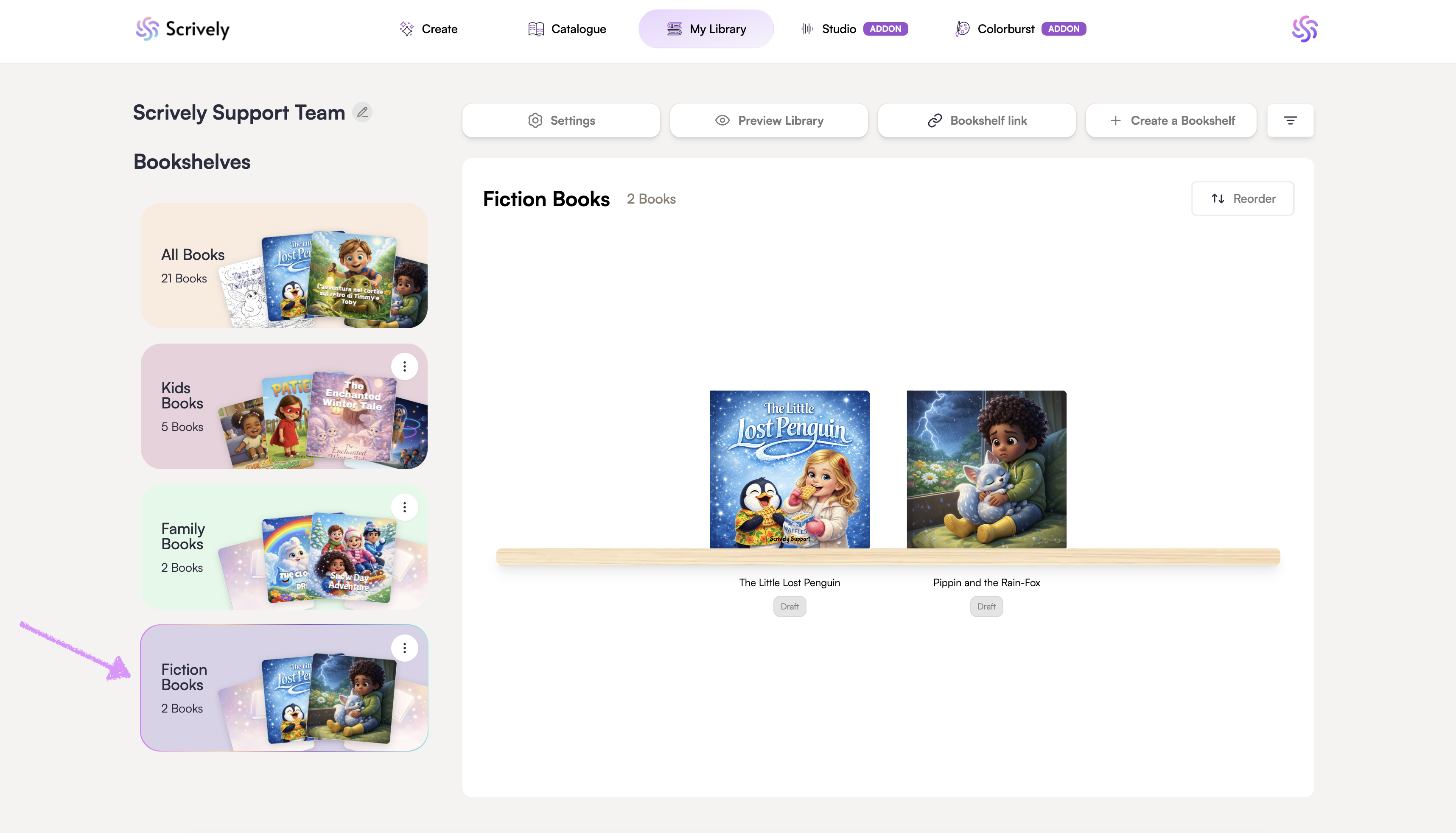
The bookshelf will be created and you will have the options to "Write a story" or "Add Book"when needed.

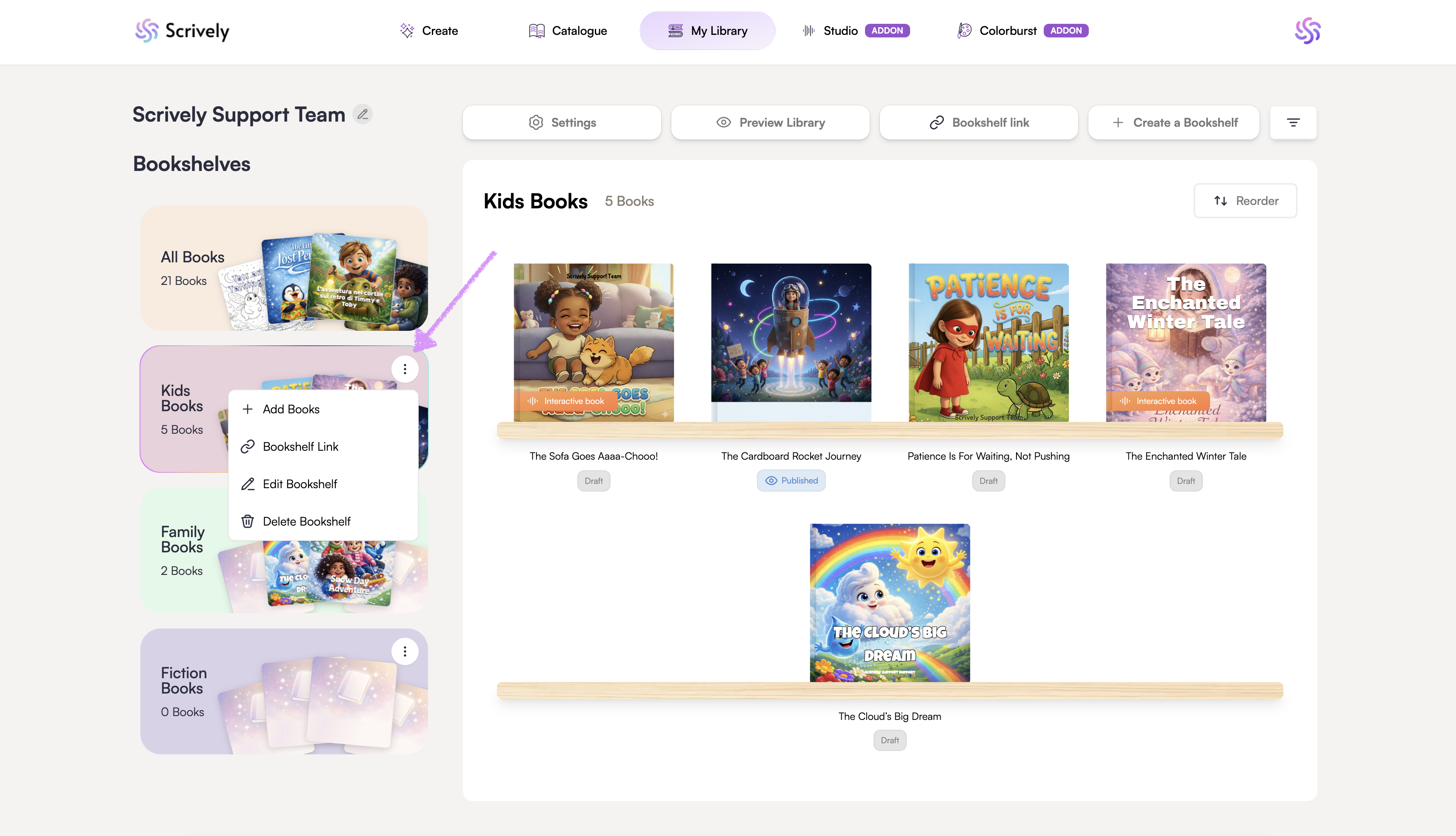
If you'd like to add a book to an existing bookshelf, hover over click on ellipsis (:) menu on the right side of the bookshelf and select "Add Books."
Was this article helpful?
That’s Great!
Thank you for your feedback
Sorry! We couldn't be helpful
Thank you for your feedback
Feedback sent
We appreciate your effort and will try to fix the article
