Once you’ve set up folders/bookshelves in Scrively, you can quickly move your books into them for better organization. This makes it easy to keep related projects together. With just a few clicks, your library will look cleaner and be easier to navigate.
Head over to the "My Library" tab.

Click the ellipsis (⋮) menu for the bookshelf and select "+ Add Books."

At the top right side is the option to search for the book(s) you'd like to add or scroll manually to locate the book(s).

Select the books you'd like to add to the folder/bookshelf.

Click on "Update books."

The book(s) will be added to the folder/bookshelf.

Alternatively, hover over the book you want to add to the booksheld. Click the ellipsis (⋮) menu that appears.

Select "Add to bookshelf."

Select the bookshelf you would like to add the book to.
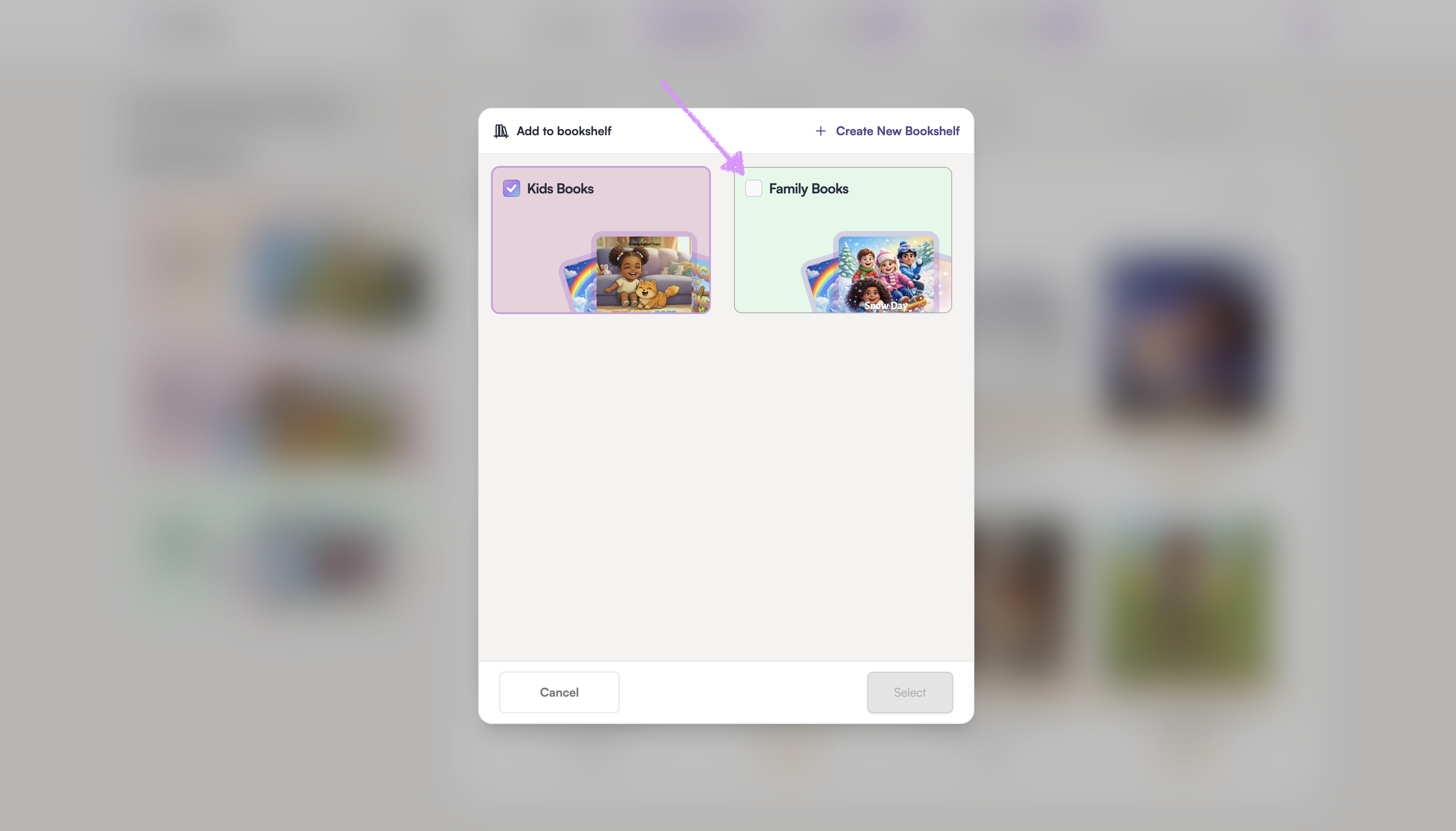
Click on "Select" and the book will be added to that bookshelf.

Was this article helpful?
That’s Great!
Thank you for your feedback
Sorry! We couldn't be helpful
Thank you for your feedback
Feedback sent
We appreciate your effort and will try to fix the article
