Scrively Library (Templates)
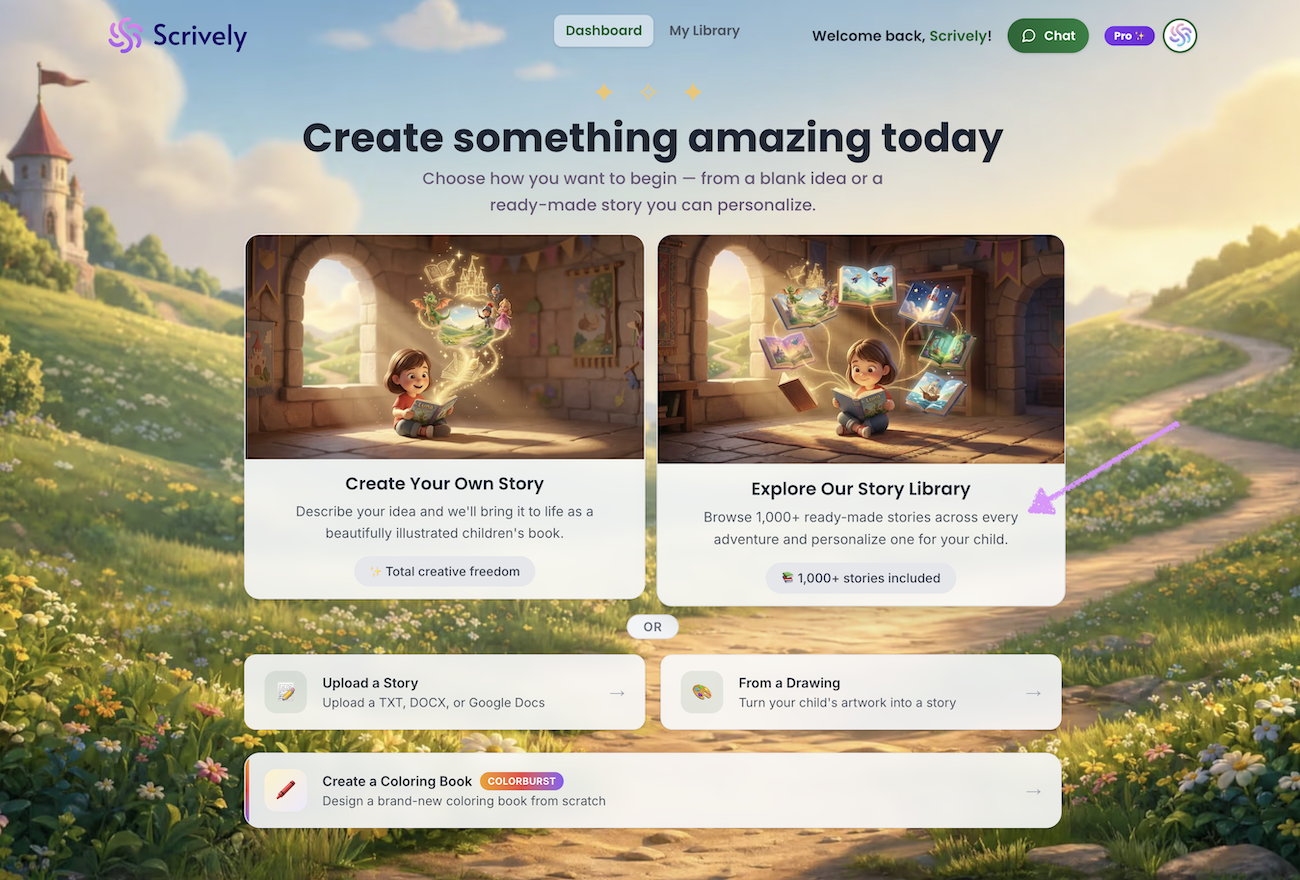
To access the Scrively Library, from the Dashboard, click on “Explore Our Story Library.”
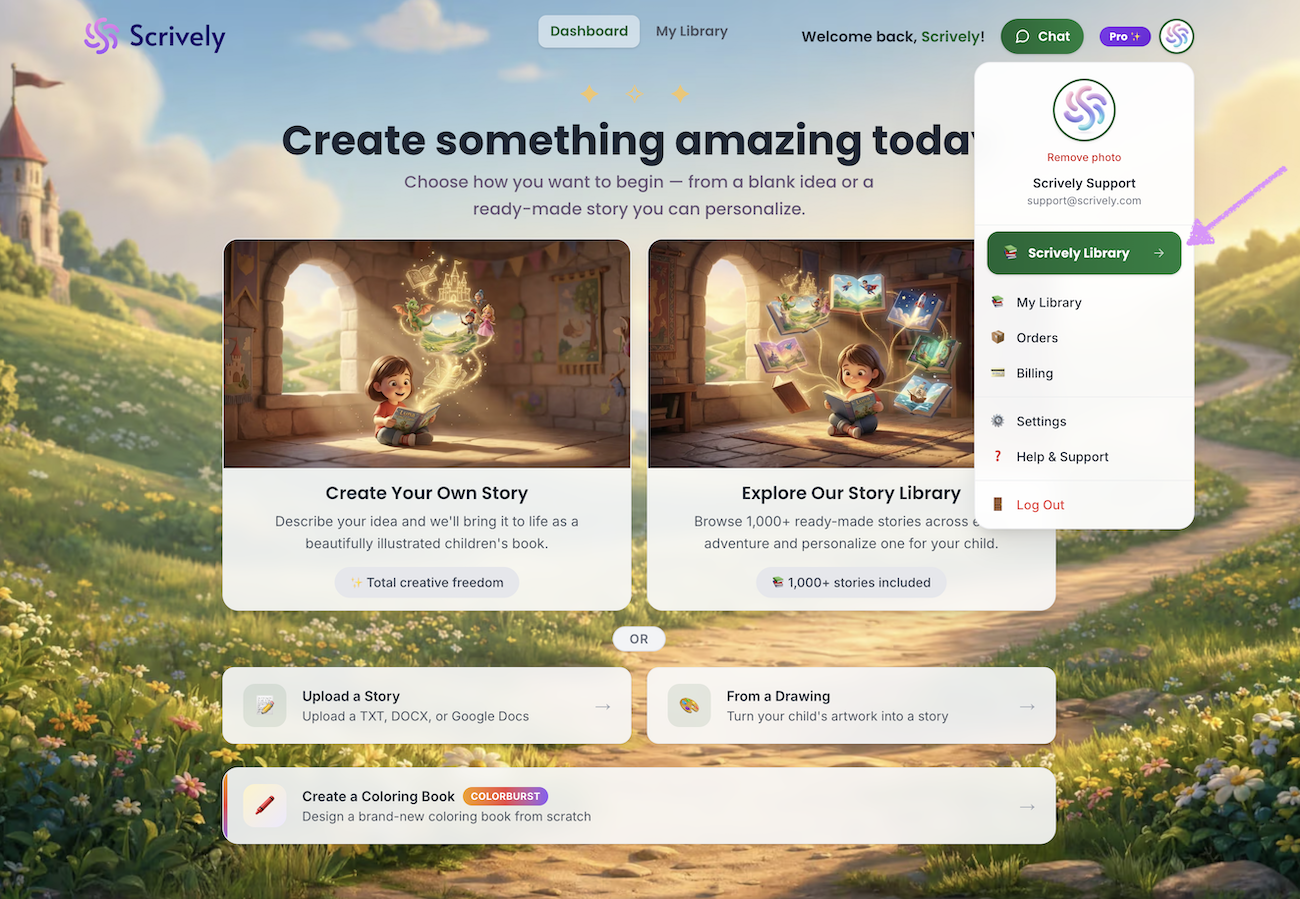
Alternatively, click your avatar in the top-right corner of the app, then select “Scrively Library” from the dropdown menu.
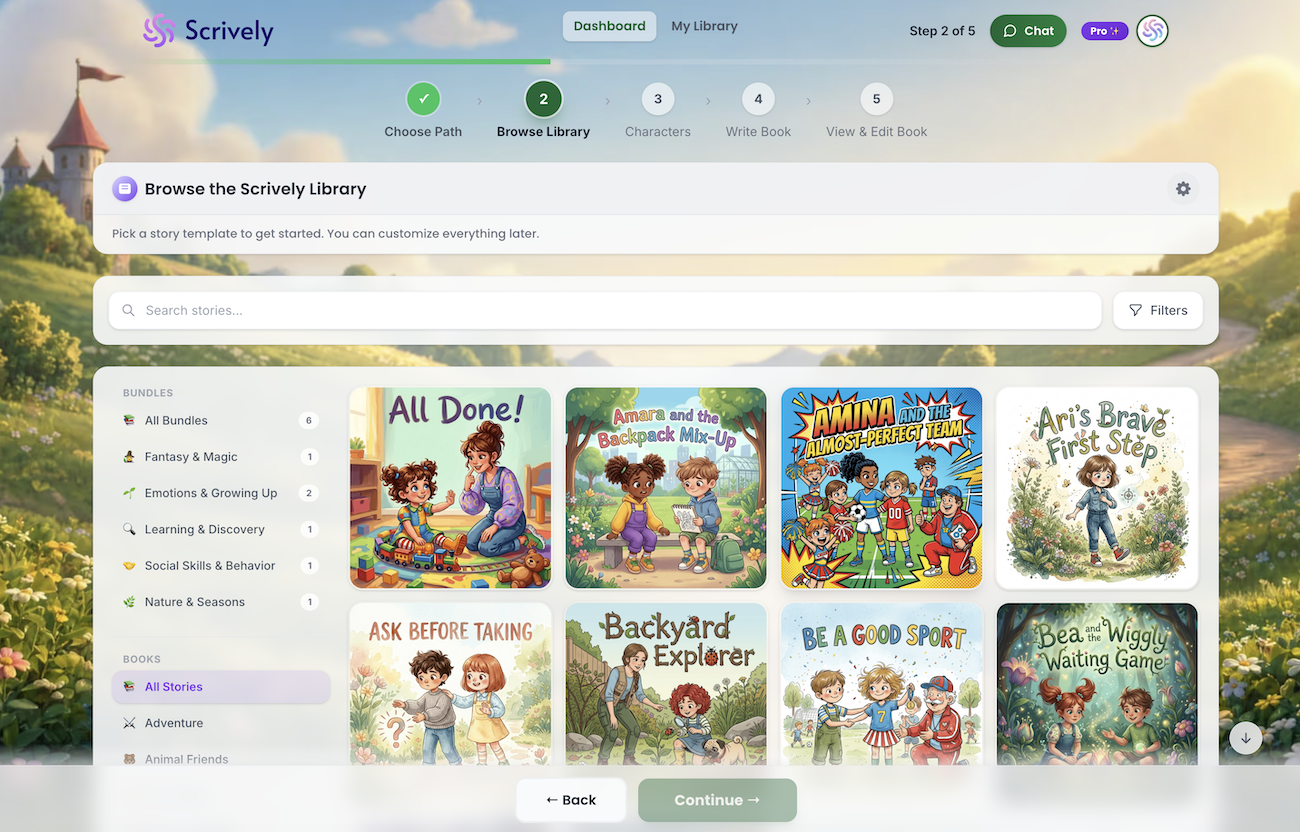
You’ll arrive at the Scrively Library where you can choose from hundreds of templates to help you get started with your project.
Was this article helpful?
That’s Great!
Thank you for your feedback
Sorry! We couldn't be helpful
Thank you for your feedback
Feedback sent
We appreciate your effort and will try to fix the article