
My Library
Renaming folders makes it easier to keep your library organized and up to date. You can update folder names at any time to better match your books, projects, themes, or workflow.
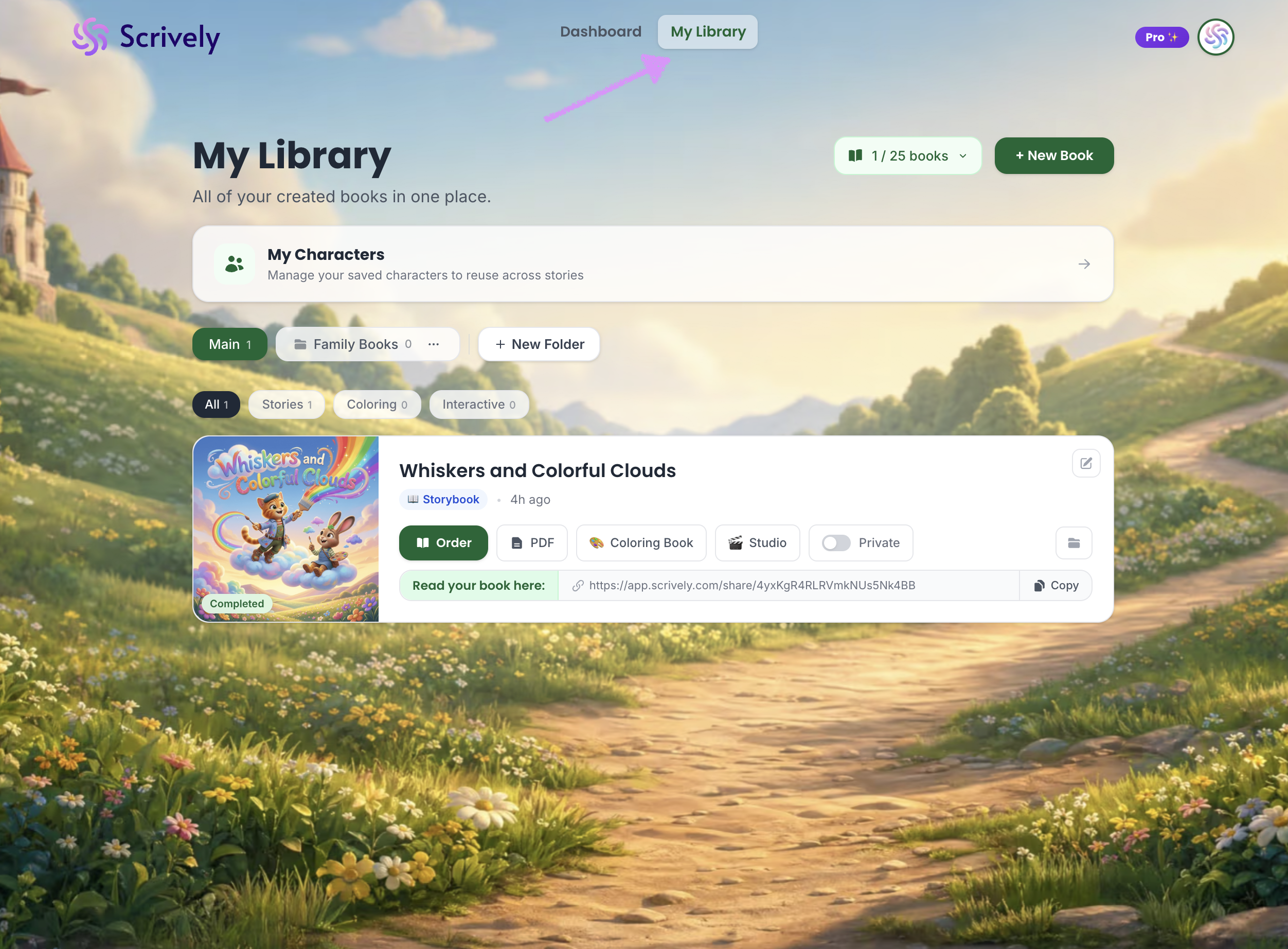
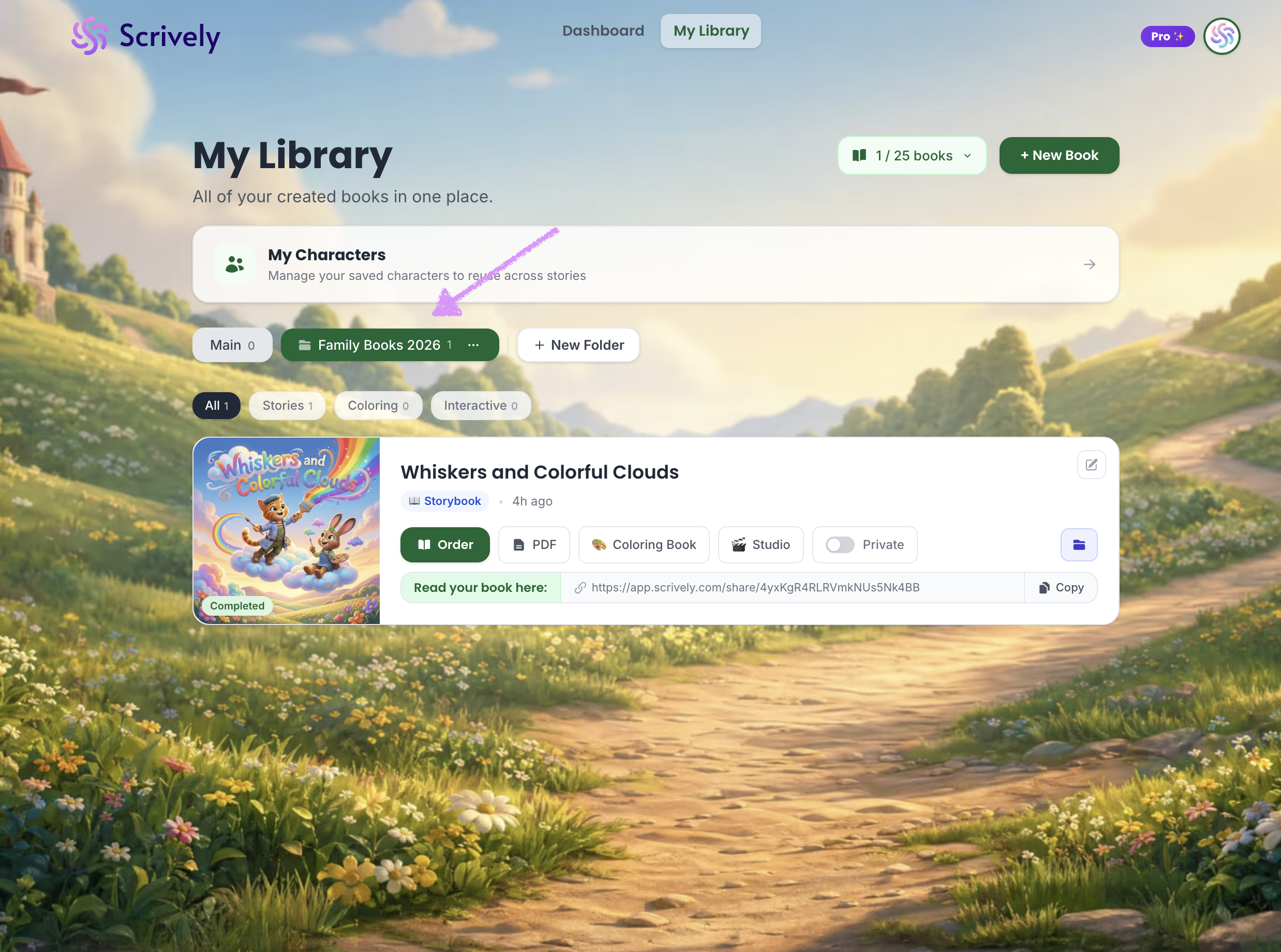
Head over to the "My Library" tab.
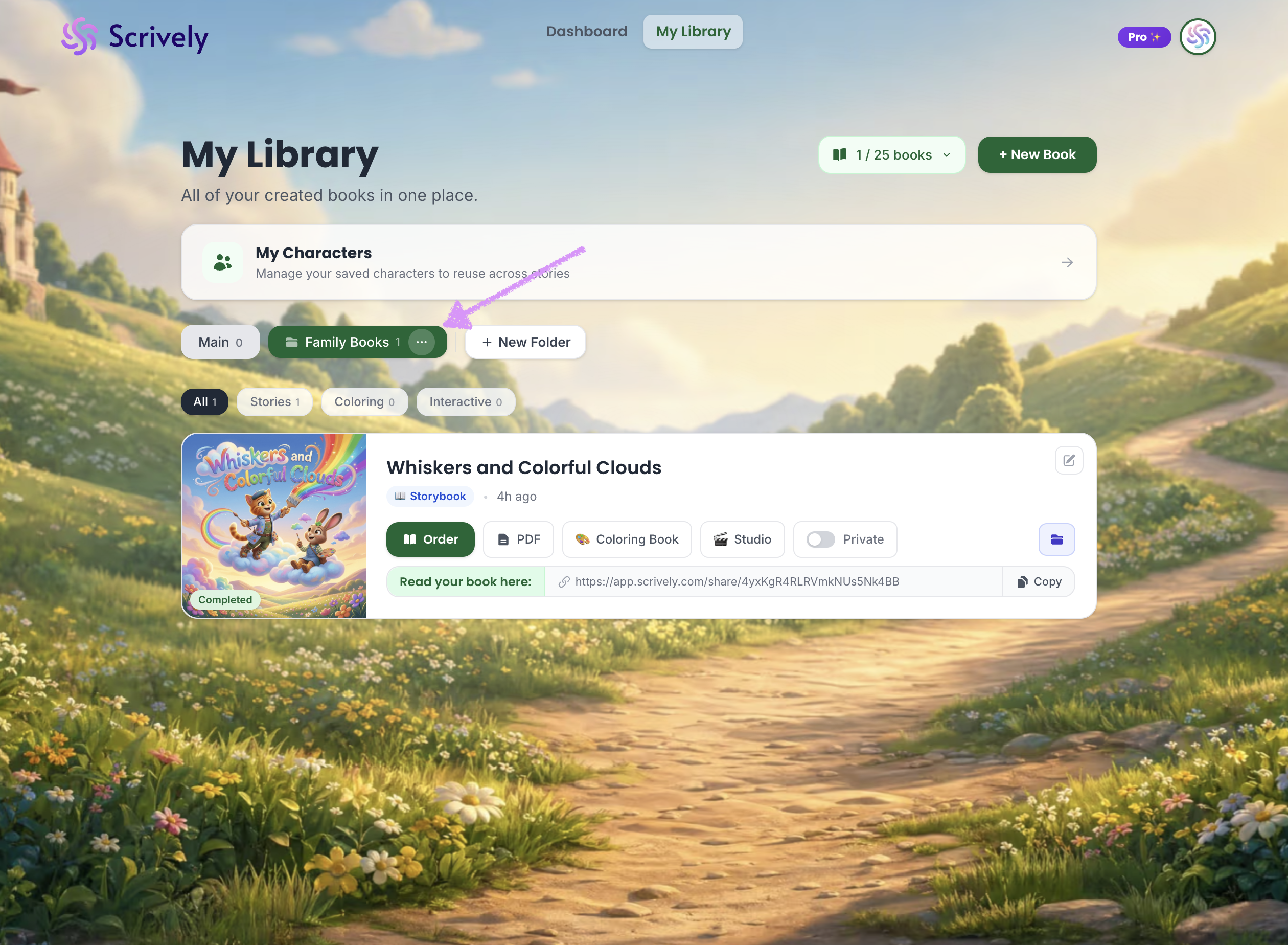
Click into the folder, then open the ellipsis (•••) menu.
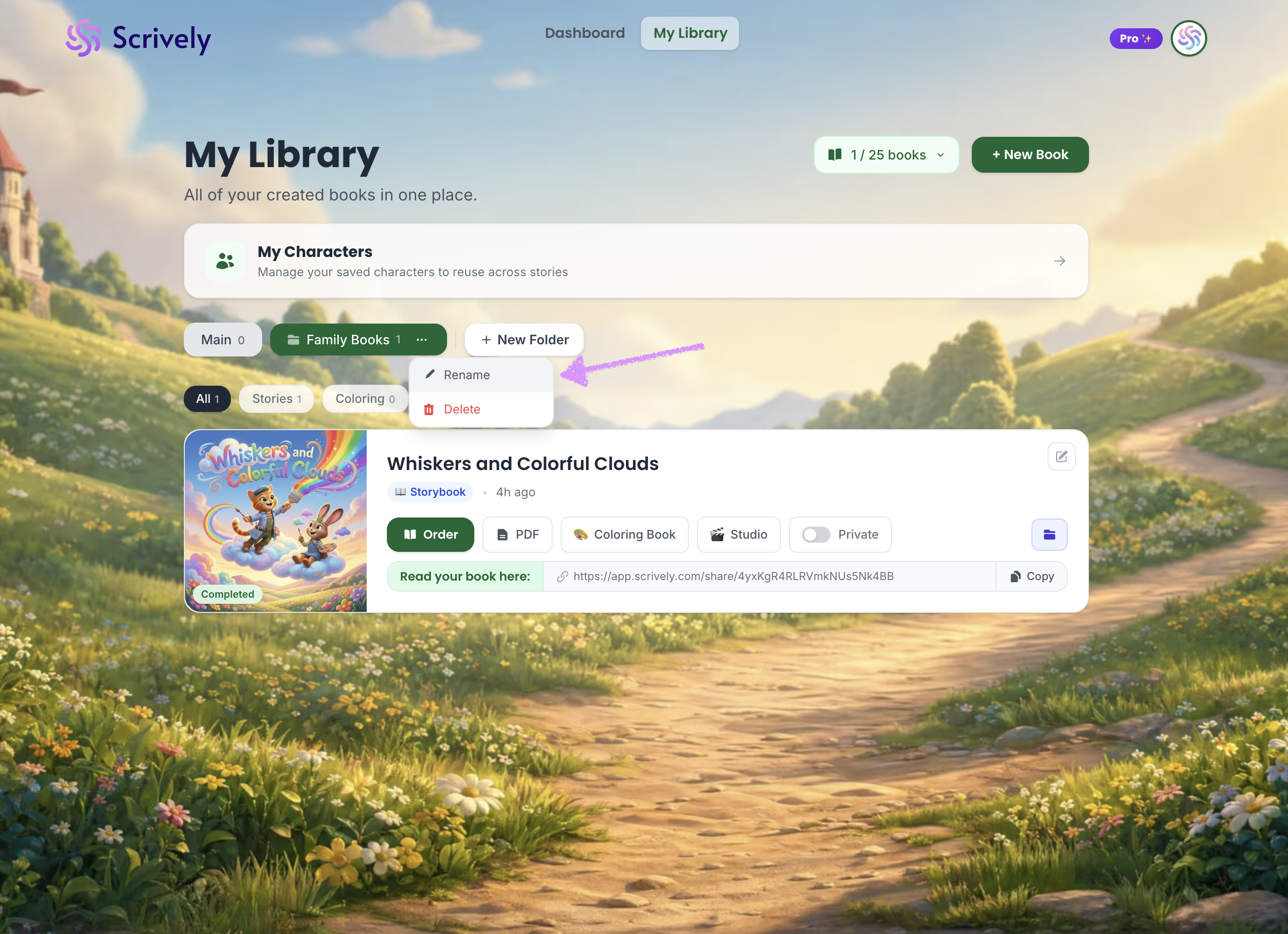
Select "Rename."
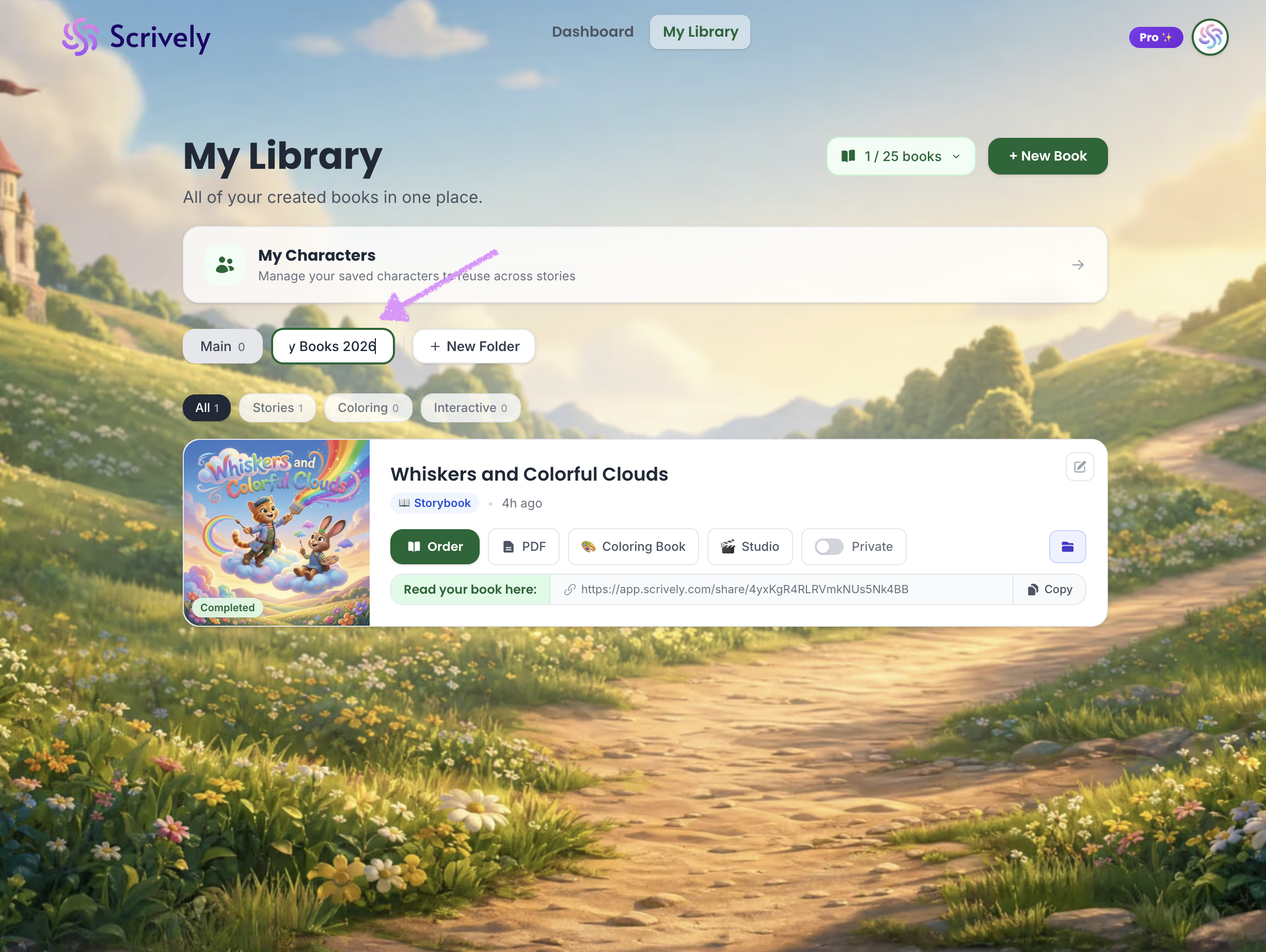
Enter the new name for the folder. On your keyboard click on return/enter.
The new name will be applied.
Was this article helpful?
That’s Great!
Thank you for your feedback
Sorry! We couldn't be helpful
Thank you for your feedback
Feedback sent
We appreciate your effort and will try to fix the article
