Adding books to your personal bookshelf is quick and intuitive from the Library view. Whether you’re organizing new reads, saving your favorites, or curating a custom collection, the Library makes it easy to build and manage your perfect reading lineup.
Head over to the "Library" tab.

Click on "Create a Bookshelf."

Give the bookshelf a name.
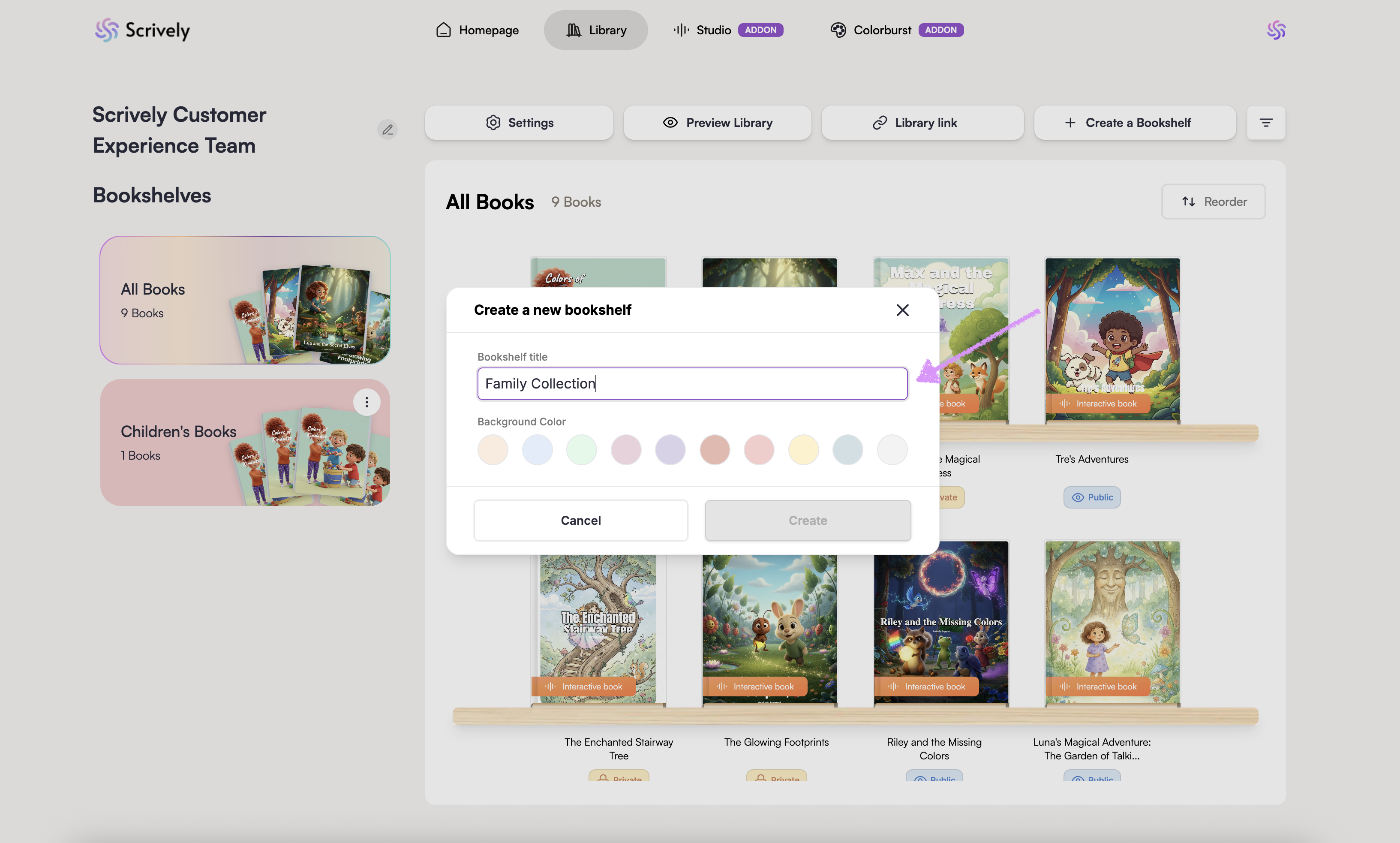
Choose a background color.
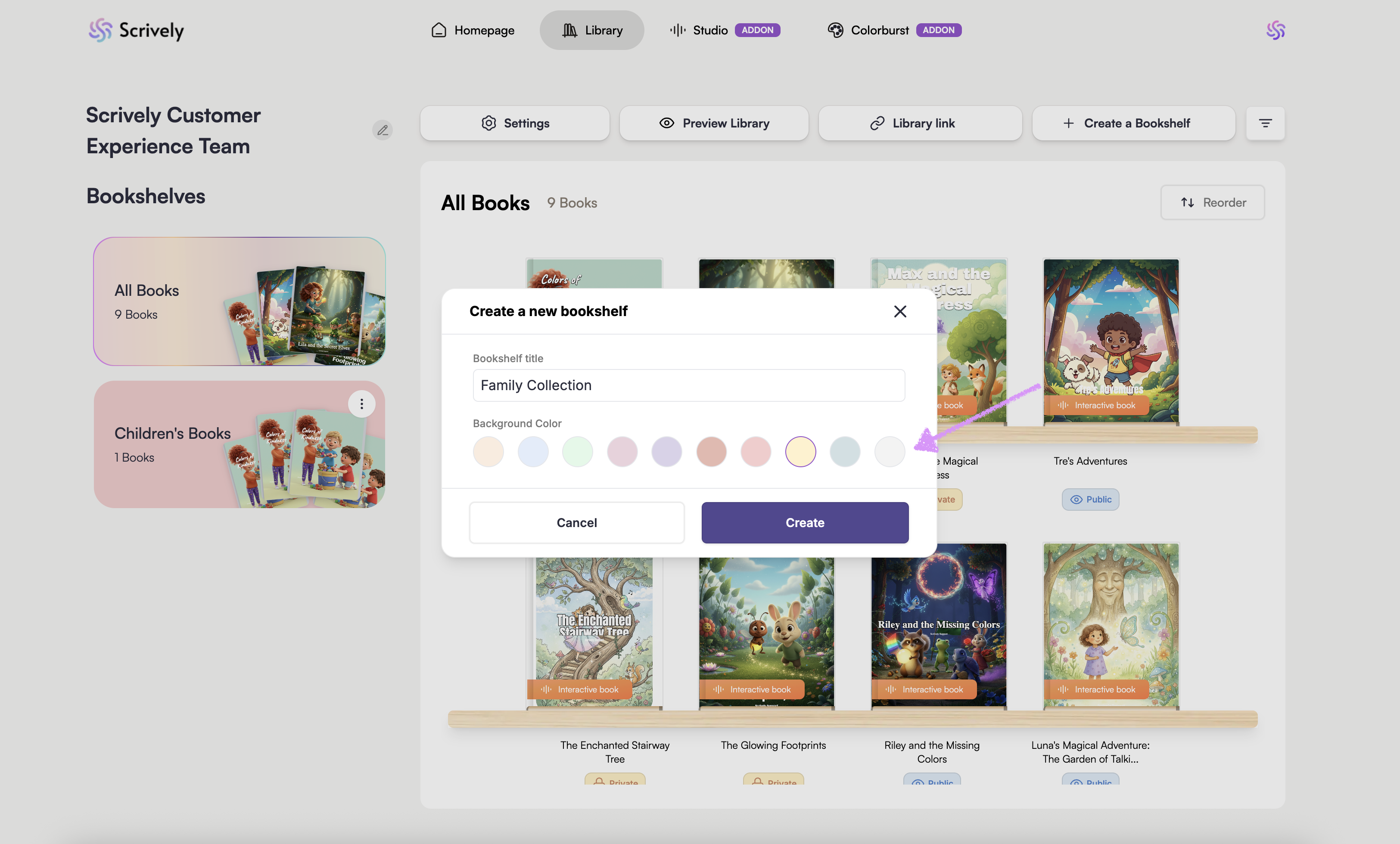
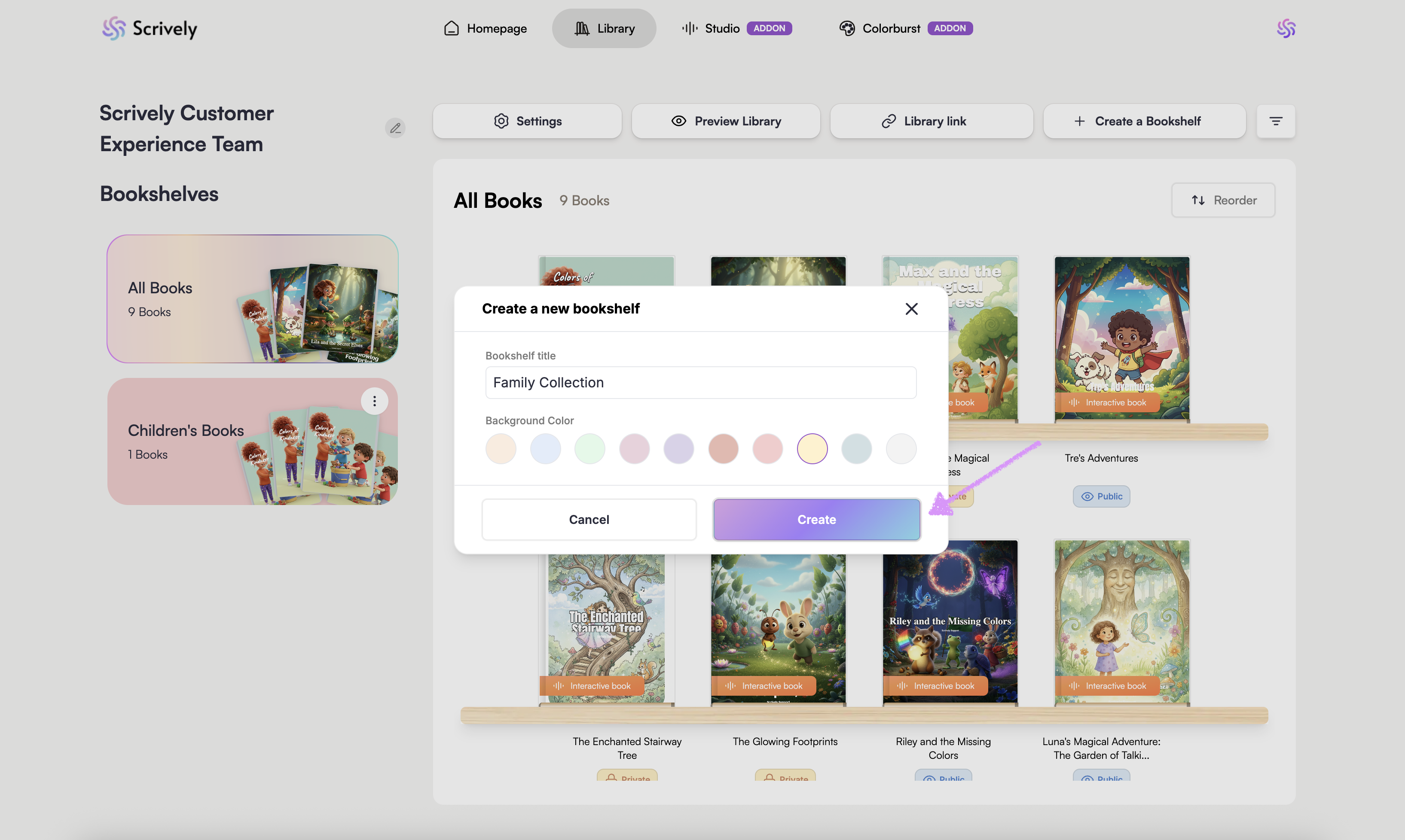
Click on "Create."
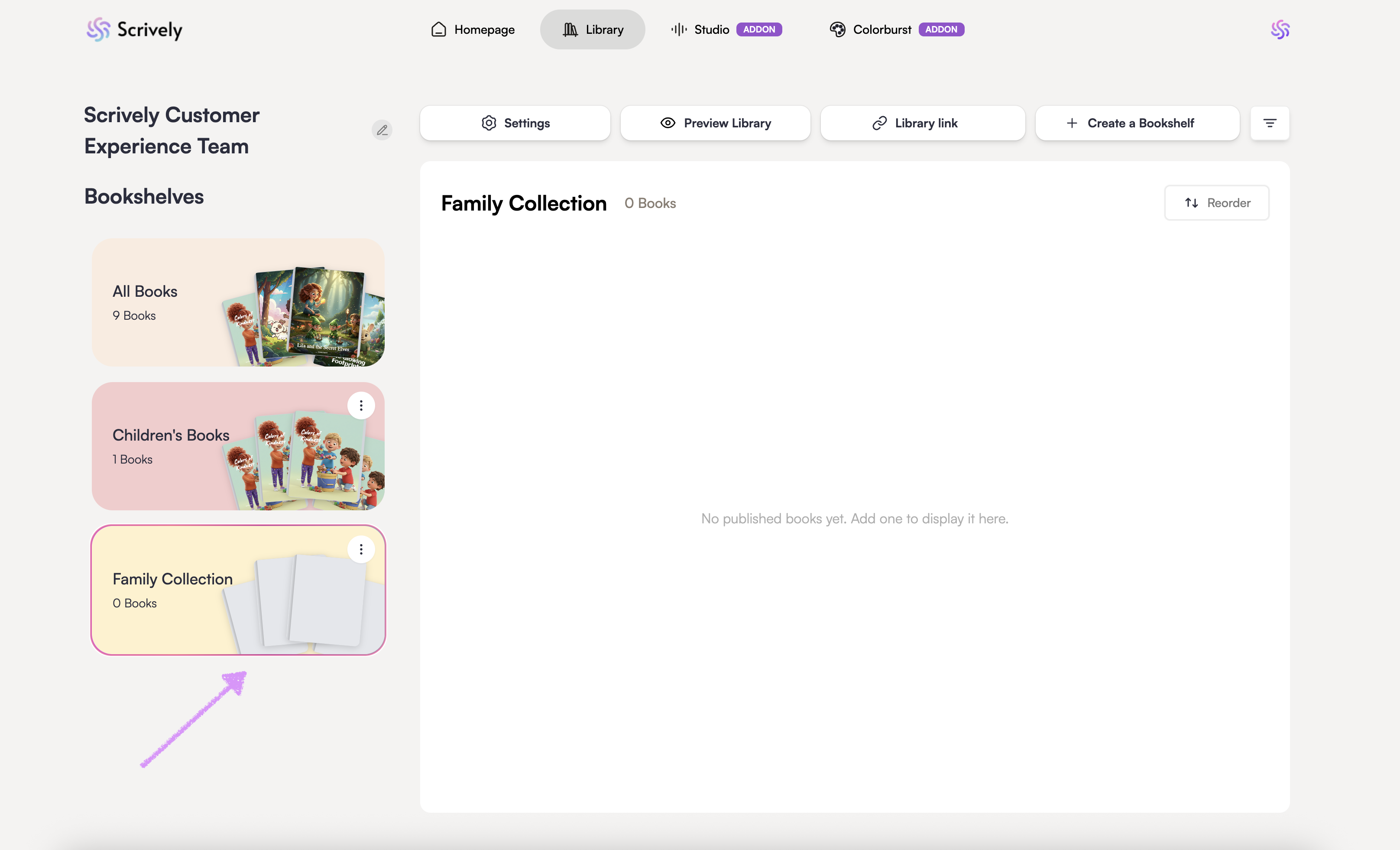
The bookshelf will be become visible on the left hand side.
Click on the ellipsis (:) menu for the bookshelf.

Select "+ Add Books."
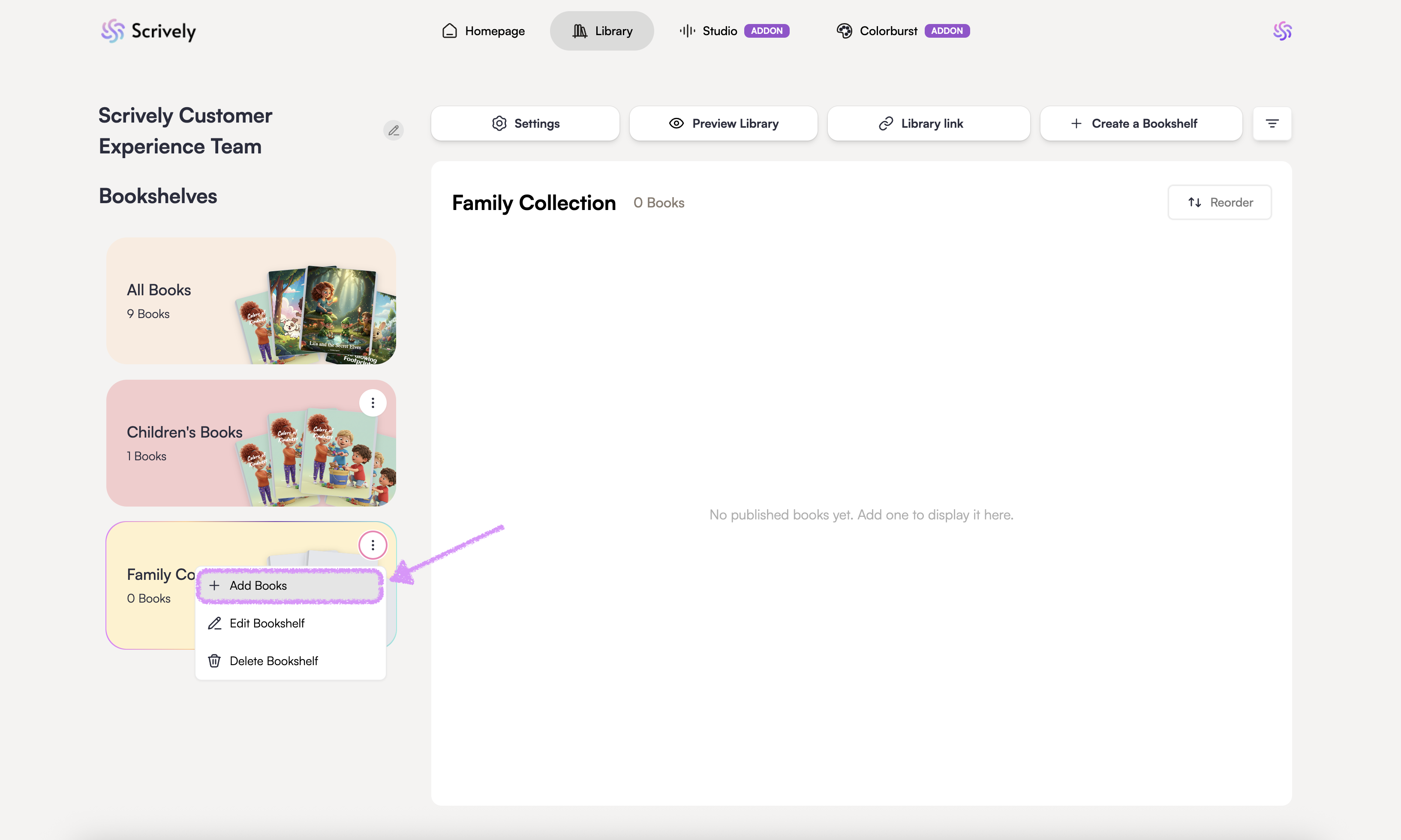
Choose the book(s) to add to that bookshelf.

Click on "Update books."
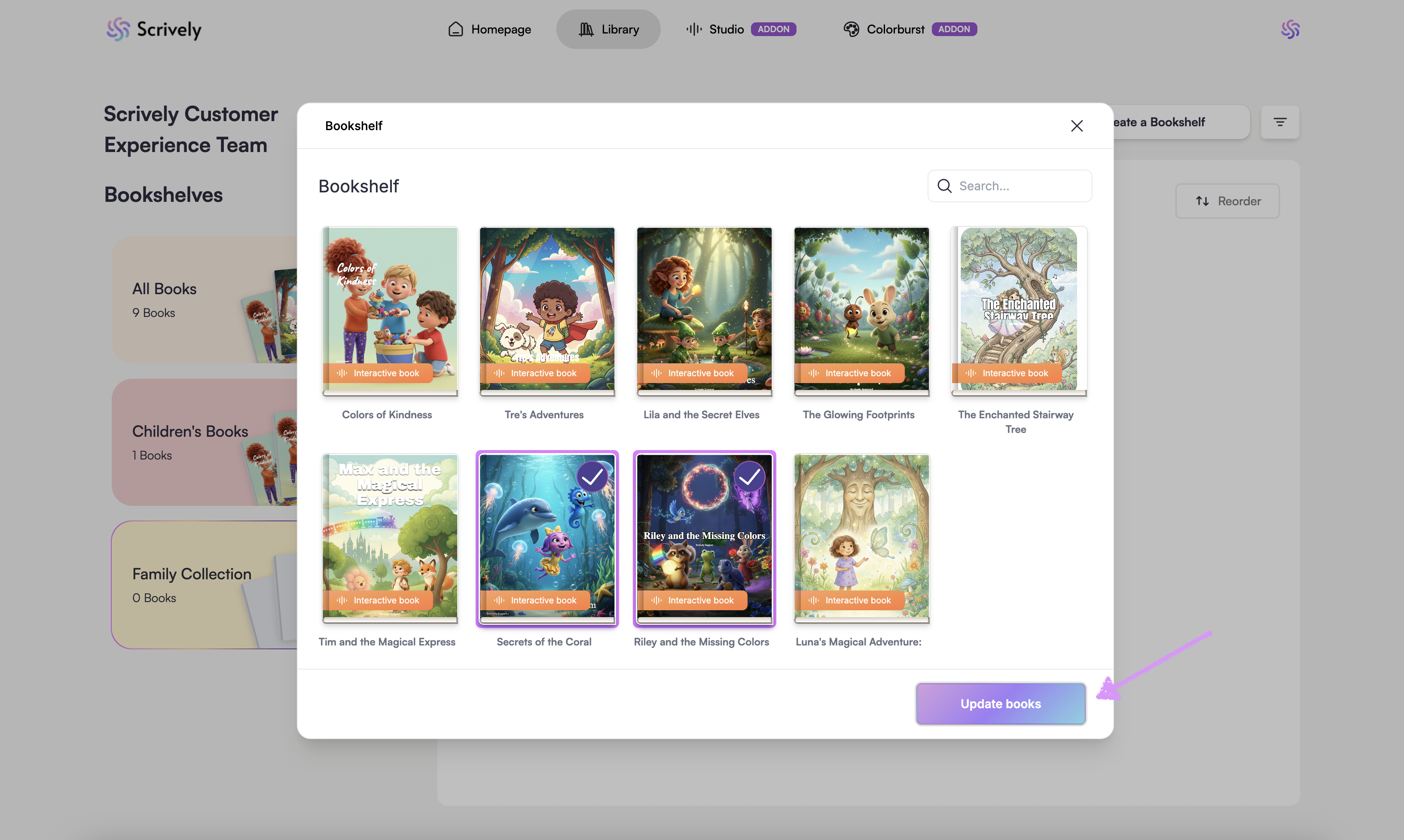
The book(s) will be added instantly and displayed in your Bookshelf, where you can access and manage it anytime.

If you’d like to add a book to an existing bookshelf, just click the ellipsis (:) menu and follow the same steps.Was this article helpful?
That’s Great!
Thank you for your feedback
Sorry! We couldn't be helpful
Thank you for your feedback
Feedback sent
We appreciate your effort and will try to fix the article
