
Book embed links allow you to display your book directly on a website or platform without requiring readers to leave the page. This makes it easy to share your content in a seamless, interactive format.
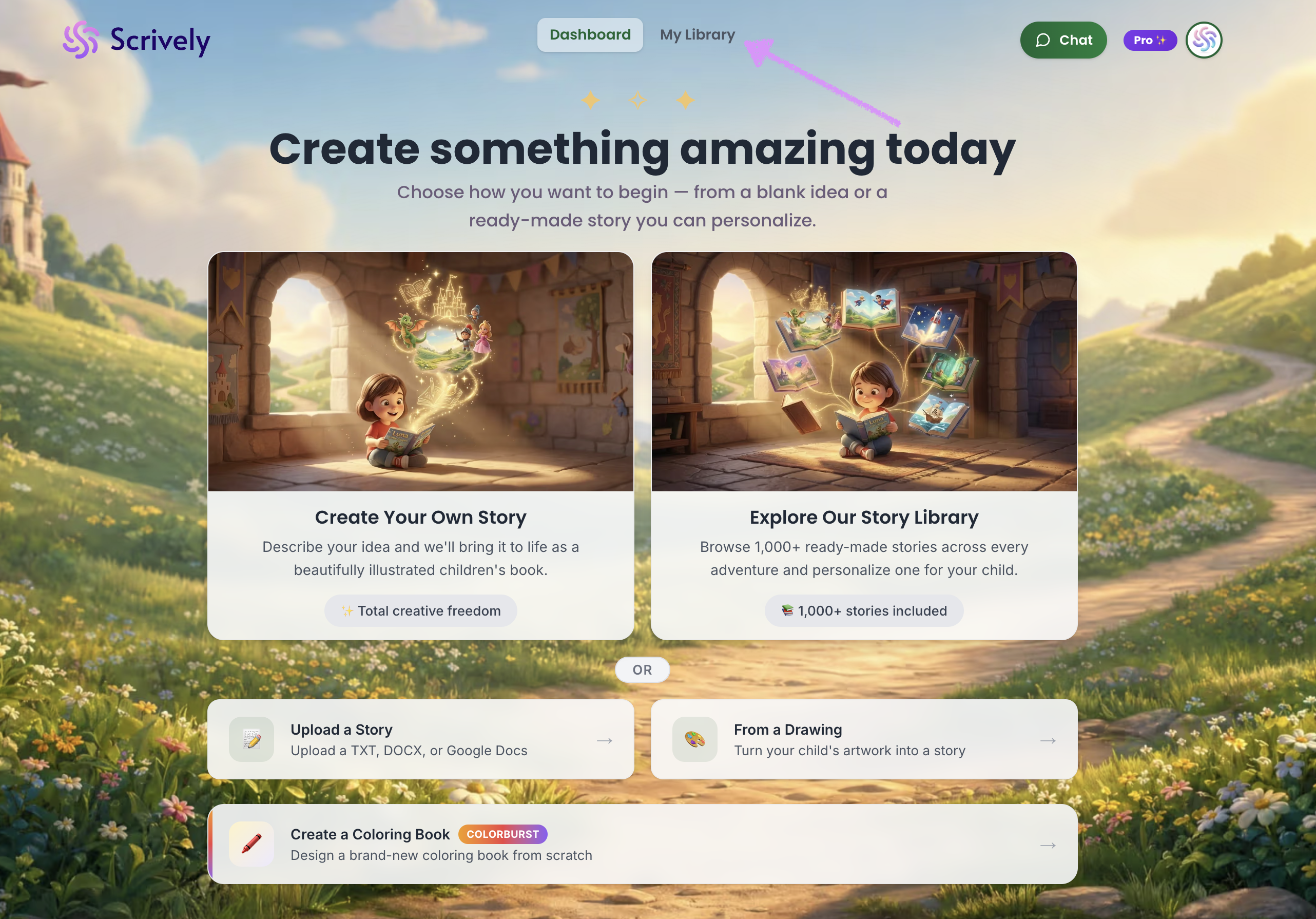
Head over to the "My Library" tab.
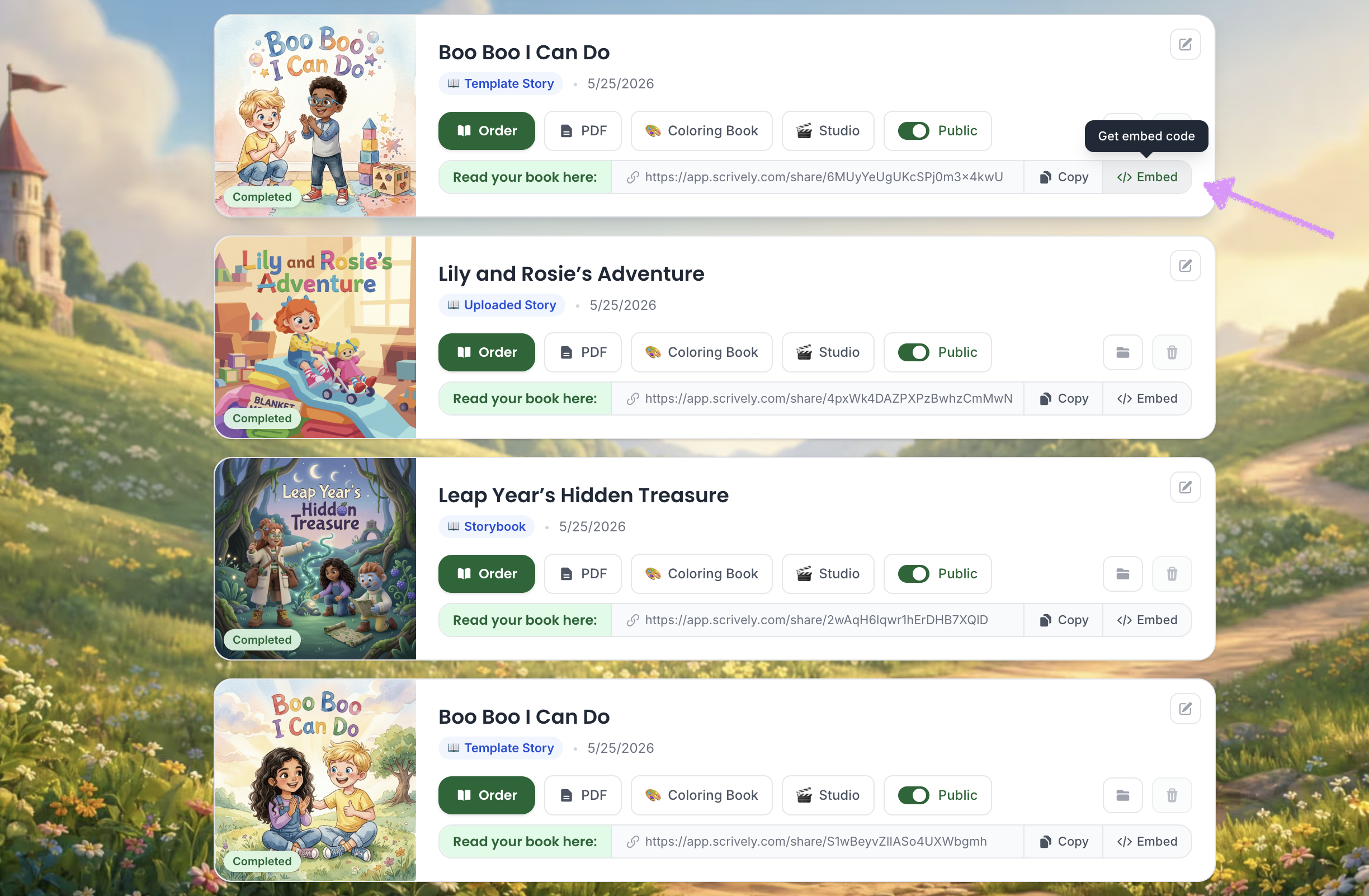
Locate your book and select “Embed” from the right-hand menu to access the embed code.
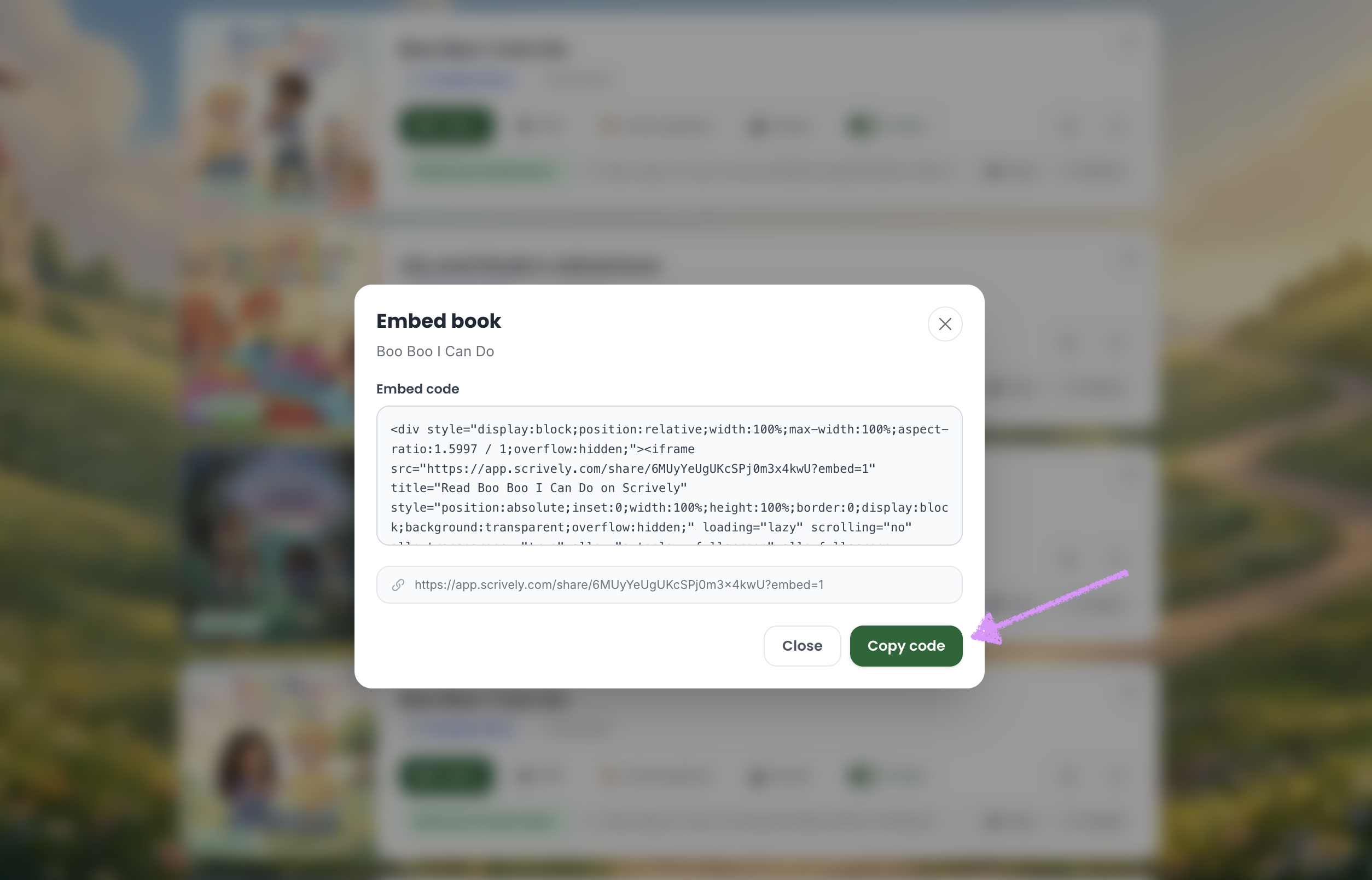
Click “Copy Code” to copy the embed code, which you can then use on your website or preferred platform.
Was this article helpful?
That’s Great!
Thank you for your feedback
Sorry! We couldn't be helpful
Thank you for your feedback
Feedback sent
We appreciate your effort and will try to fix the article
