
Getting Started Guide
You can download your book’s front and back covers directly from Scrively.
At the top left of the cover image in the editor click on "Download cover illustration."

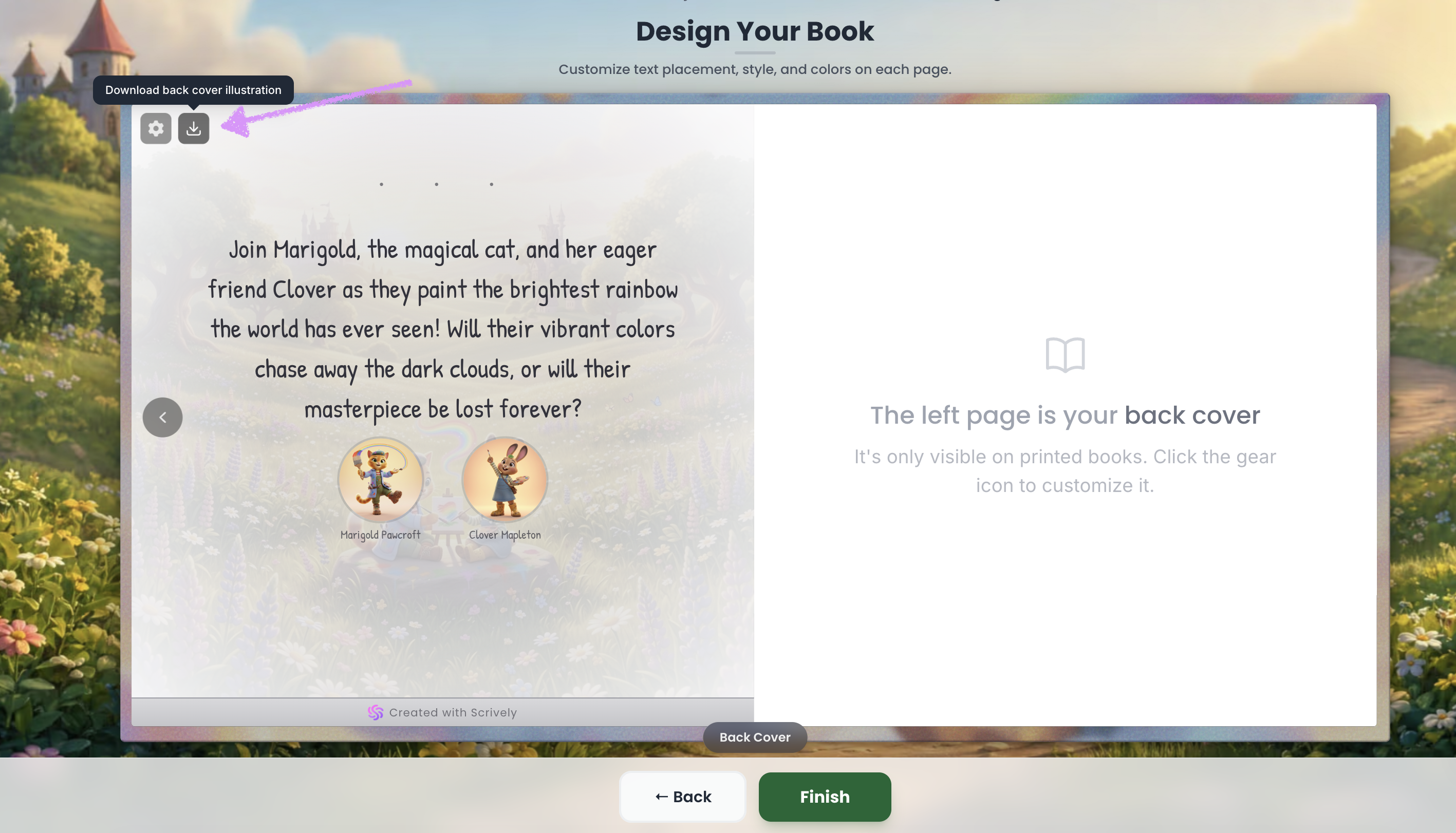
Similar to downloading the front cover image, click “Download Back Cover Illustration” in the top-left corner of the back cover section.
You will have the option to select where to save the covers on your device.
Was this article helpful?
That’s Great!
Thank you for your feedback
Sorry! We couldn't be helpful
Thank you for your feedback
Feedback sent
We appreciate your effort and will try to fix the article
