Designing your book is an exciting step but once it’s done, knowing how to download the full cover can be just as important. Whether you’re preparing to print or want a polished look for marketing, accessing both the front and back cover is simple with Scrively.
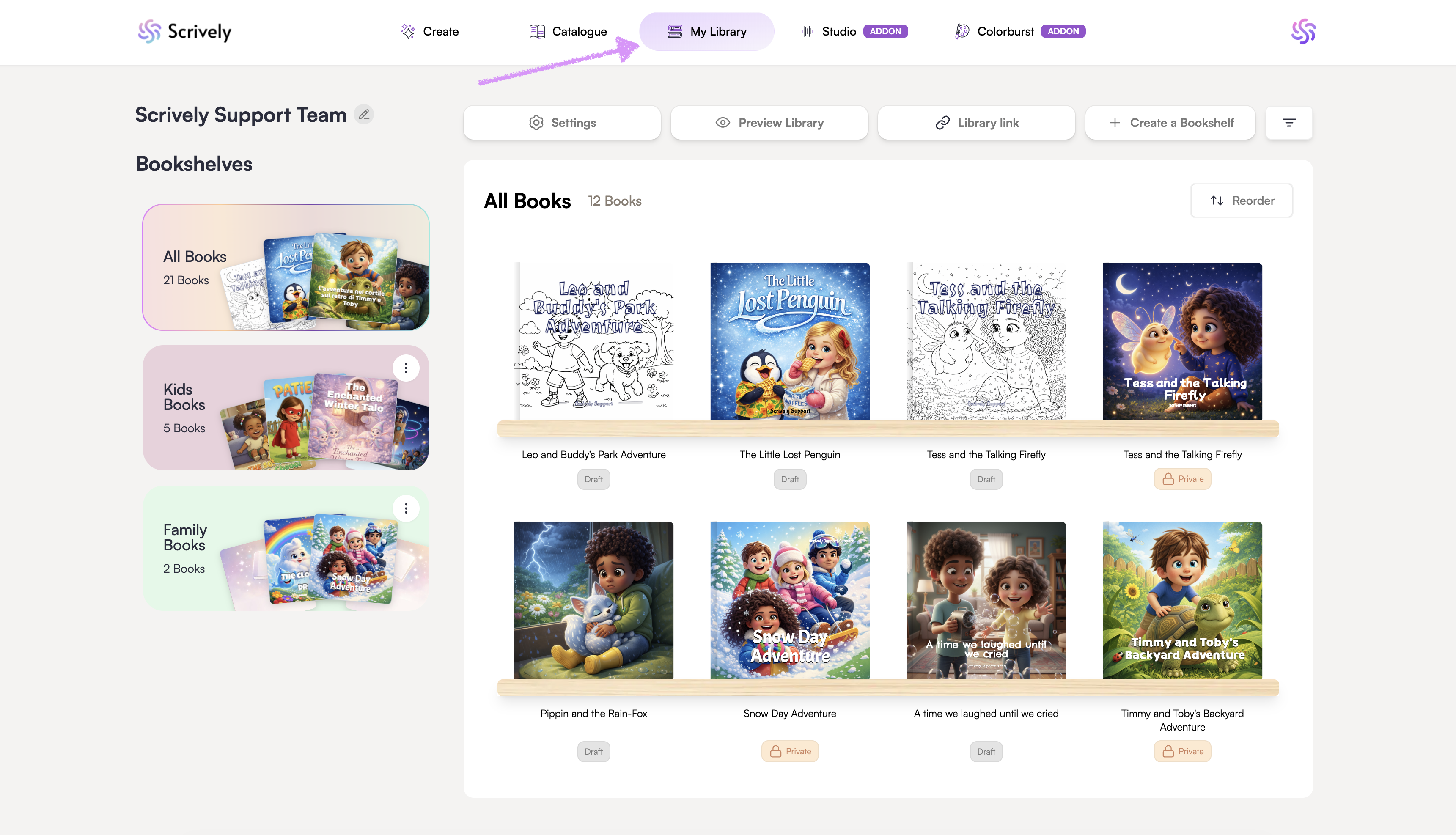
Head over to the "My Library" tab.
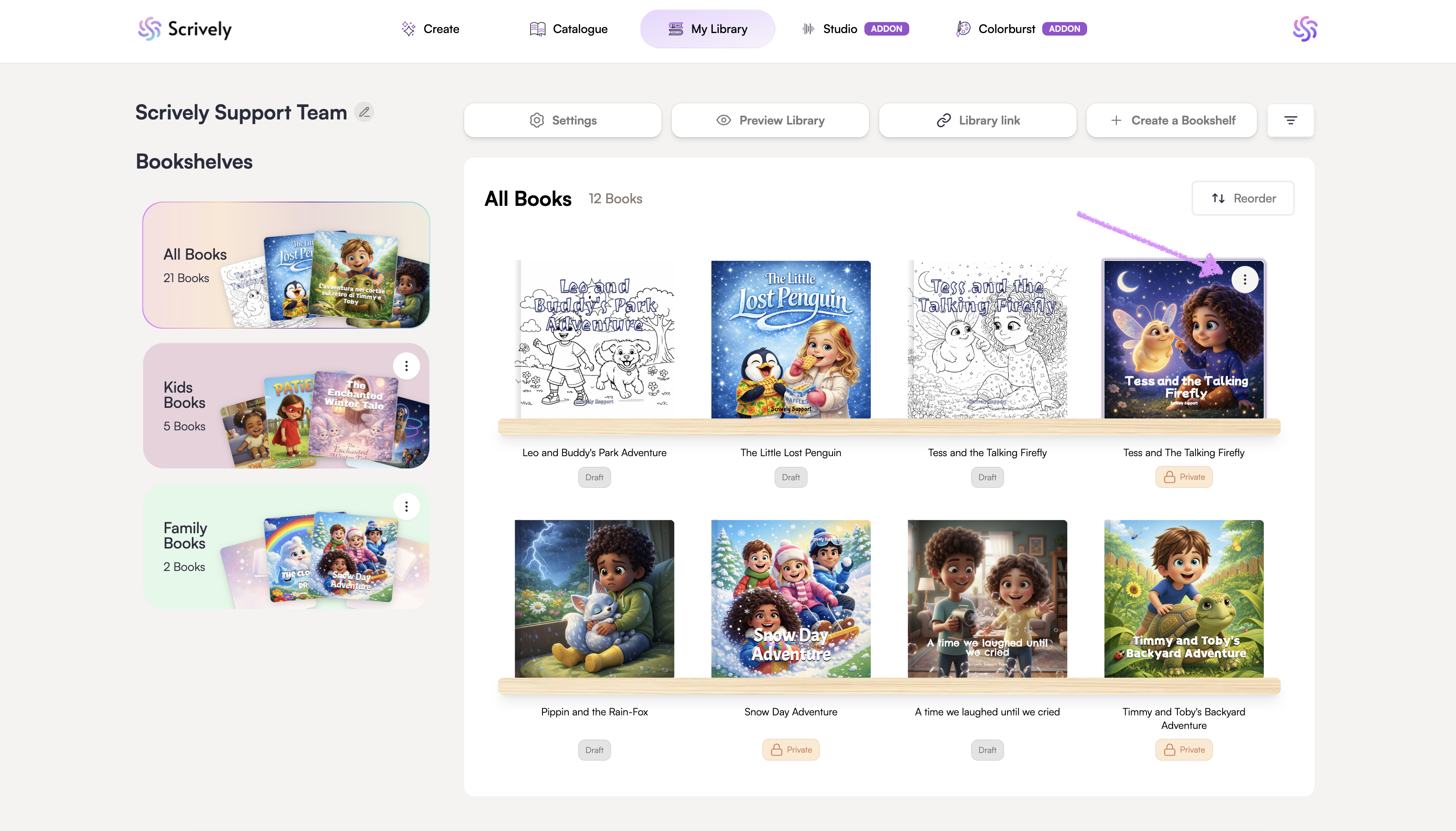
Hover over the book you’d like to download the front and back covers for. Click the ellipsis (⋮) menu that appears.
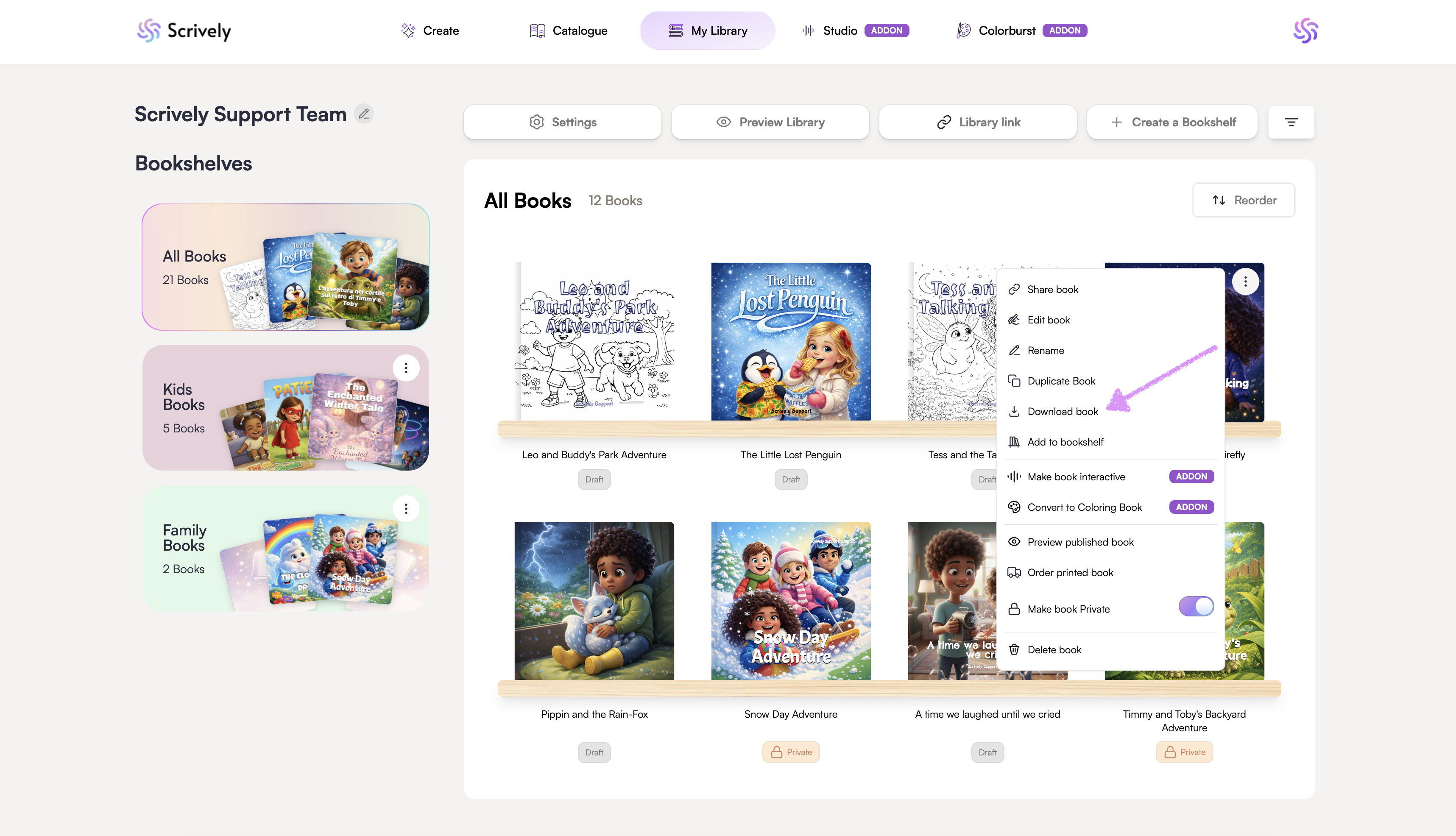
Click on "Download book."
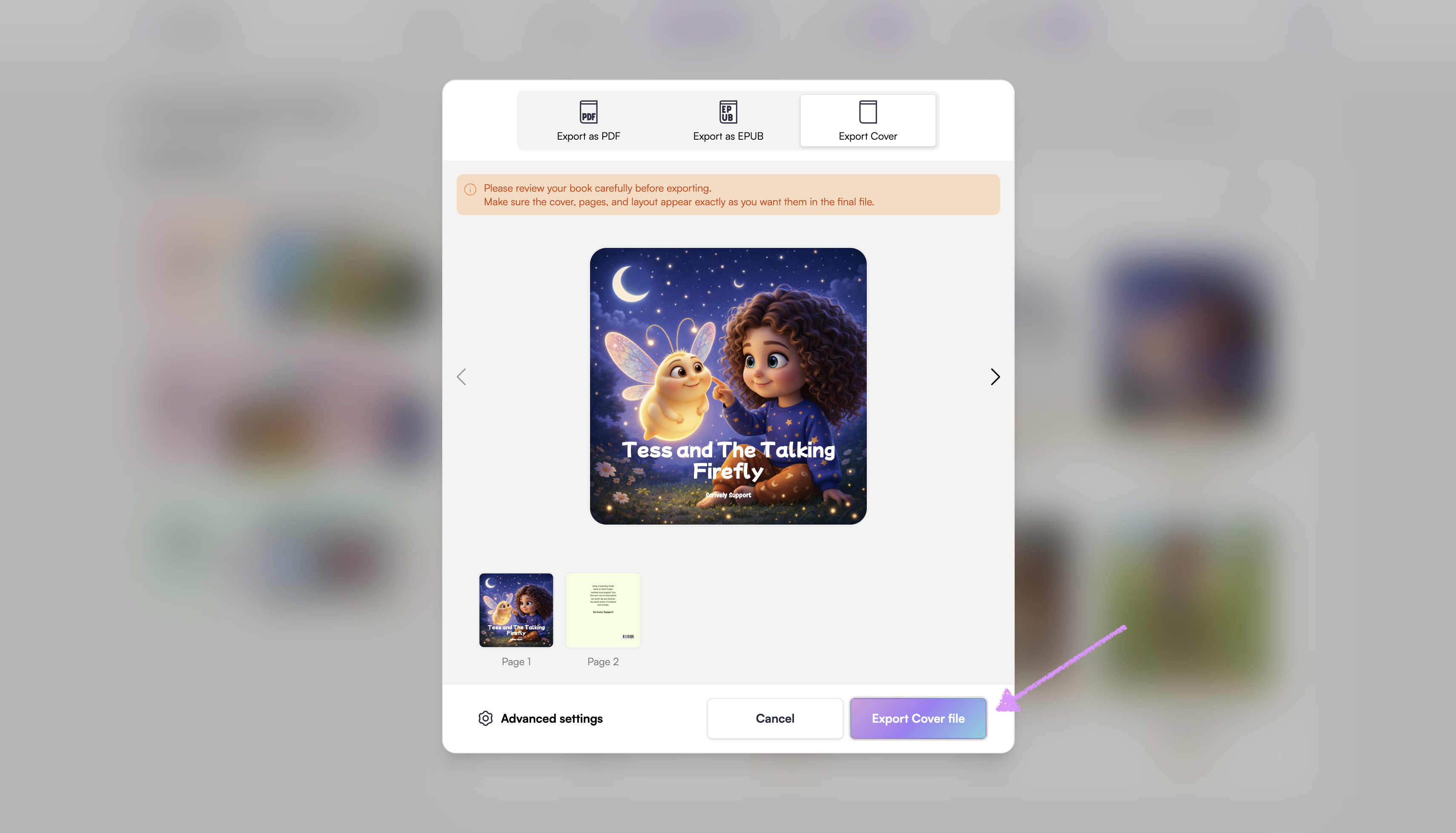
Click on "Export Cover."
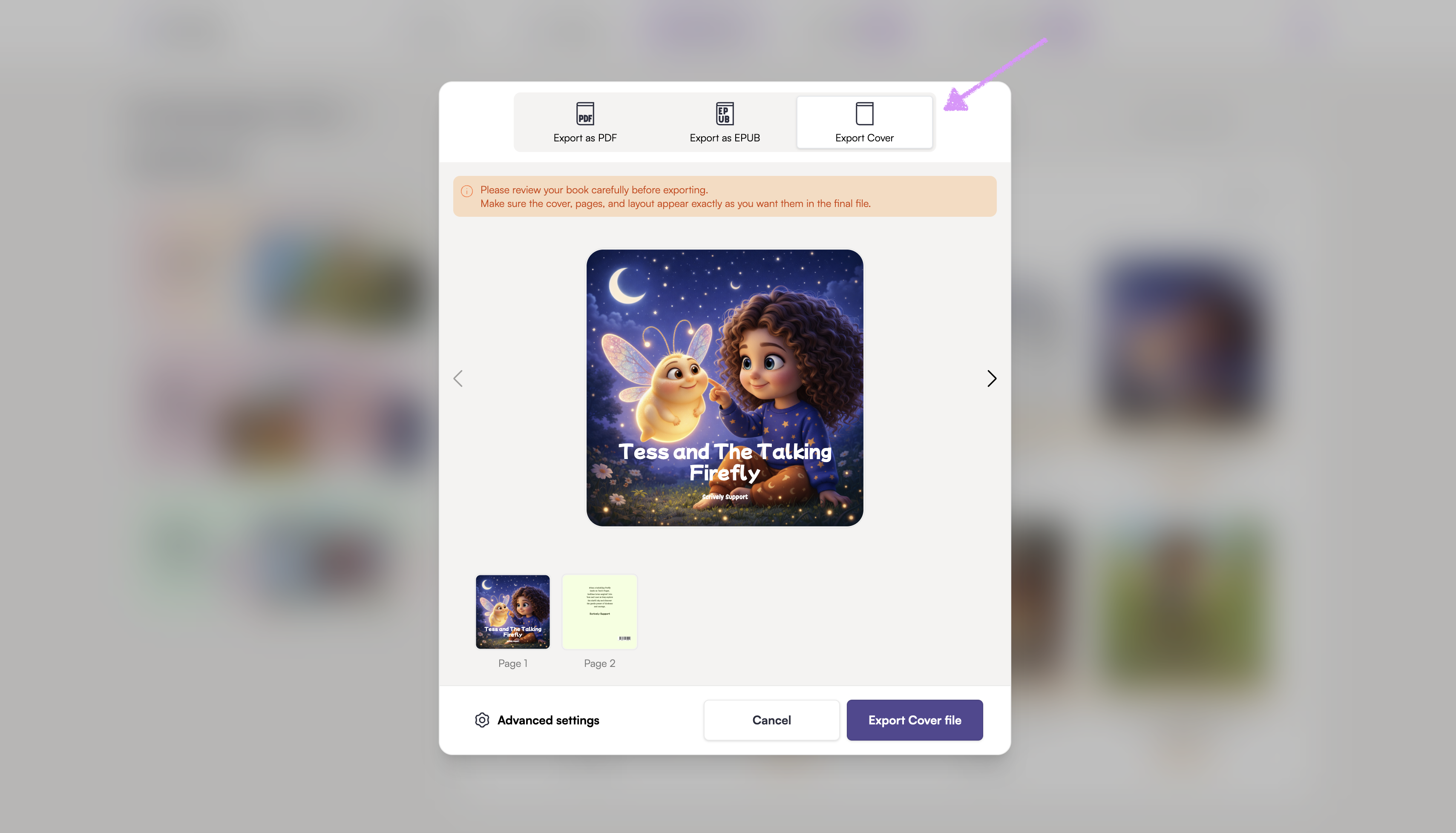
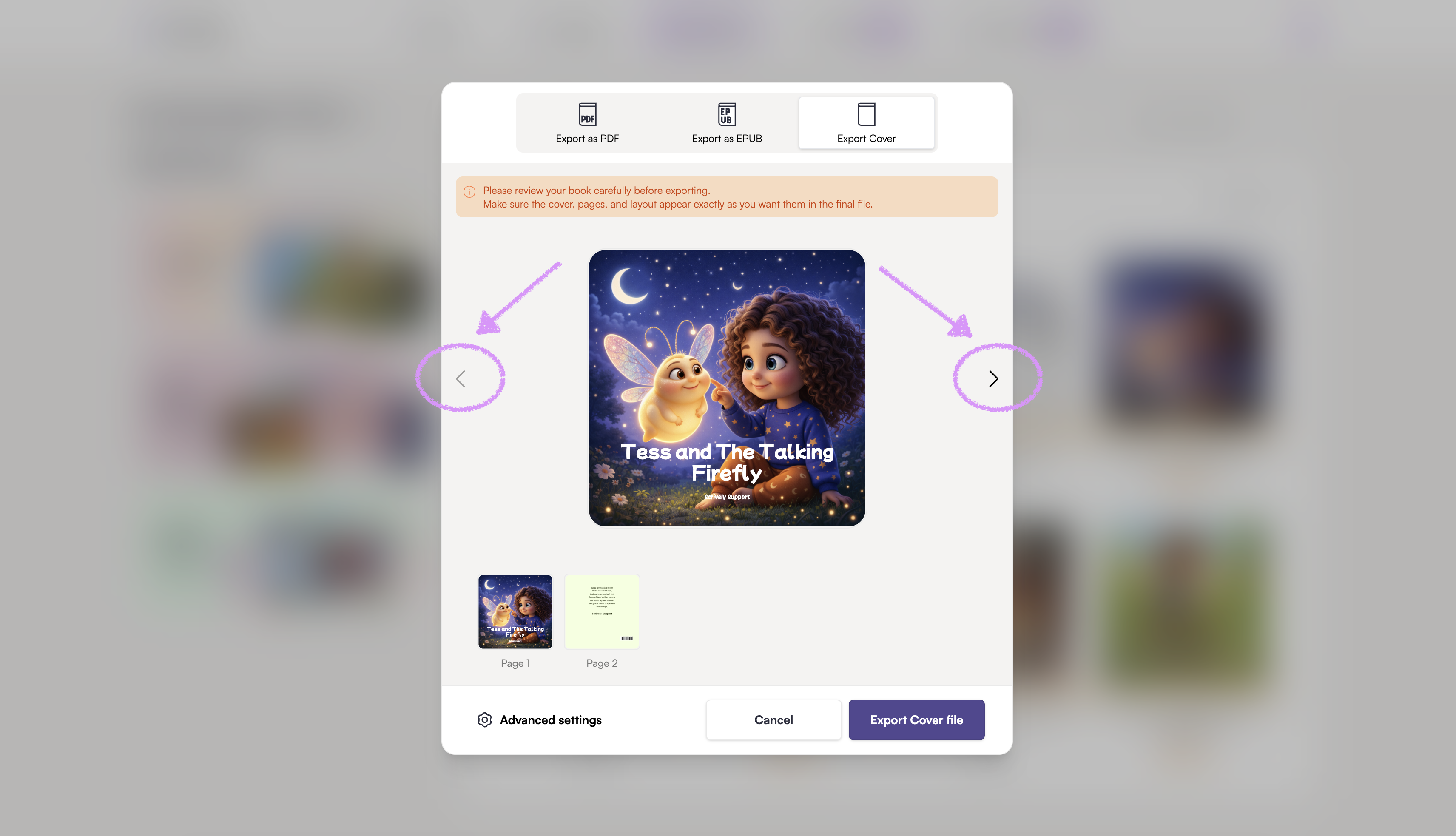
Use the left and right arrows to navigate through the cover pages. Review it carefully before exporting.
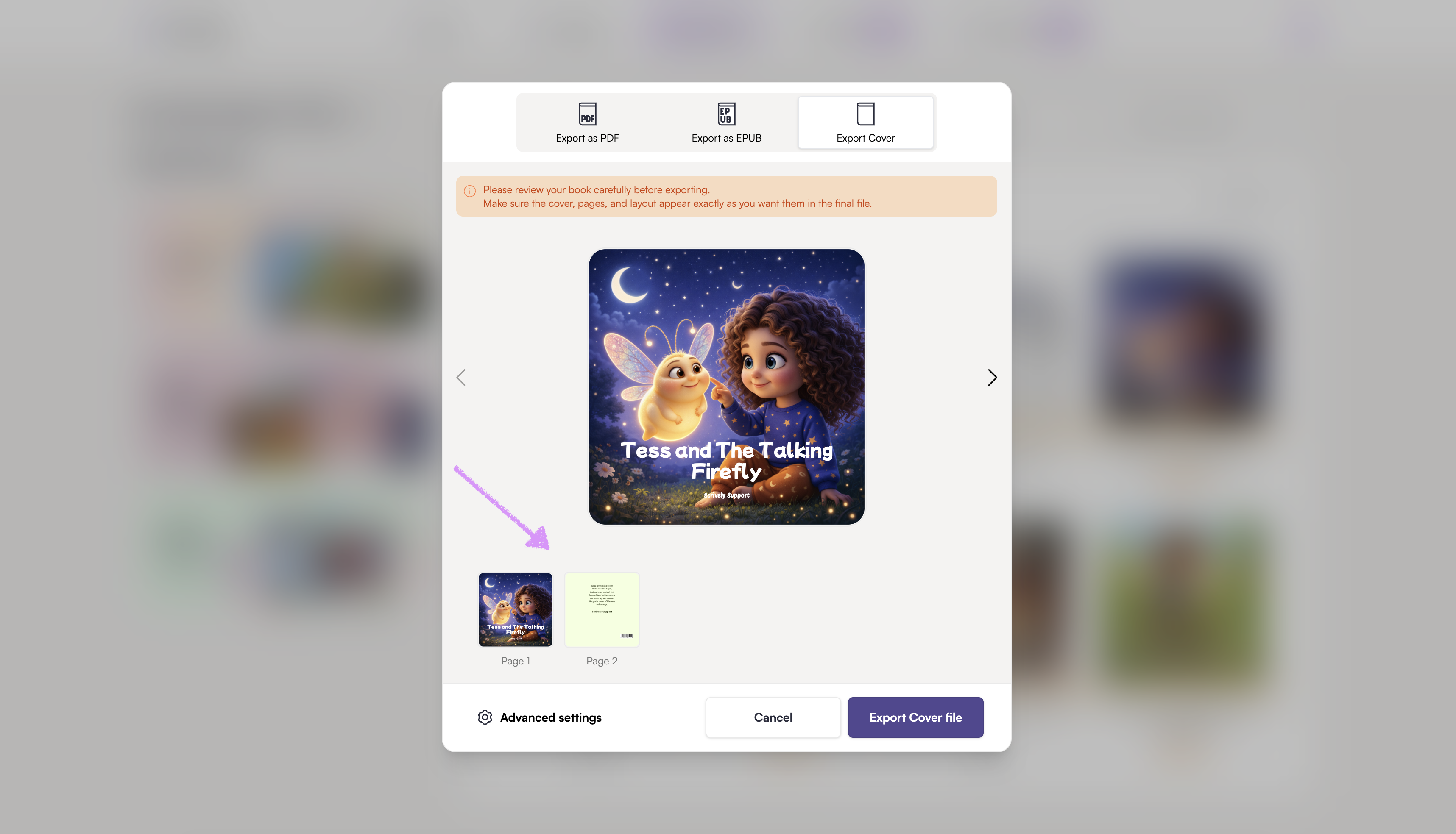
Alternatively, click into each cover page thumbnails to review.
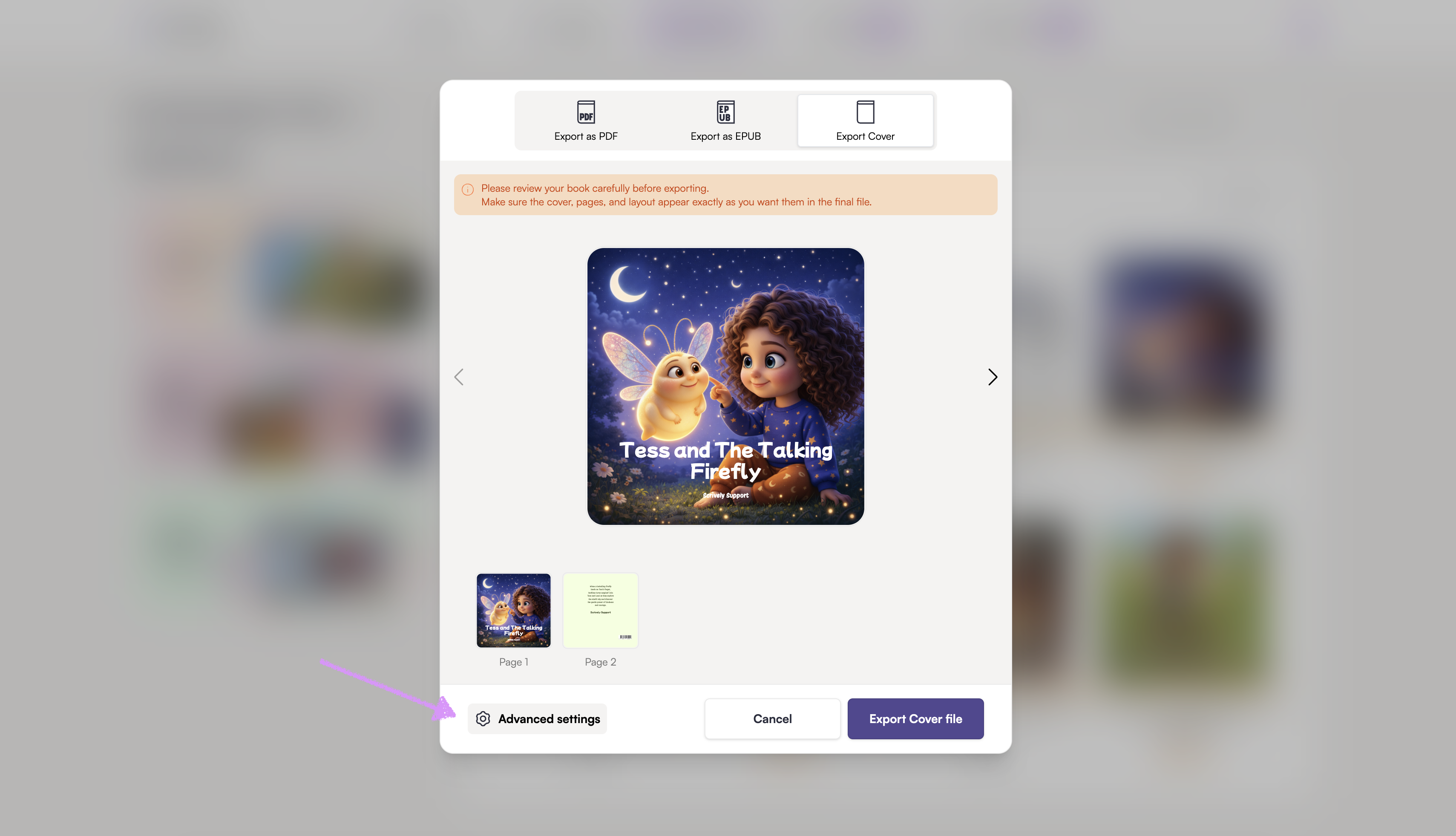
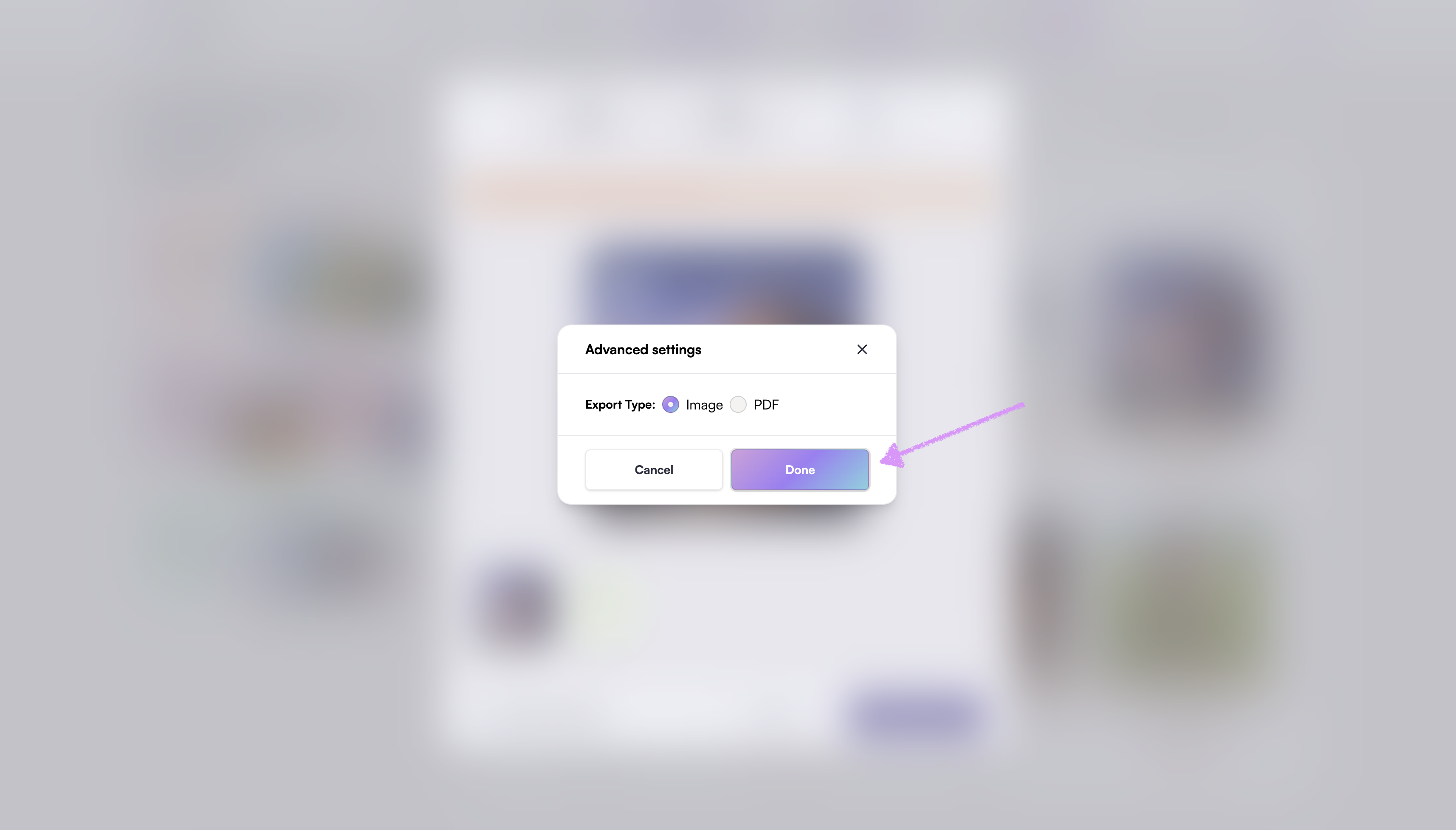
Navigate to "Advanced settings."
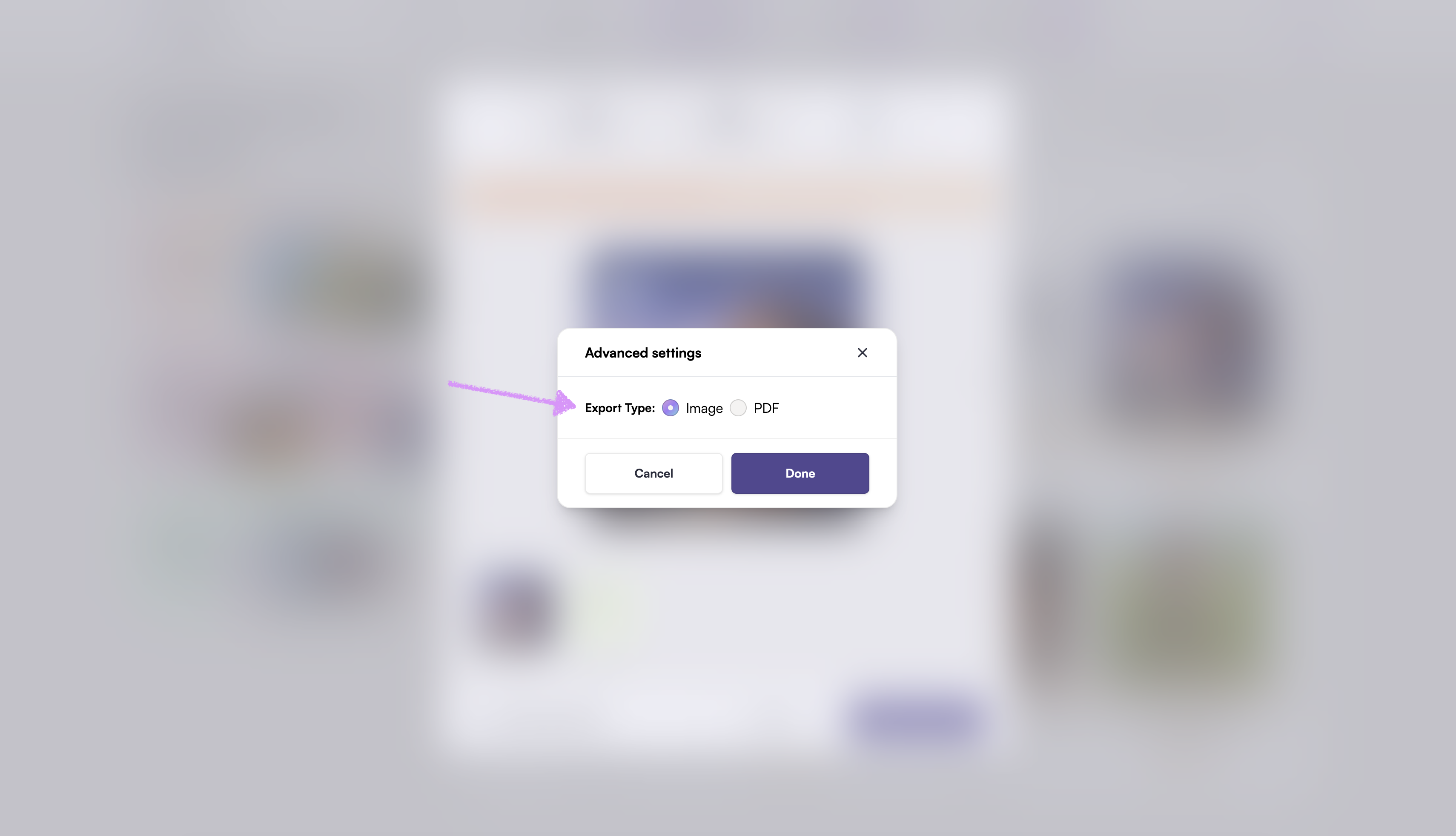
Select either an "Image" or "PDF" export type for the covers.
Click on "Done."
Click on "Export Cover file."
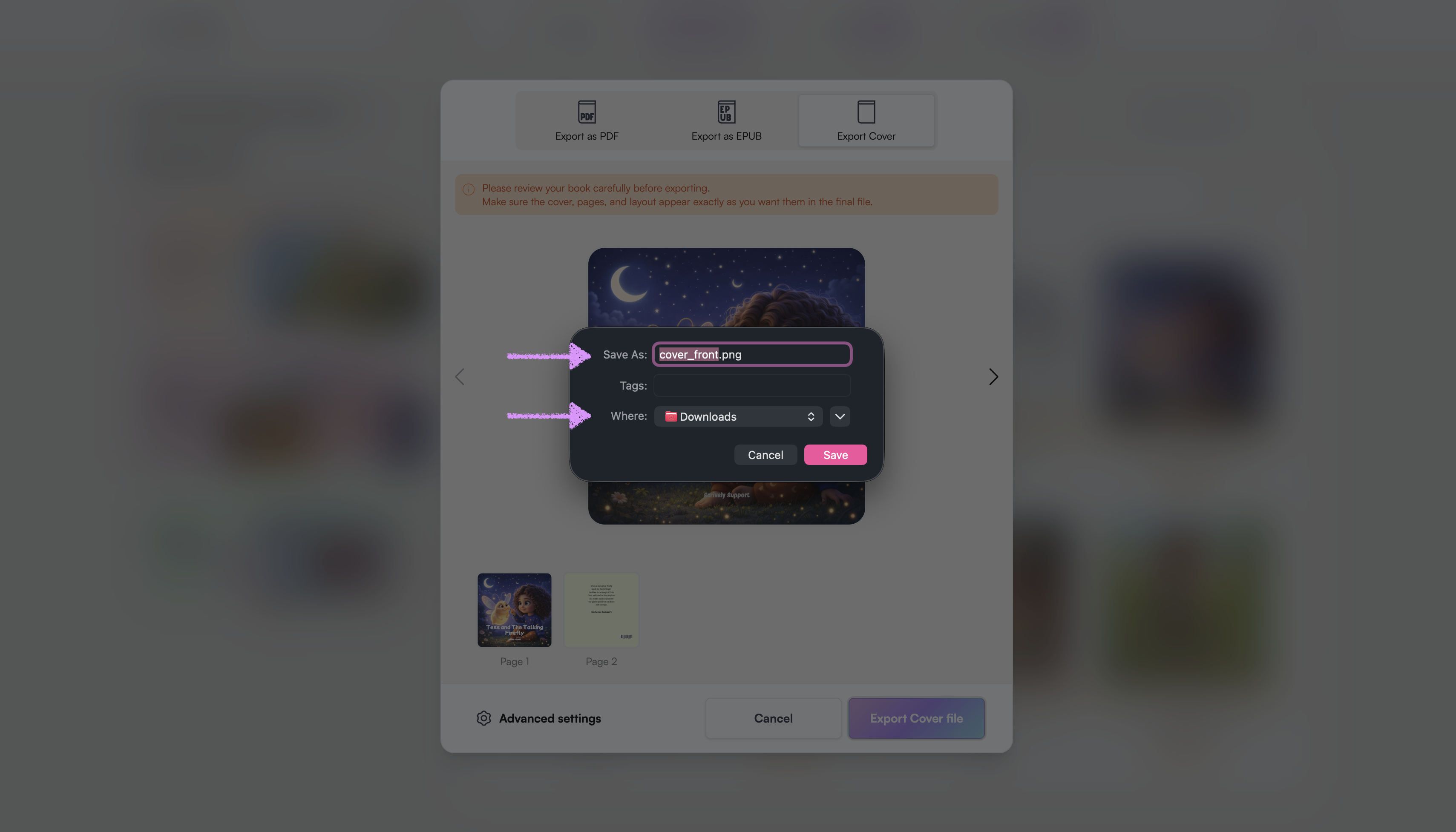
Rename the file and select the location to save it.
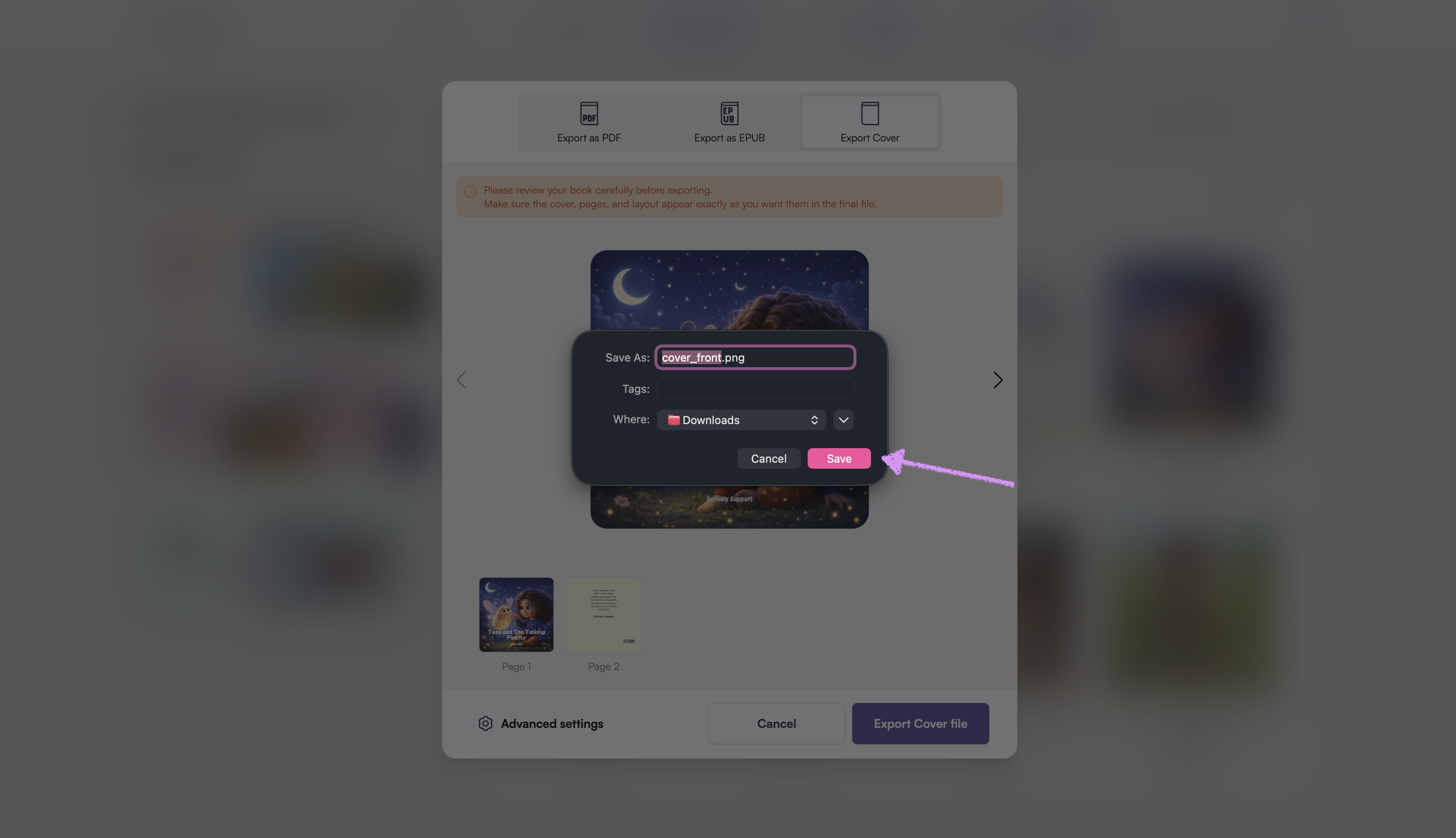
Click on "Save." The book's cover files will be saved to the location you chose.
Was this article helpful?
That’s Great!
Thank you for your feedback
Sorry! We couldn't be helpful
Thank you for your feedback
Feedback sent
We appreciate your effort and will try to fix the article
