
The Scrively Assistant is your built-in AI helper designed to make creating books easier and faster. Whether you’re just getting started or refining a draft, the Assistant can help you brainstorm ideas, improve writing, and overcome creative blocks, all without leaving Scrively. Think of it as a creative partner that helps you move forward when you’re stuck or short on time.
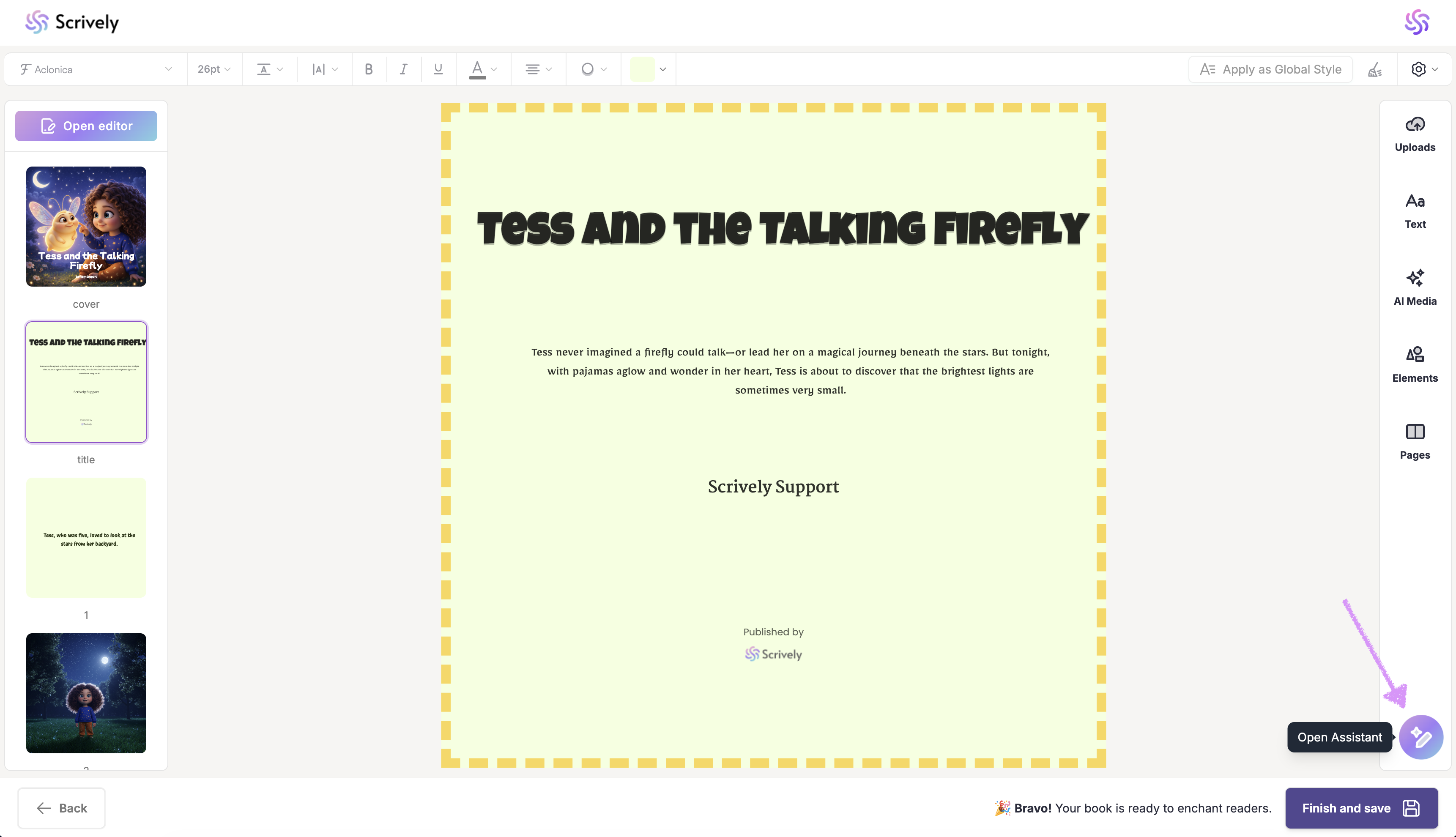
You can access the Scrively Assistant tool directly within the Designer (book layout view) on the bottom right side.
Common Ways to Use the Scrively Assistant
1. Outline Your Story or Chapter
Organize your book with outlines or chapter breakdowns.
Example prompts:
Create a simple beginning, middle, and end
Outline a 12-page children’s book
2. Improve and Rewrite Content
Refine existing text while keeping your original meaning.
Example prompts:
Rewrite this to sound more engaging
Shorten this paragraph without losing meaning
3. Overcome Writer’s Block
Get suggestions for what comes next when you’re stuck.
Example prompts:
What should happen next in this scene?
Give me two alternate endings
4. Adjust Tone or Reading Level
Tailor your writing for a specific audience.
Example prompts:
Rewrite this for ages 4–6
Make this paragraph more playful and lighthearted
5. Generate Descriptions
Enhance your story with detailed settings or emotional moments.
Example prompts:
Describe a cozy bedtime scene
Write a joyful reunion moment
Tips for Best Results- Be specific with your prompts
- Include context when possible
- Review and edit all AI-generated content
- Use the Assistant as a helper, not a final authority
Enter your prompt for the Assistant.
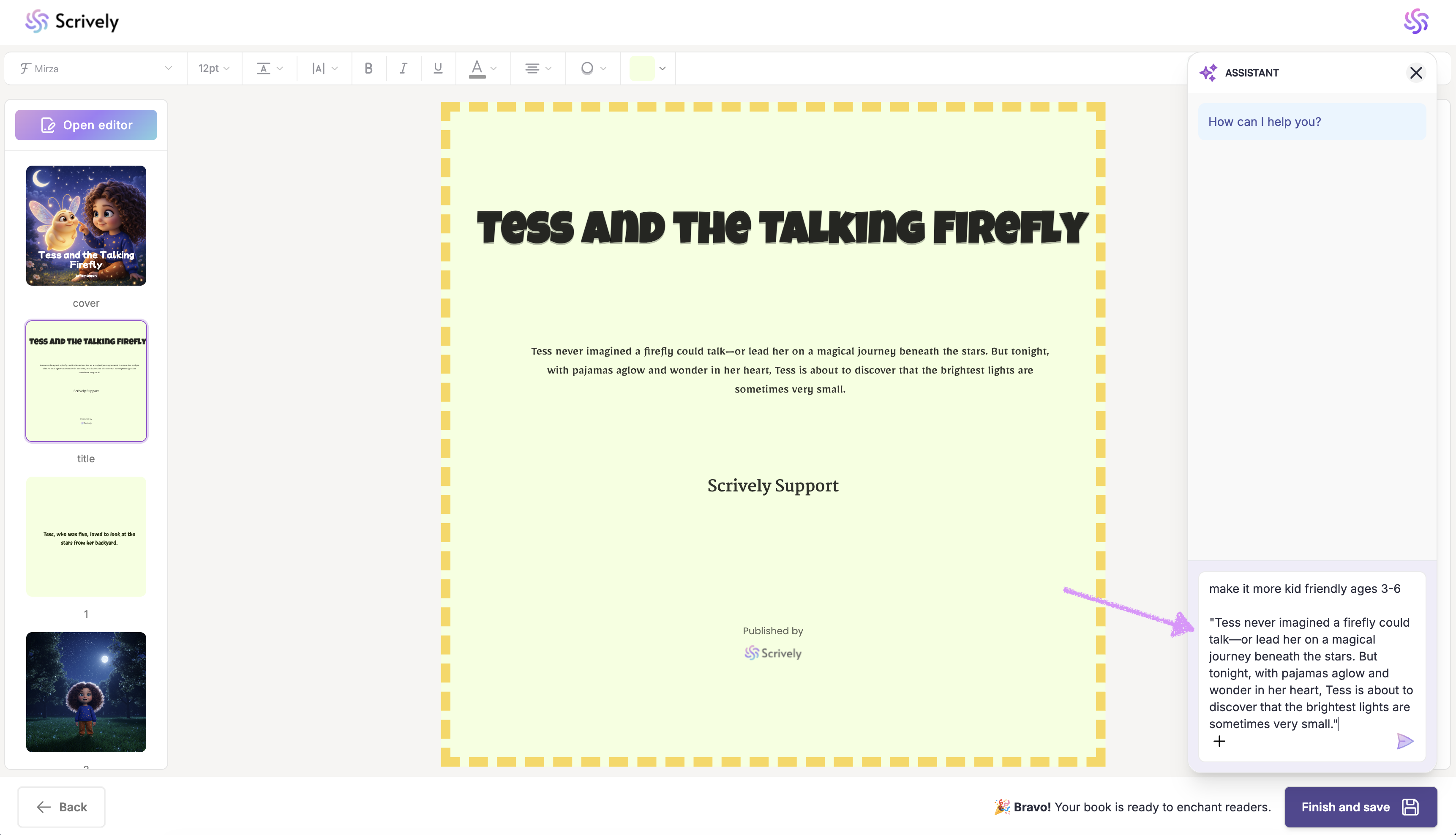
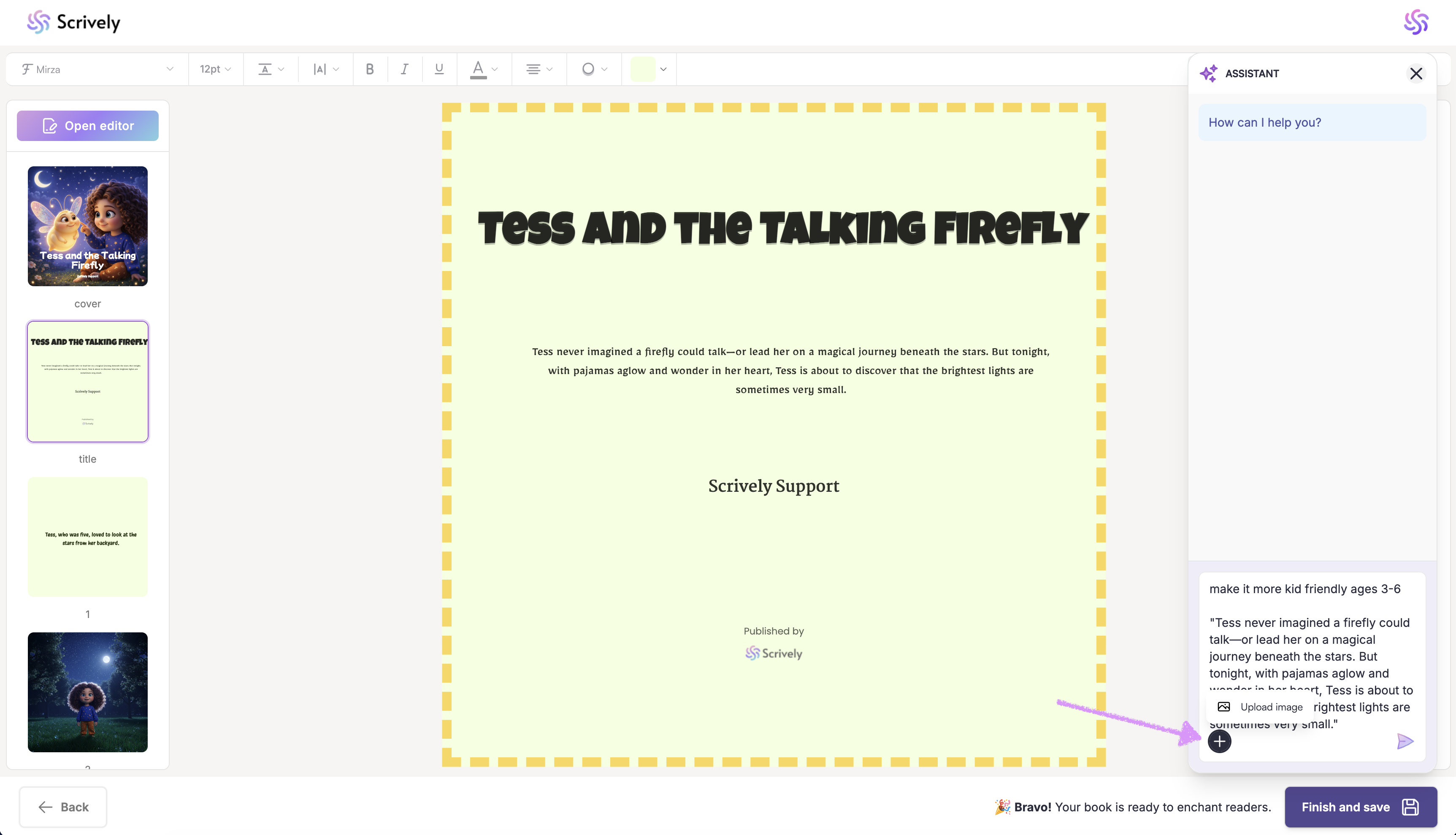
Click on the "+" icon to upload an image if needed.
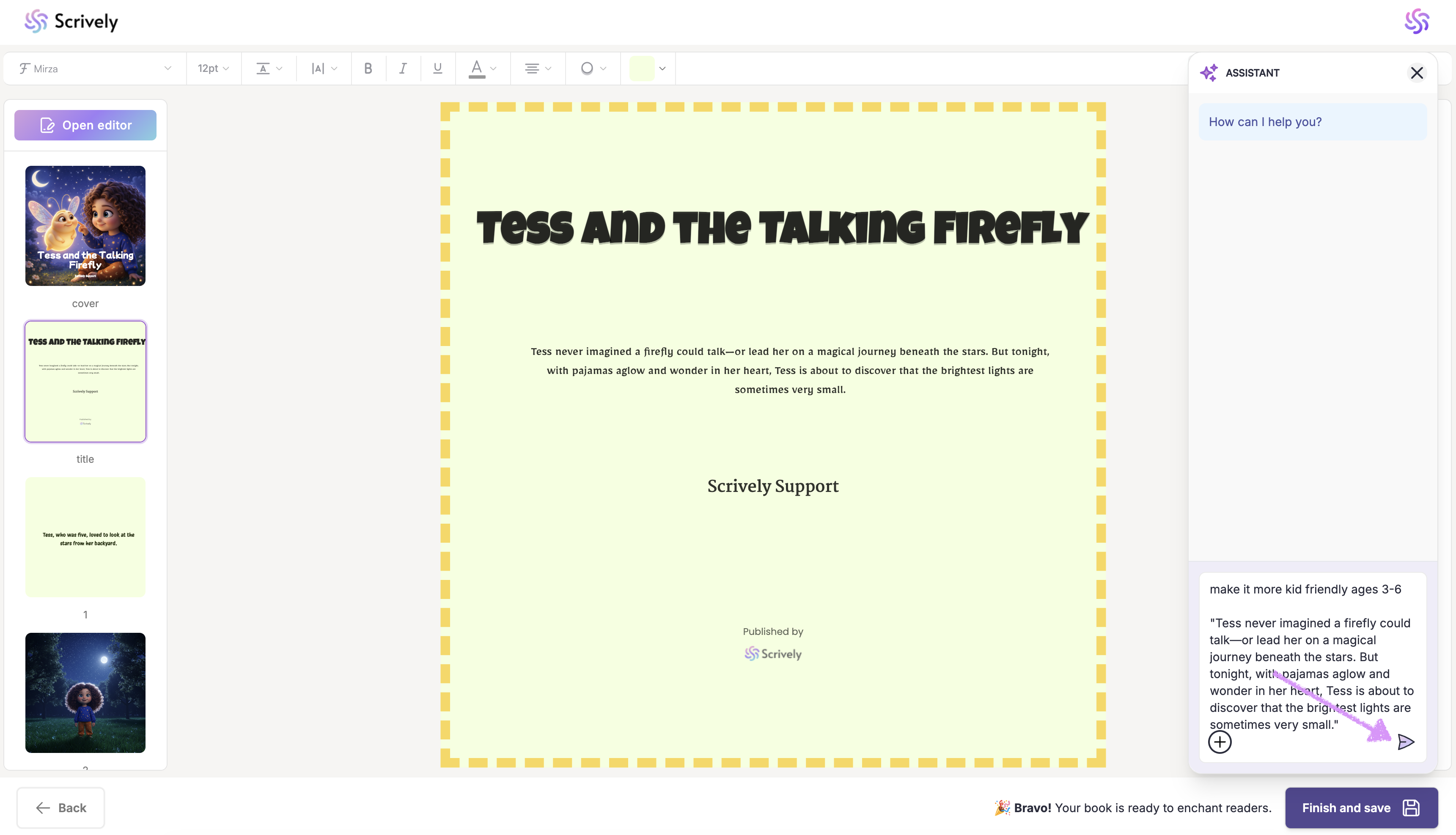
Click send and the Assistant will take a few moments to think.
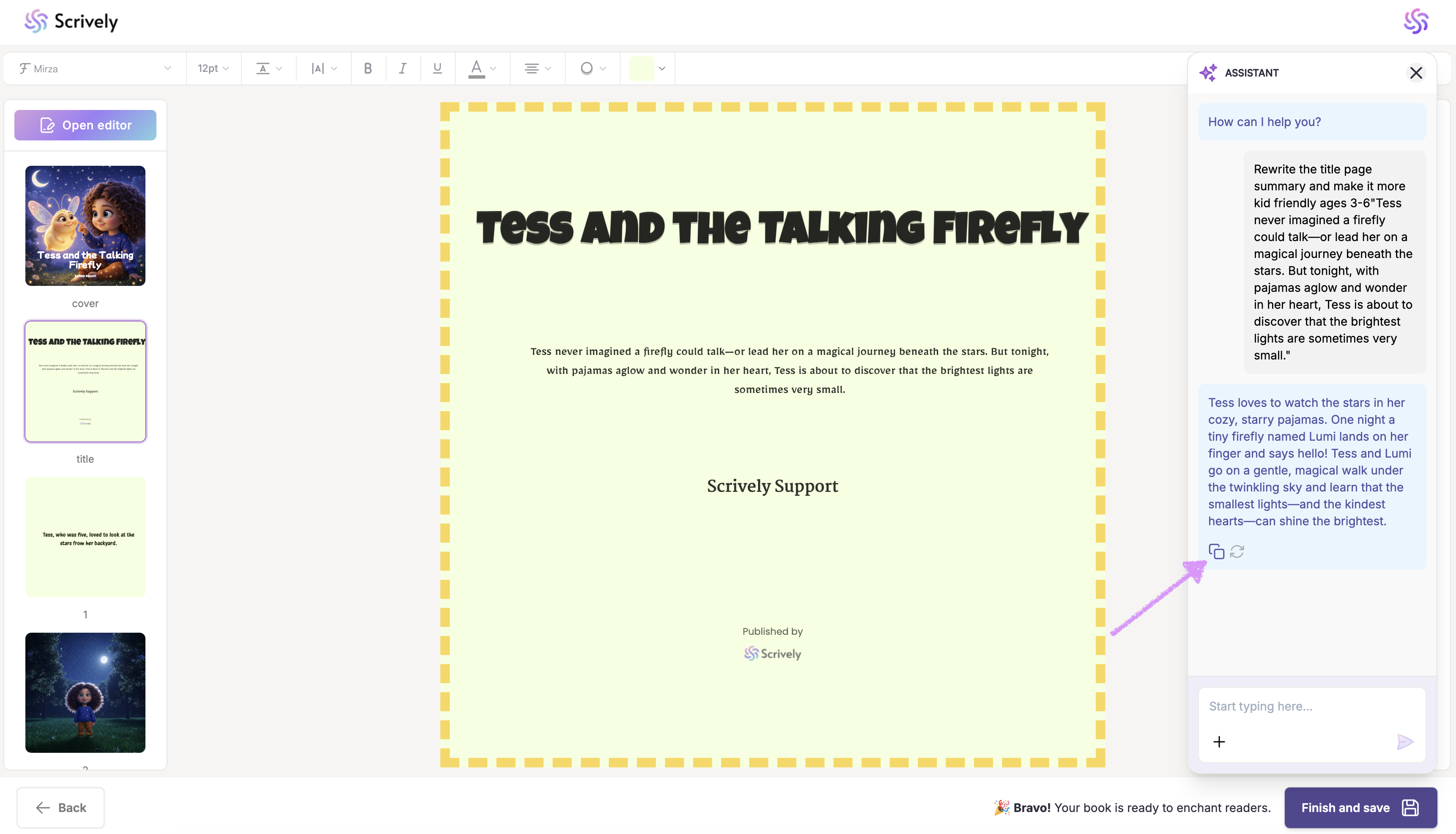
Like the results? Click the copy icon to add the text to your clipboard and paste it wherever you need.
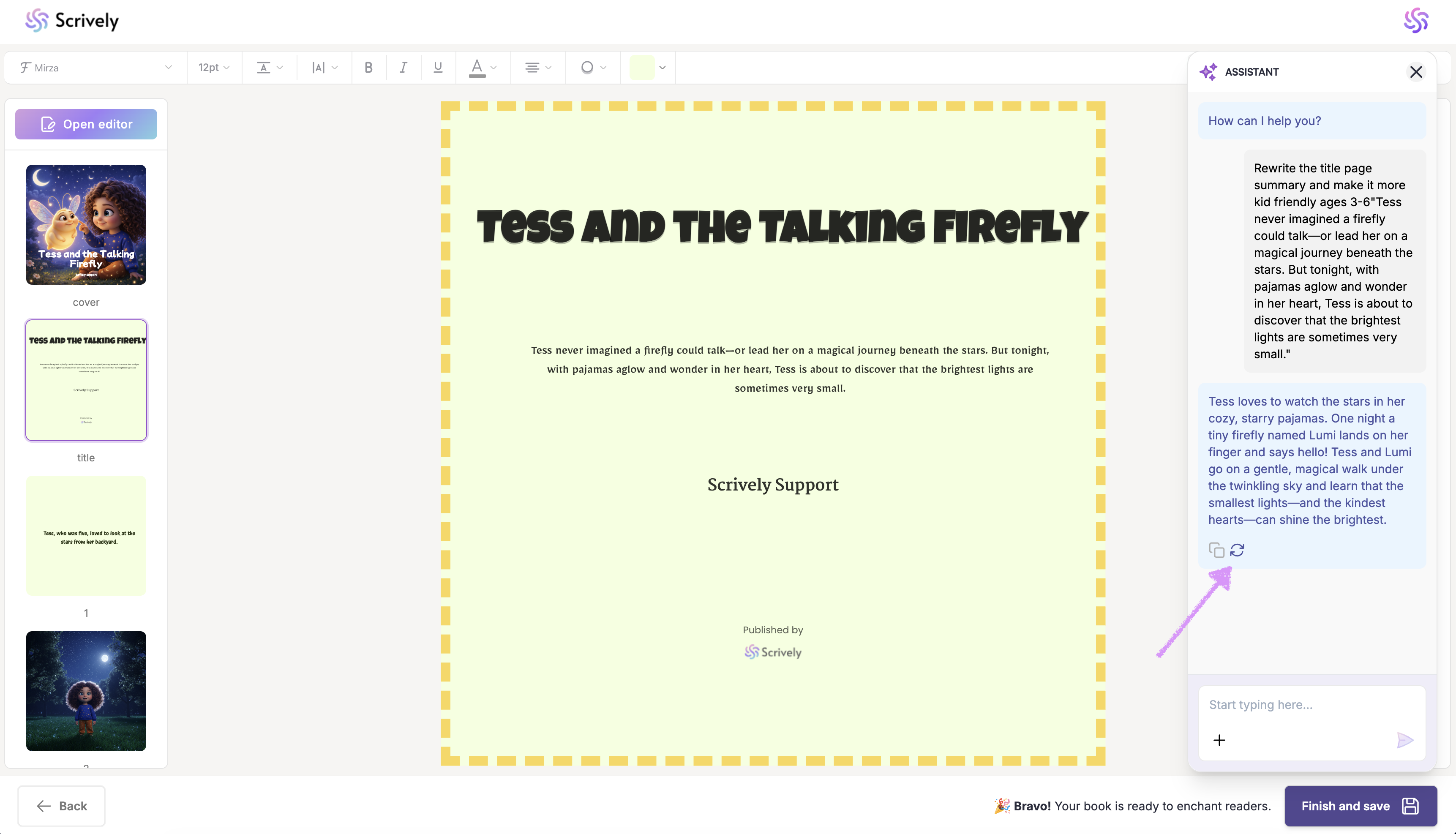
Not happy with the results? Use the egenerate option to try again.
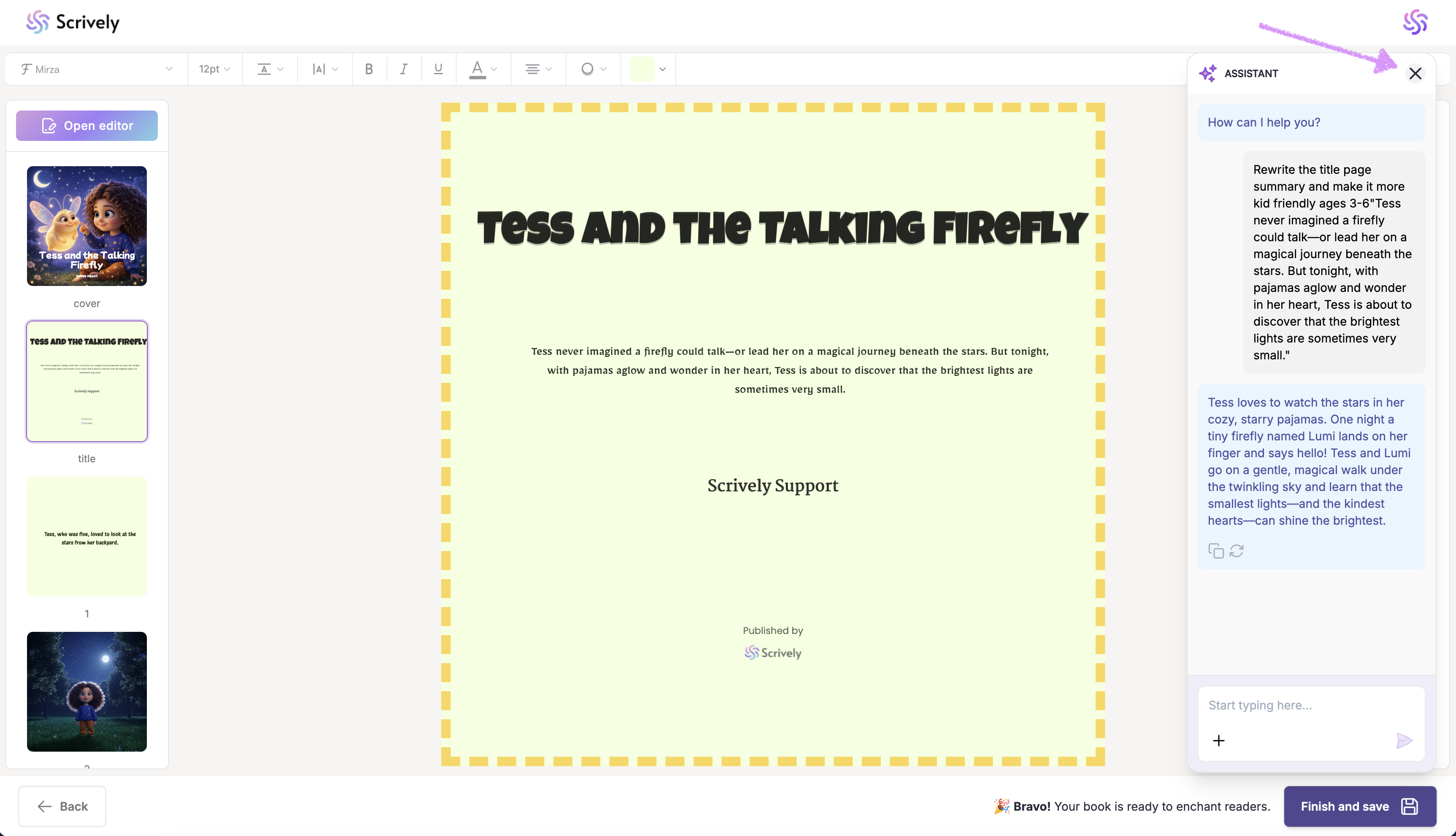
Use the "X" icon to close the Assistant when you’re done. Your previous conversations will be saved and available when you reopen the Assistant for the book.
The Scrively Assistant is designed to make writing easier, not replace your creativity. By using it strategically, you can save time, stay inspired, and confidently bring your book to life. Experiment with different prompts to discover how the Assistant best supports your workflow.
Was this article helpful?
That’s Great!
Thank you for your feedback
Sorry! We couldn't be helpful
Thank you for your feedback
Feedback sent
We appreciate your effort and will try to fix the article
