The Scrively customer support portal allows you to effortlessly monitor the status of your support requests and revisit previous interactions with our customer experience team. Log into your account at support.scrively.com to access your tickets and keep track of their progress.
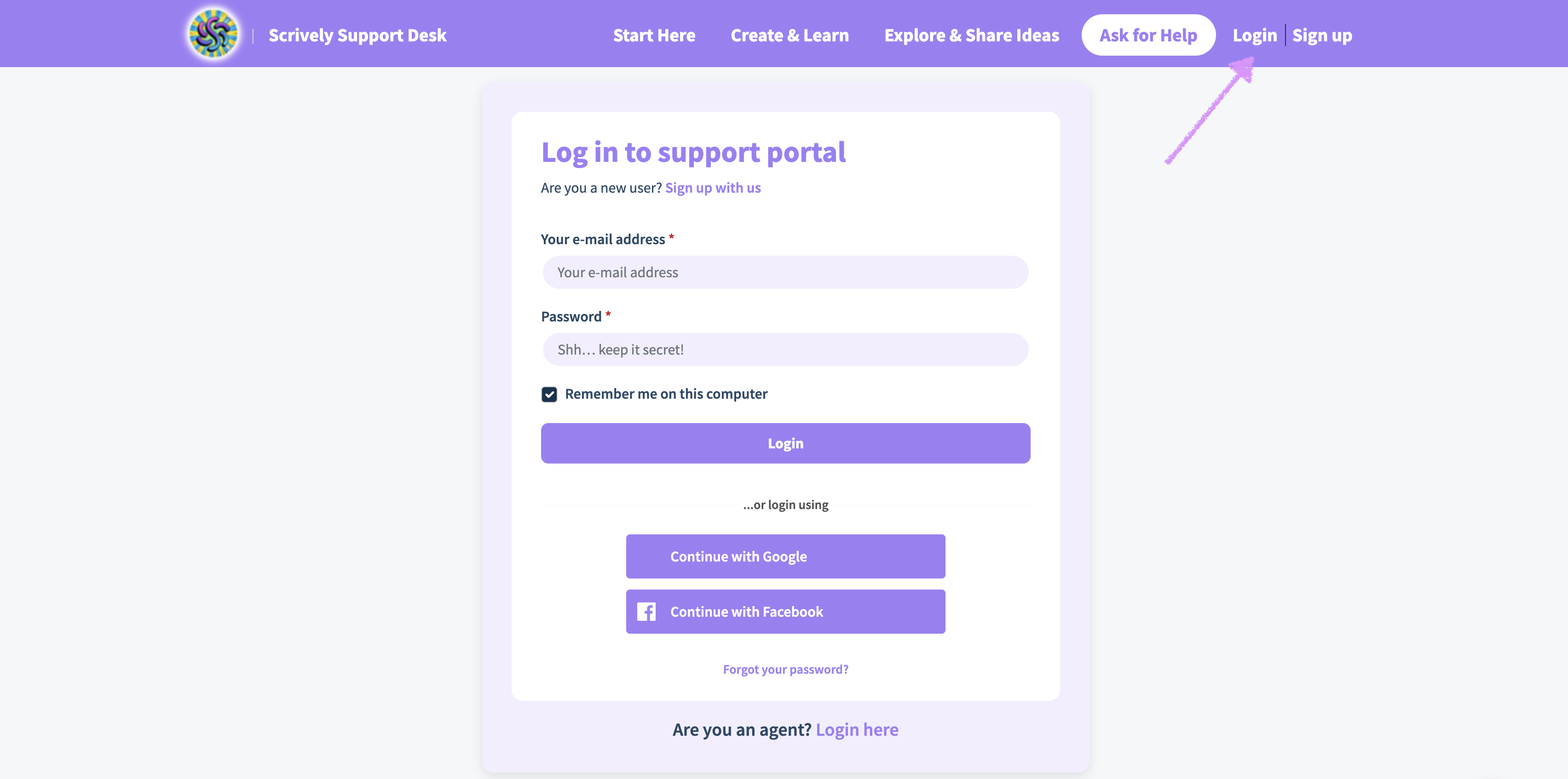
If you do not have an account, you can create one using the email address used to submit your request(s) via email.
⚠️ If you choose to use a new email address to sign up for your help portal account, the tickets that you've submitted under your other email address will not show up in the portal. You can reach out to our customer experience team to request that your email is updated from the old email address to the new one.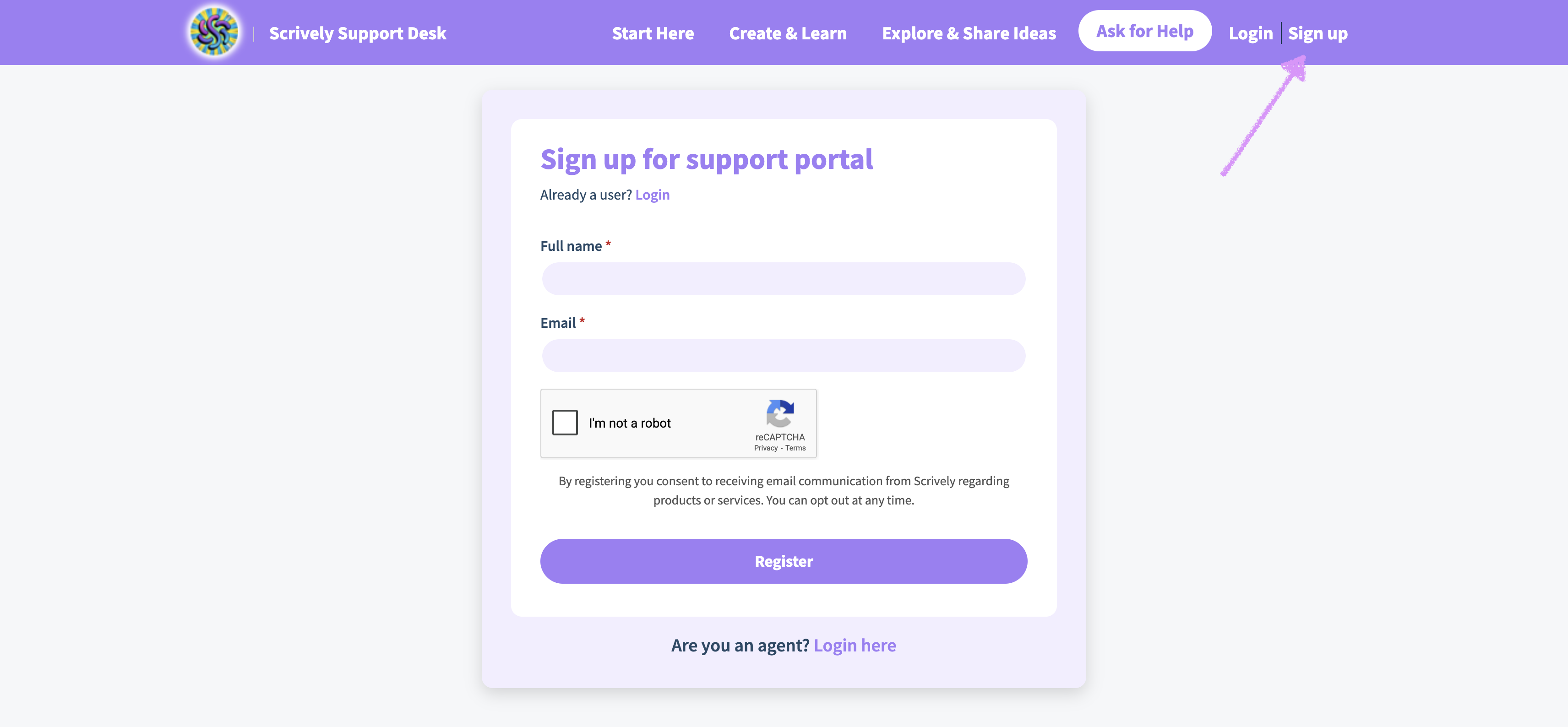
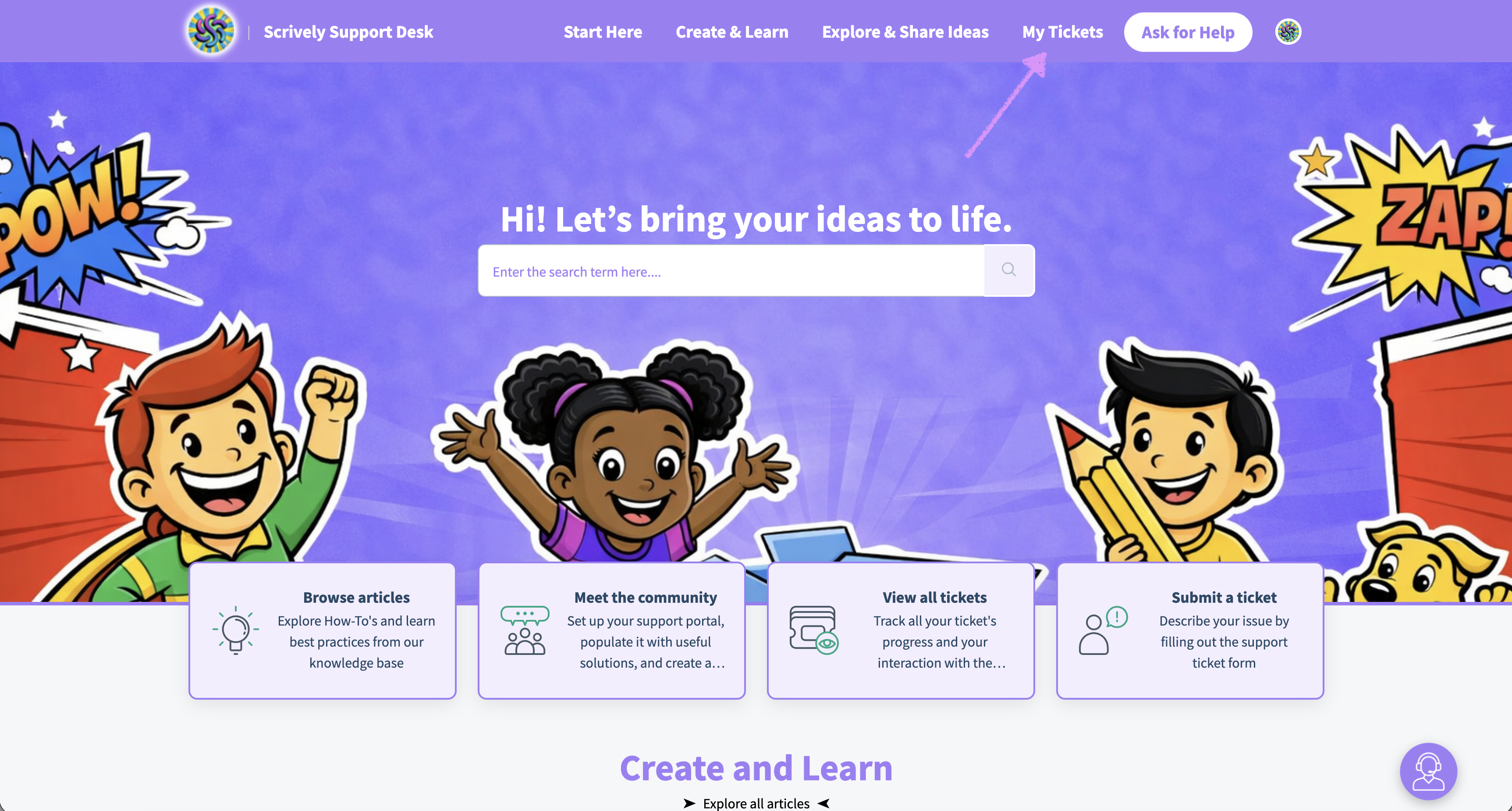
Once you're logged in, at the top right side you'll see the "My Tickets" tab.
After clicking the “My Tickets” tab, you can view all the tickets you’ve submitted to the Customer Experience team. Use the filters to sort tickets by status, creation date, resolution date, or, in some cases, by the plan level you were on when the ticket was submitted.
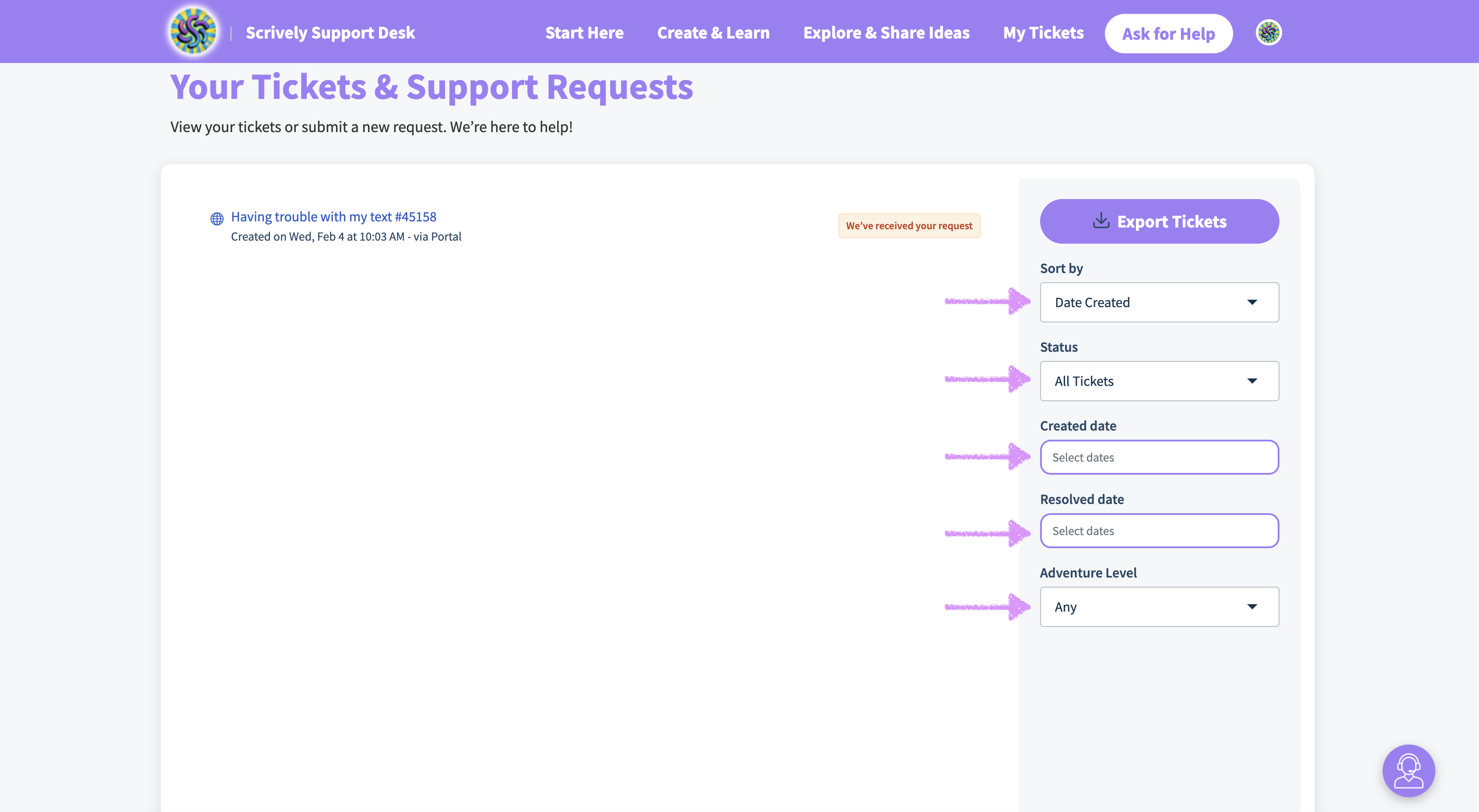
You can also track the current status of your ticket.
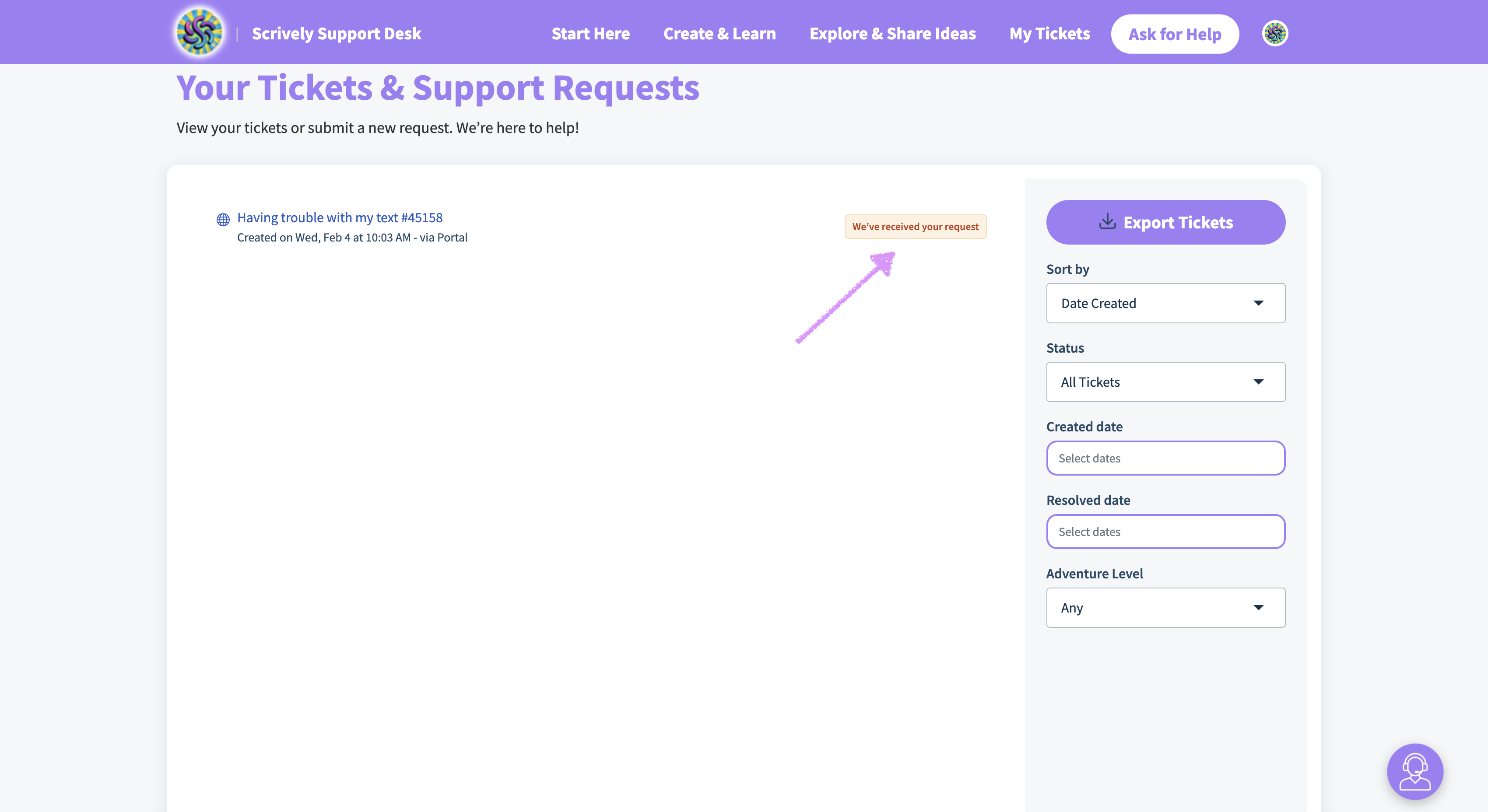
To submit another ticket when logged into your account click on "Ask for Help."

Note: To ensure a prompt and efficient resolution of your issue, please submit only one ticket per concern.Was this article helpful?
That’s Great!
Thank you for your feedback
Sorry! We couldn't be helpful
Thank you for your feedback
Feedback sent
We appreciate your effort and will try to fix the article
