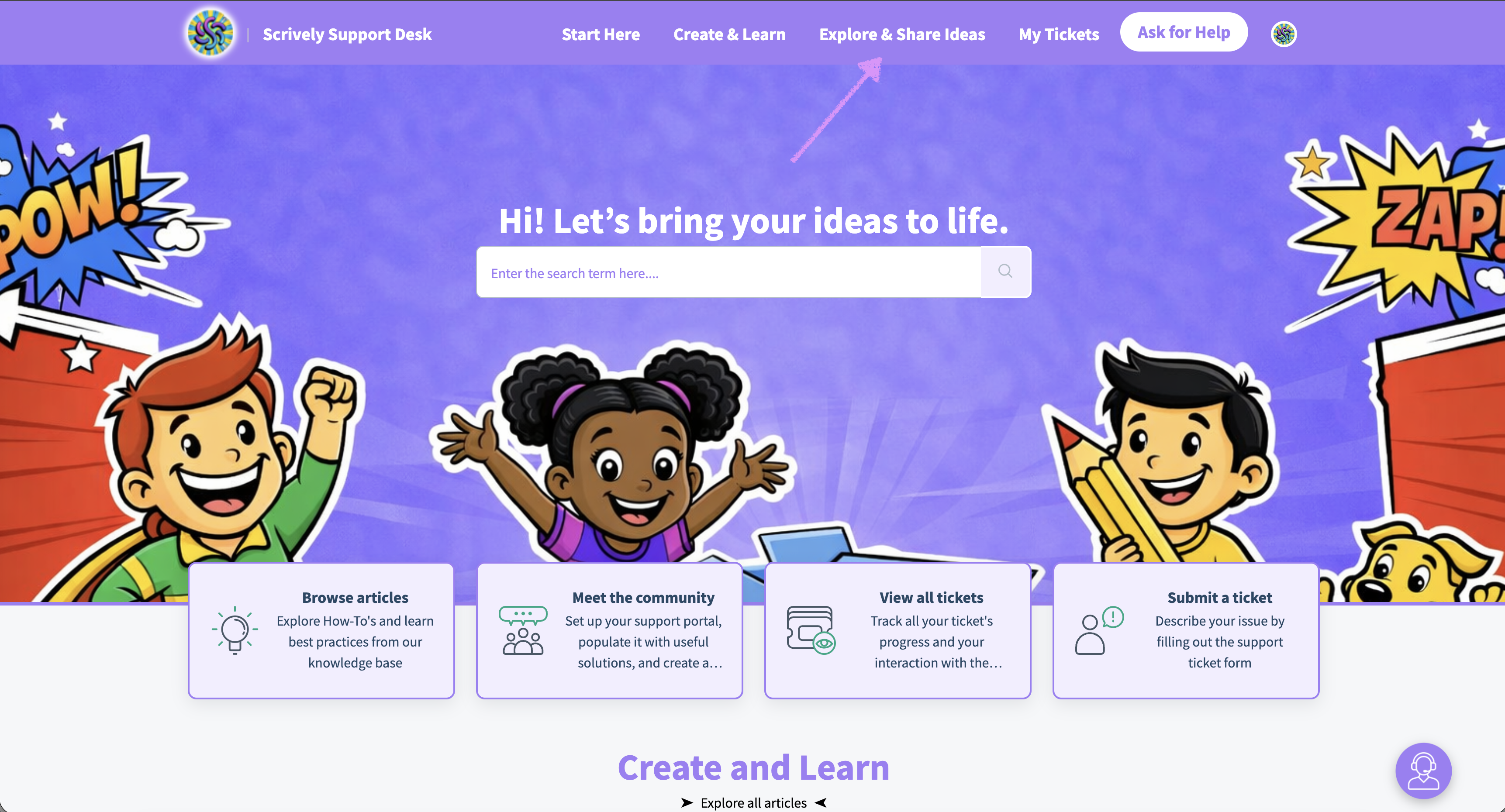
At Scrively, we're dedicated to enhancing the user experience. If you have a suggestion for a new feature, we invite you to submit it to our product team for consideration in our feature request center here by clicking on "Explore & Share Ideas" in the top navigation.
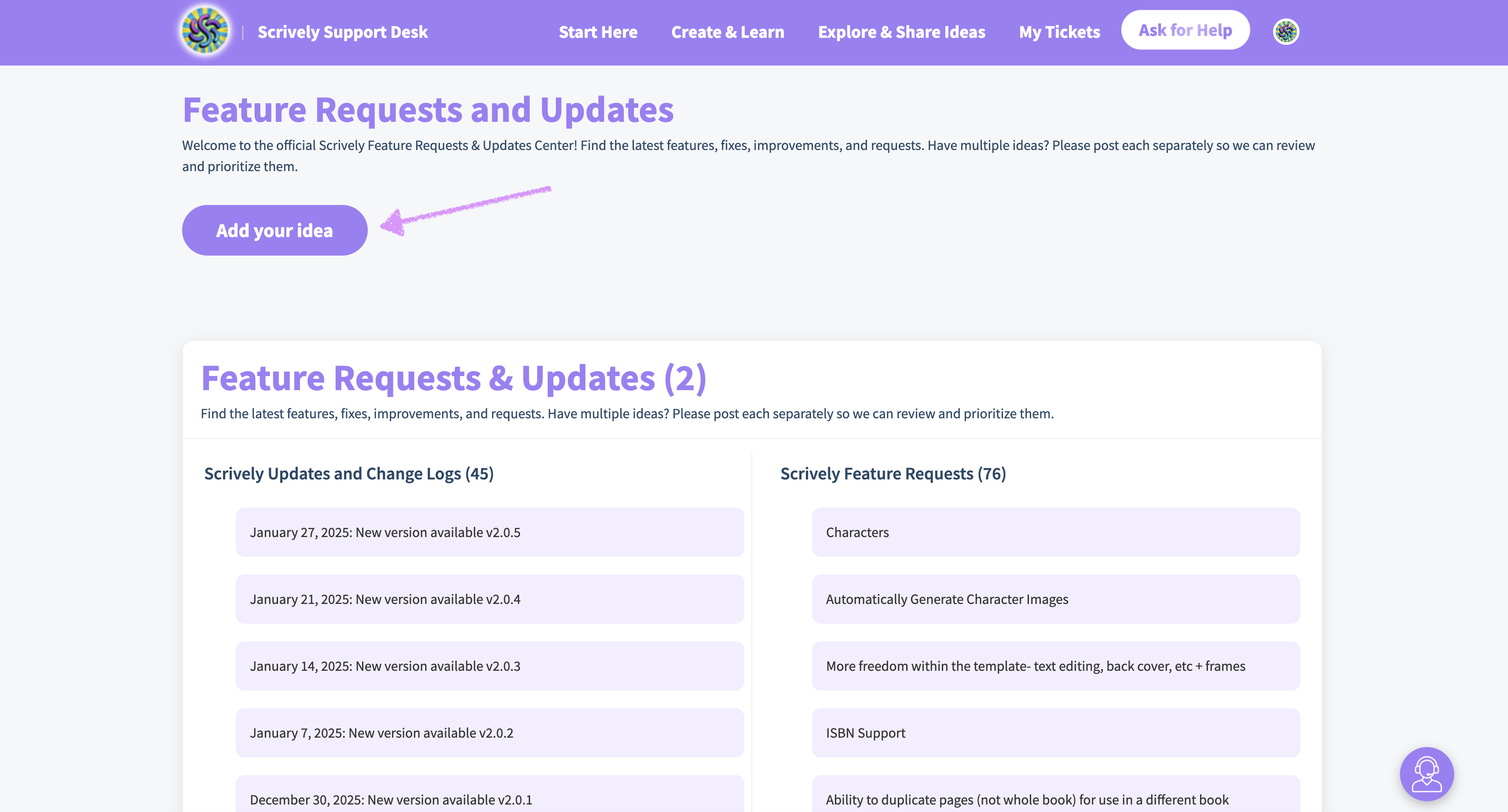
Click on "Add your idea."
Note: You will need to either log into or create a help desk account to submit feature requests. You can choose to use the same email address that's associated with your Scrively account or an alternate email.

Have multiple ideas? Awesome! Please create a separate post for each feature request so we can review and prioritize them individually.
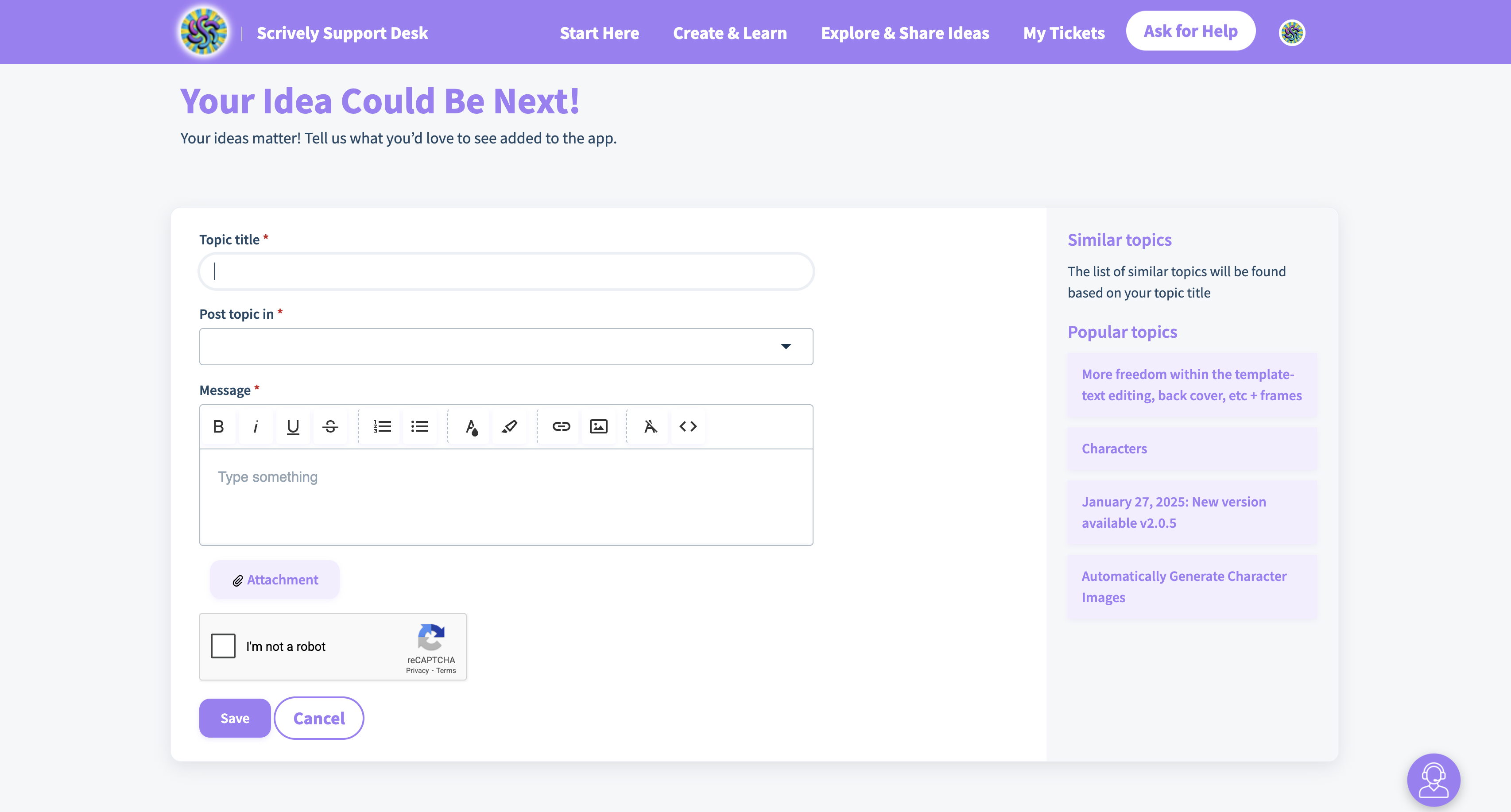
Once you're logged in you can begin posting your feature requests.
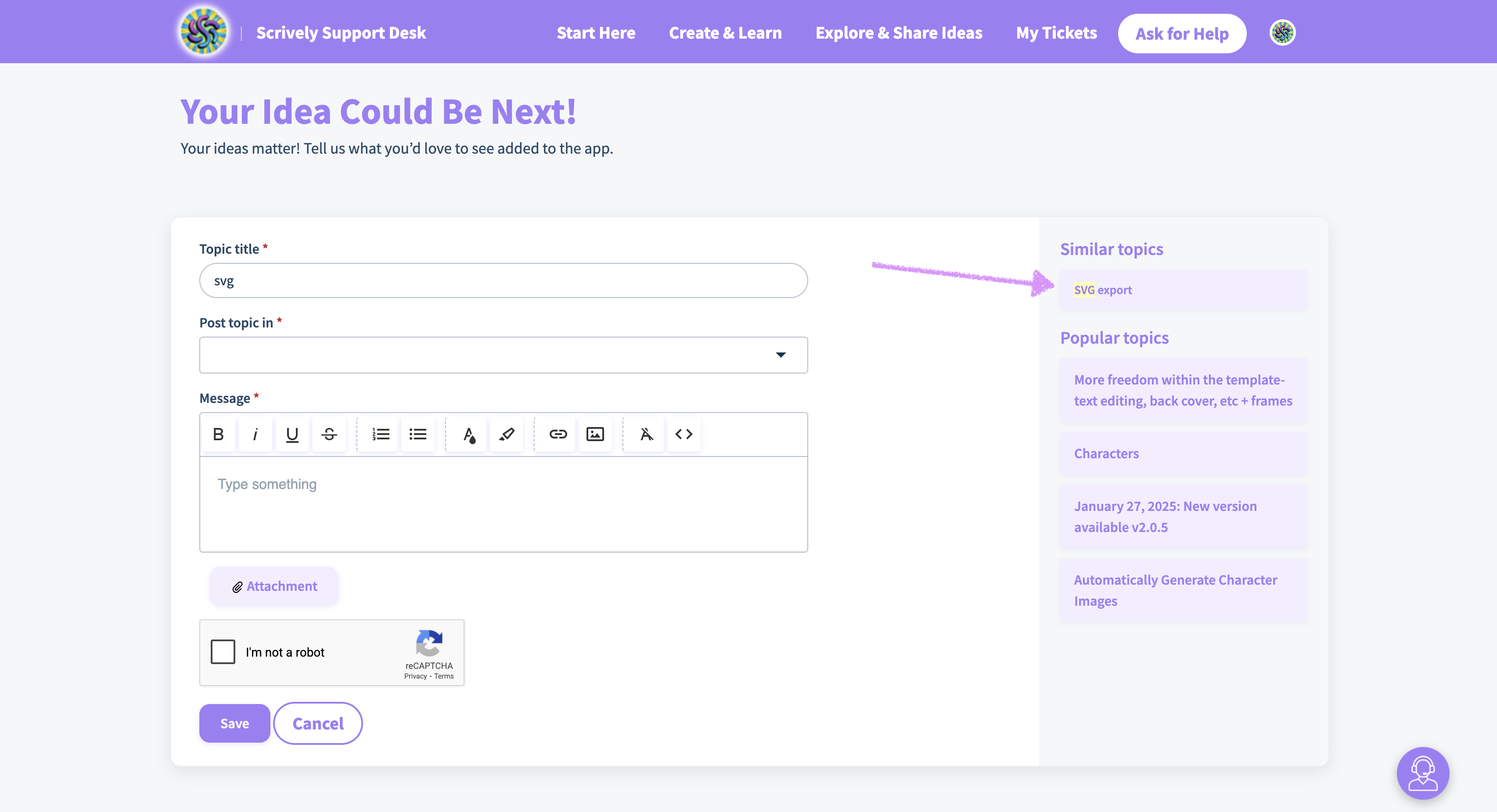
As you type in the "Topic title" field, similar requests will appear on the right side. You can click on the request to see if others have already posted the idea.
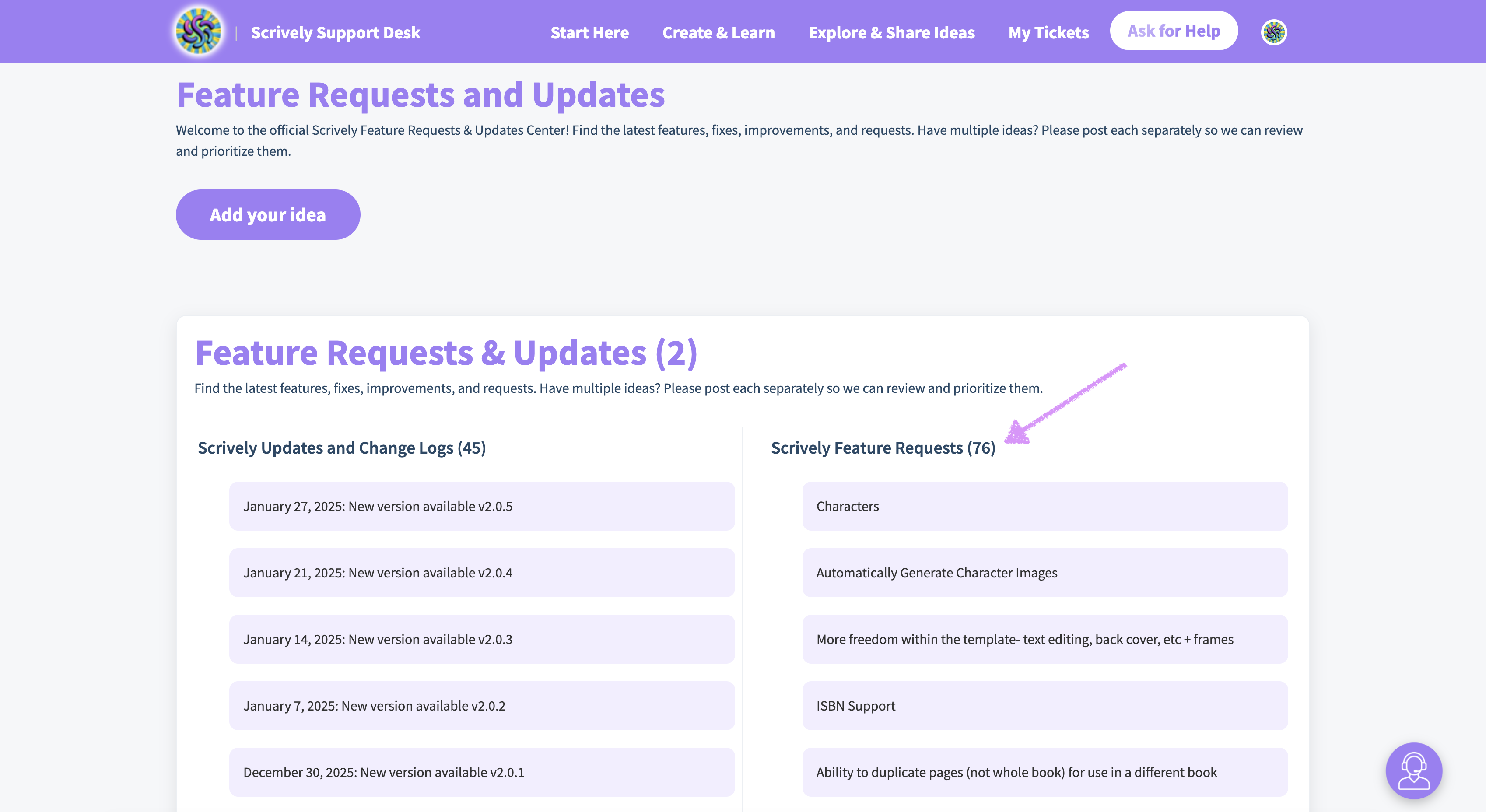
To access a comprehensive list of feature requests, click on the "Scrively Feature Requests" header.
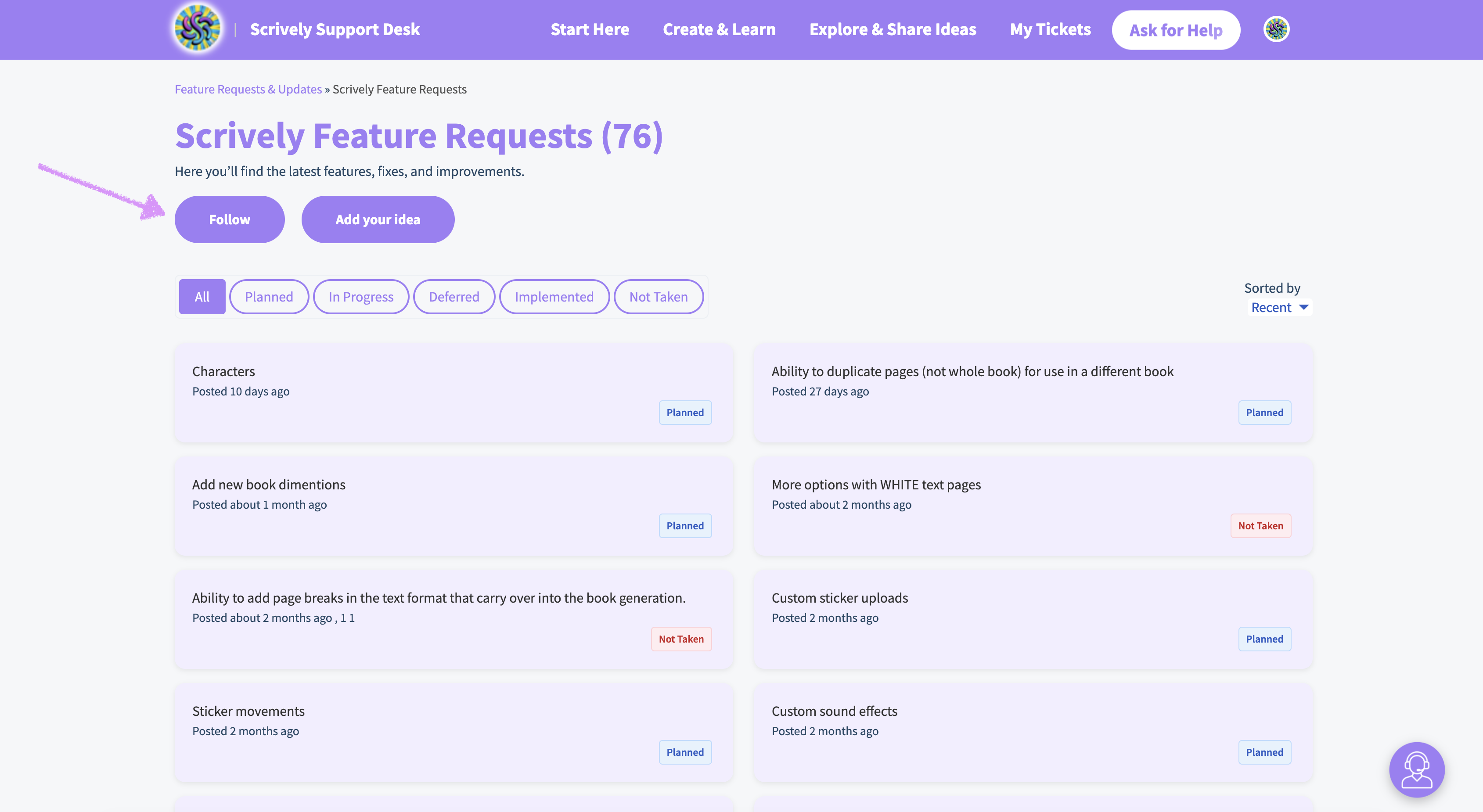
To receive updates as feature requests are posted, click on the "Follow" option below the feature requests header.
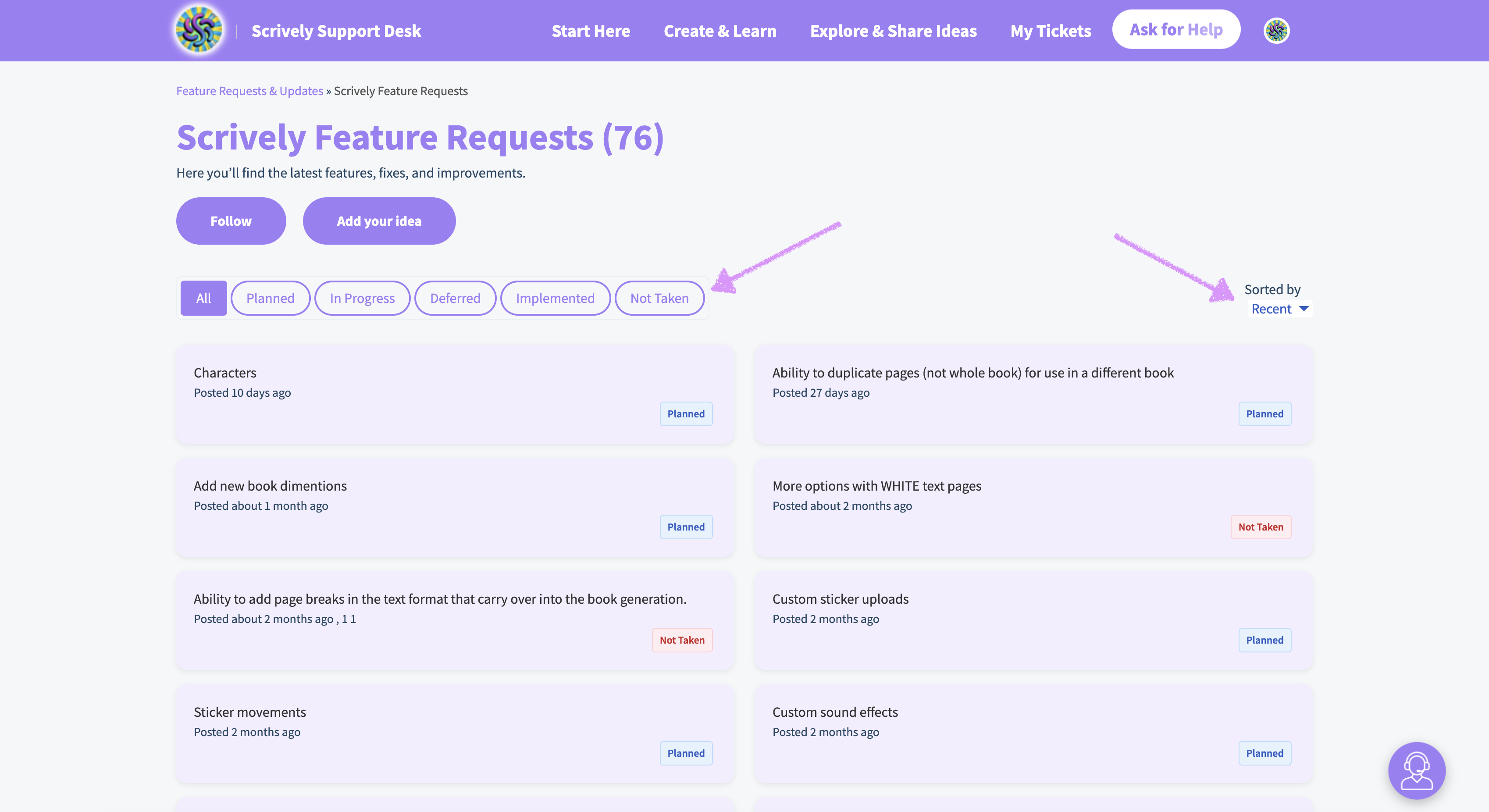
Filter feature requests by their current status on the left side and sort them by past, popular, or recent on the right.
To receive updates on a specific feature request, click on the "Follow" option below the title of the request.
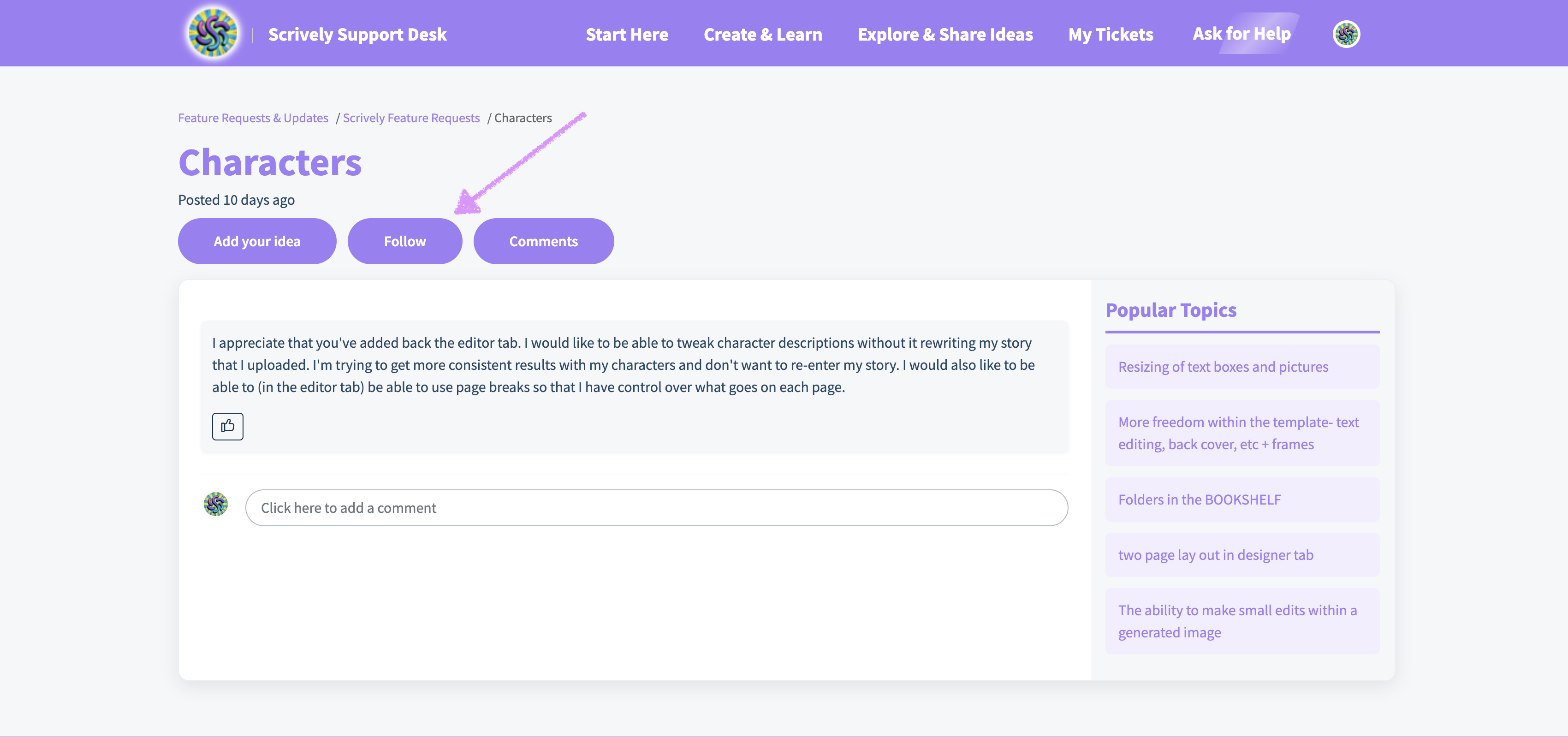
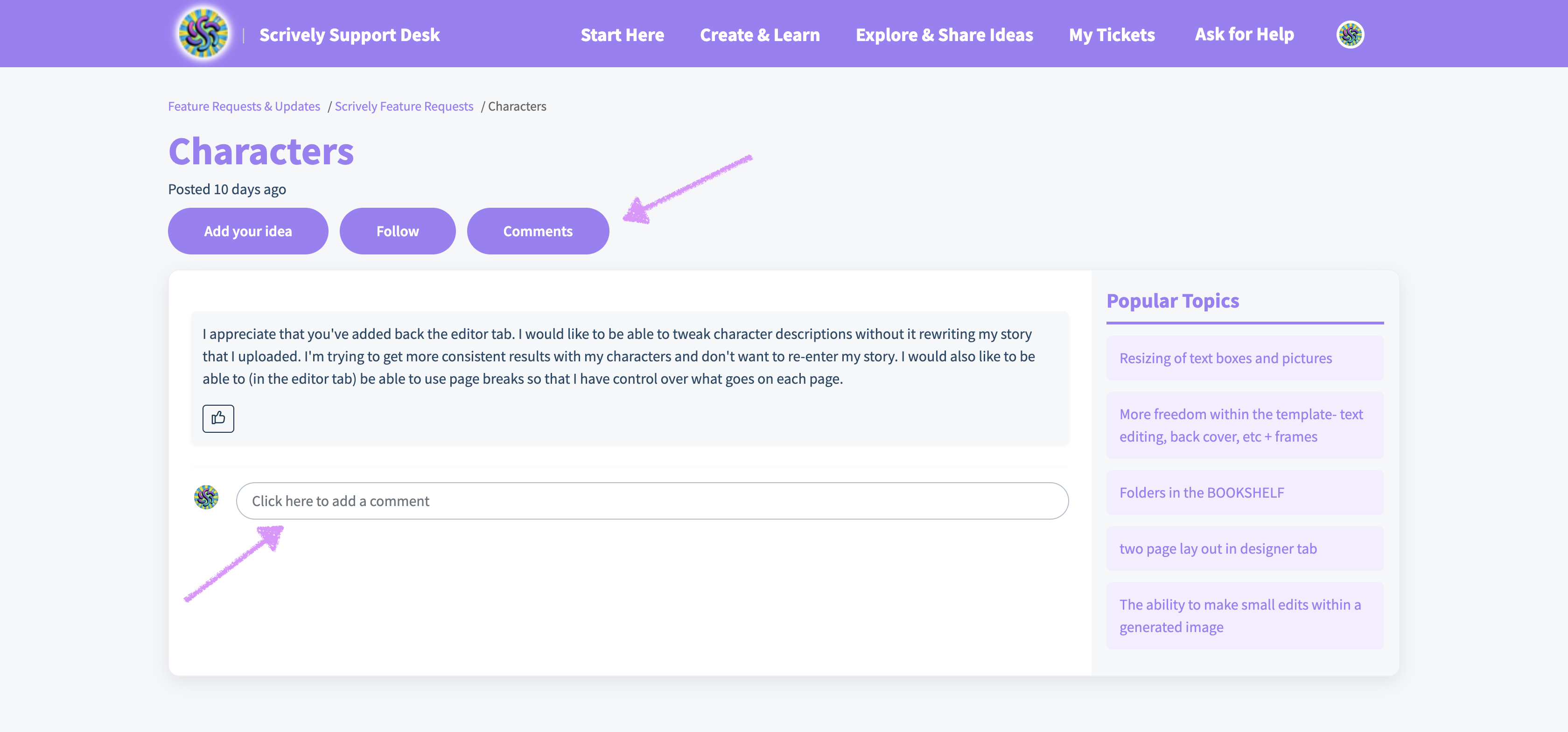
To leave comments on a specific feature request, click on the "Comments" option below the title of the request or "Click here to add a comment."
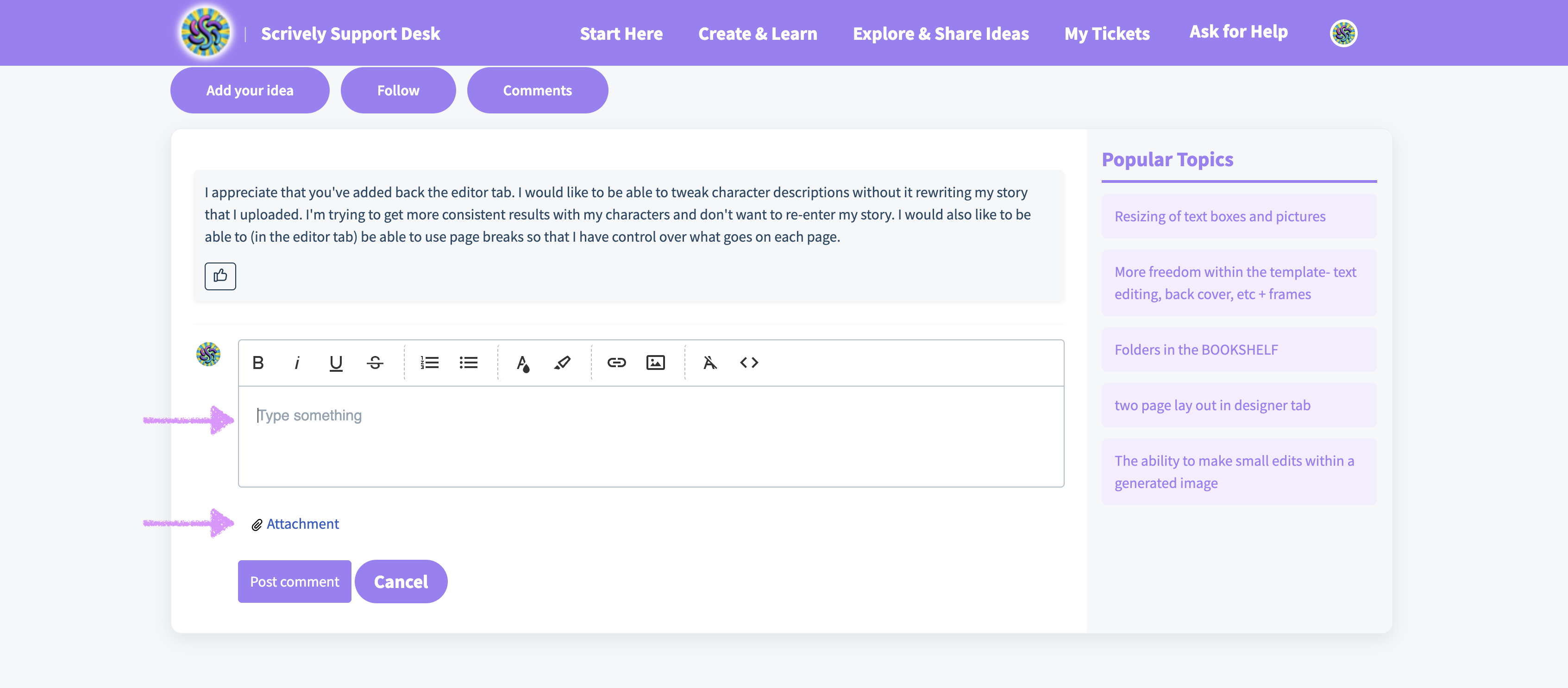
Enter the details of the comment and any relevant attachments.
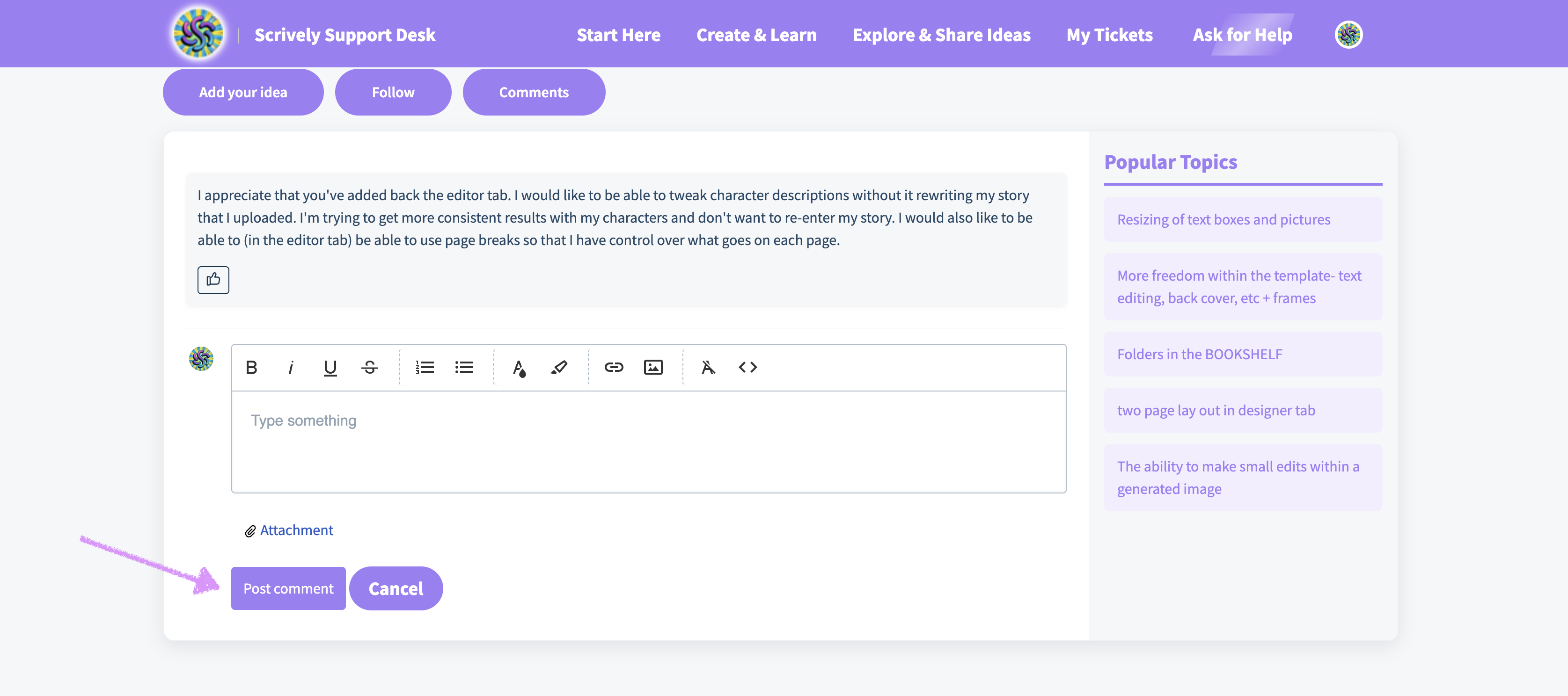
Then click on "Post comment."
Was this article helpful?
That’s Great!
Thank you for your feedback
Sorry! We couldn't be helpful
Thank you for your feedback
Feedback sent
We appreciate your effort and will try to fix the article
