
Pricing and Billing
Web App users can download their invoices directly from their account at any time by following the steps below.
If you’re using the desktop app and need a copy of your invoice, please reach out to our Story Guides and we’ll be happy to help.
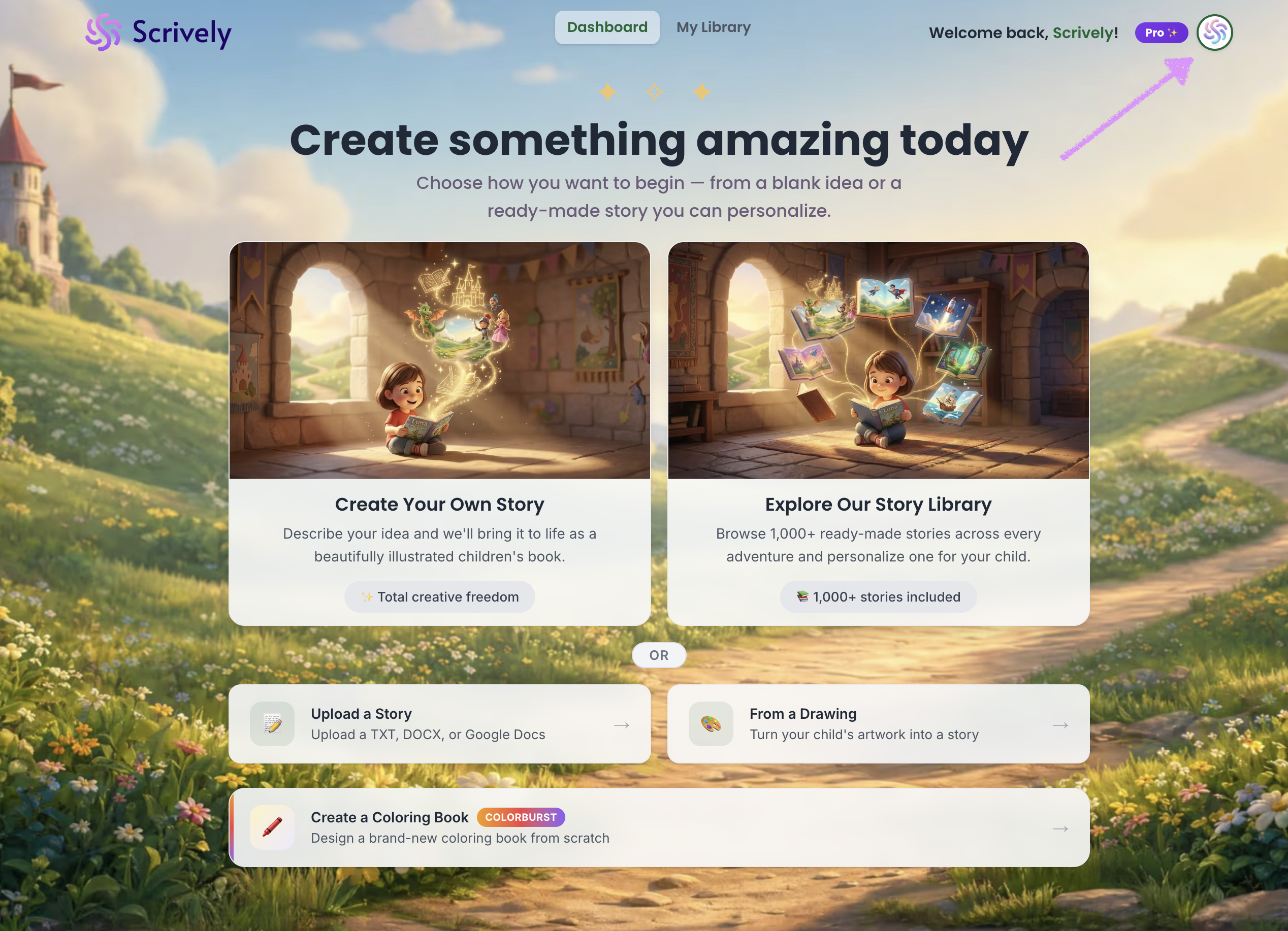
Log into the Scrively Web App. Click your profile icon in the top-right corner of the dashboard.
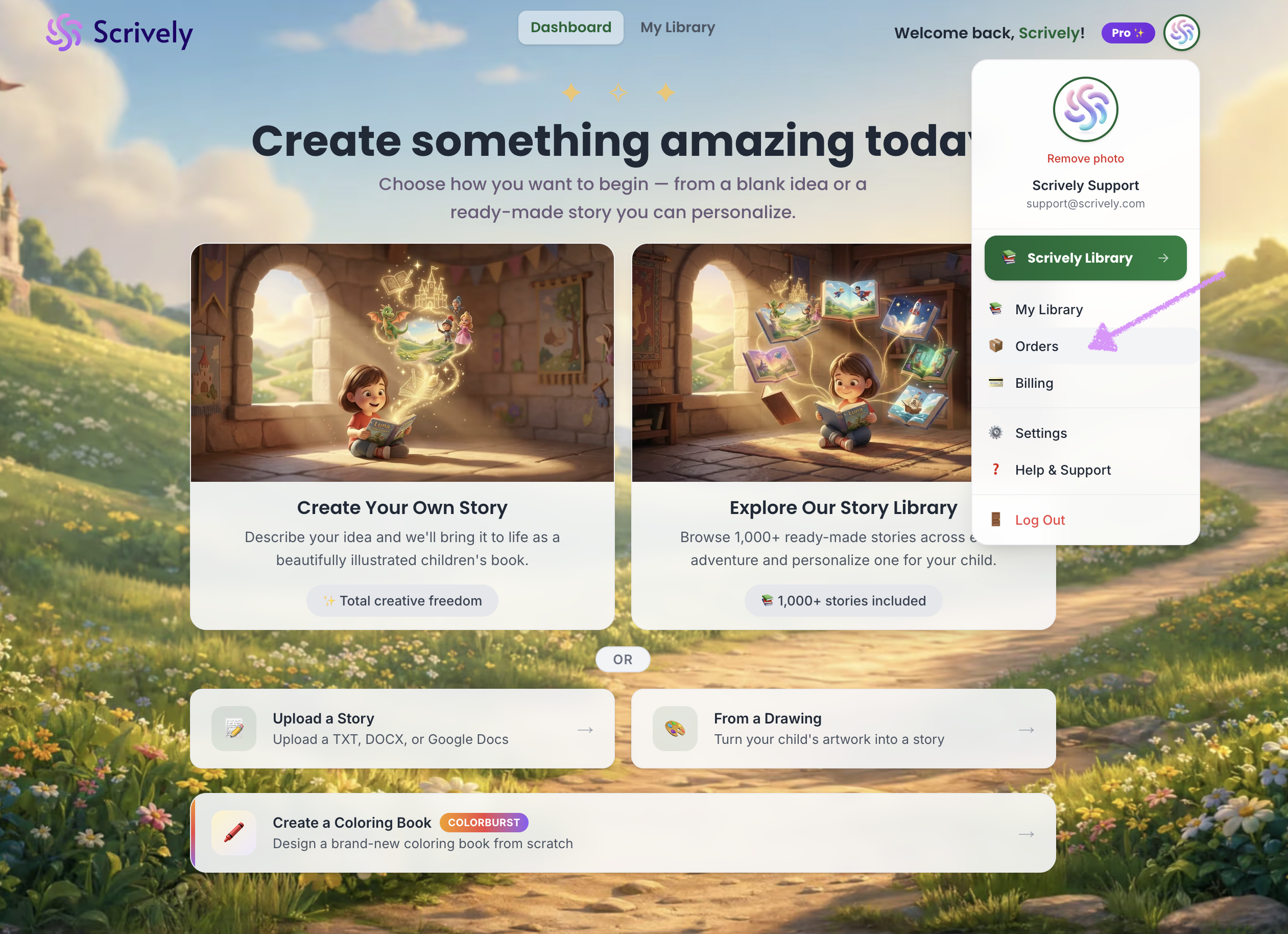
Select "Orders."
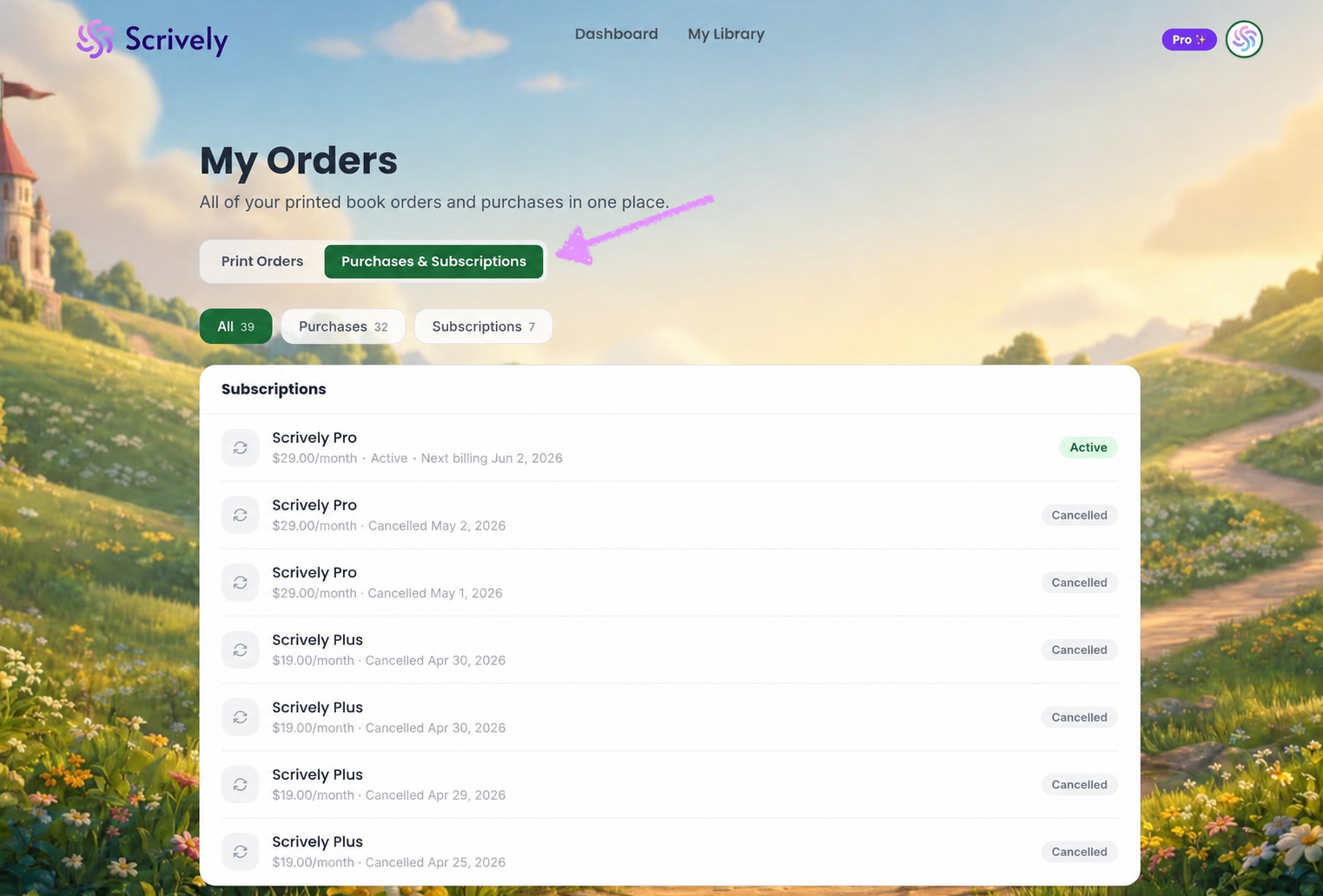
Click on "Purchases & Subscriptions."
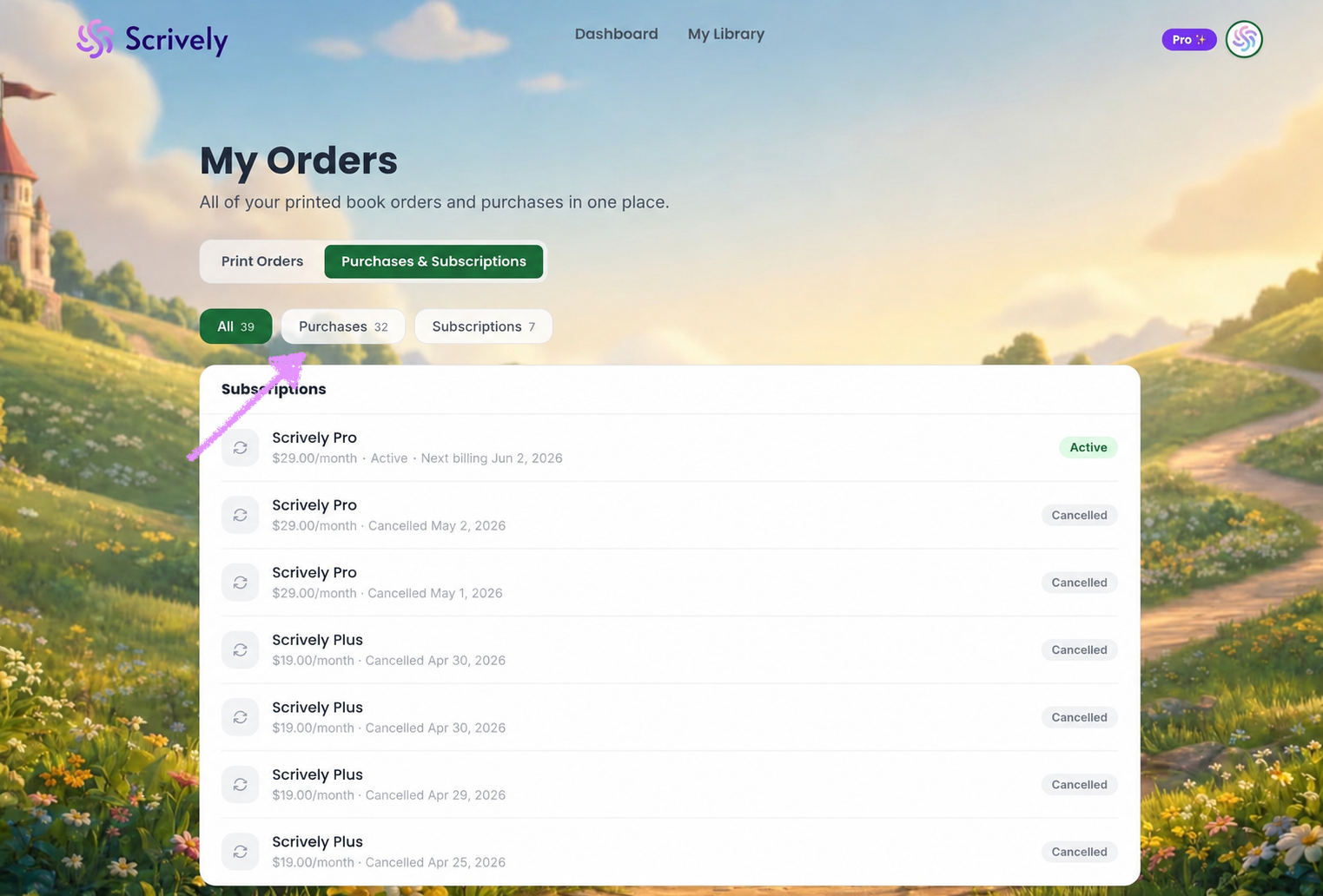
Select "Purchases."
Or scroll down to "Payment History" to see a list of all payments.
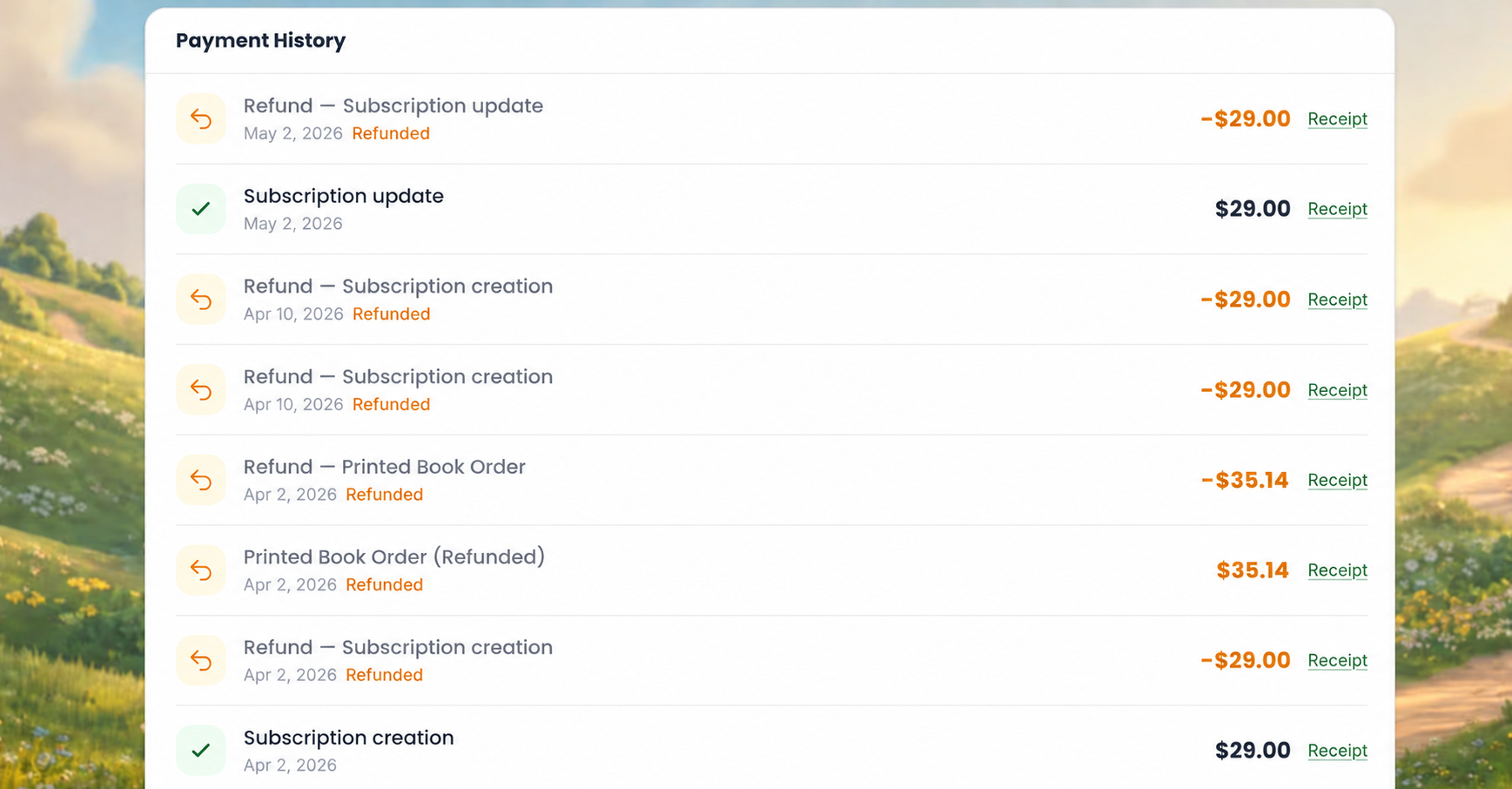
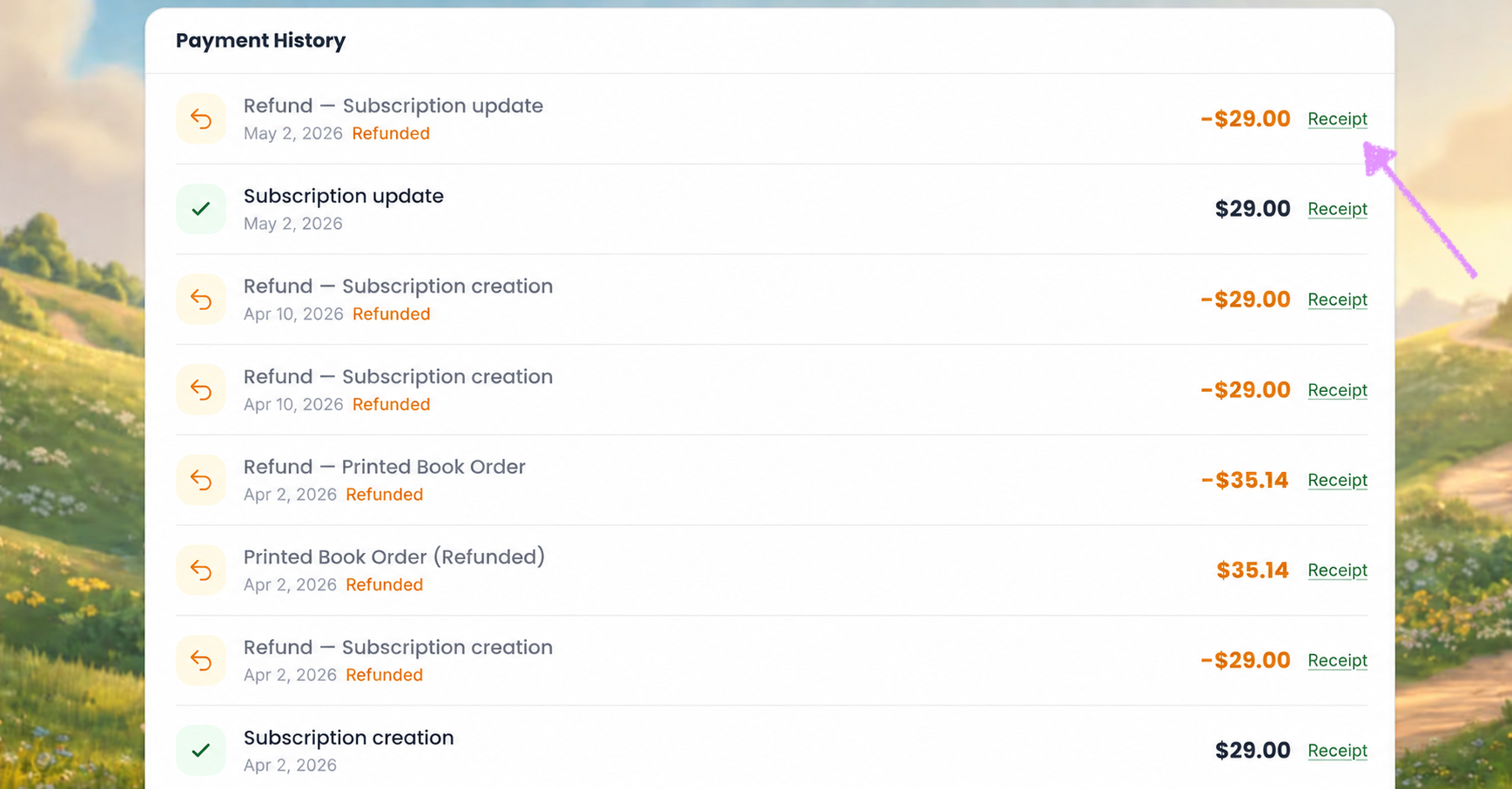
Click on "Receipt."
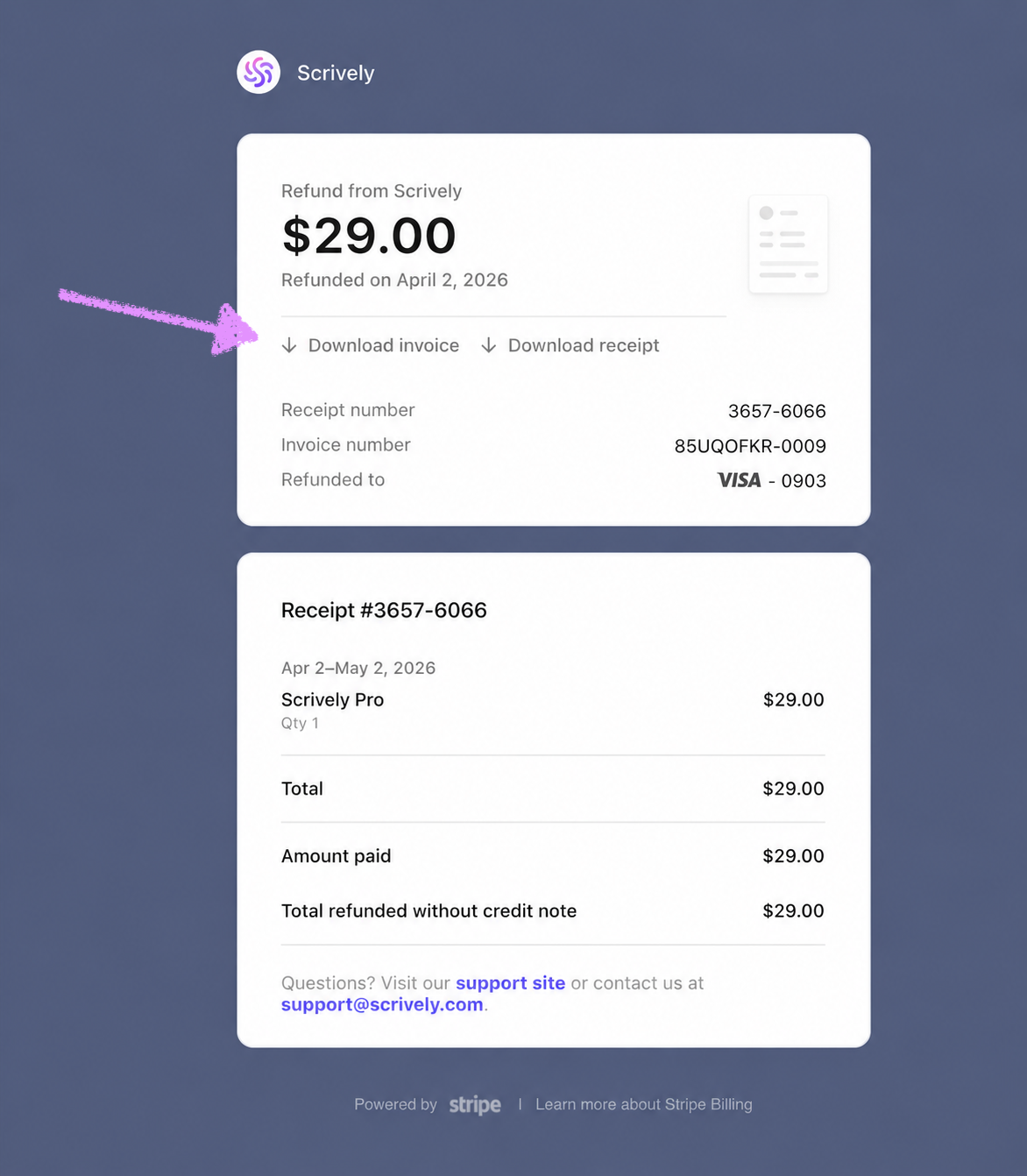
You'll be able to view and download your invoice/receipt.
Was this article helpful?
That’s Great!
Thank you for your feedback
Sorry! We couldn't be helpful
Thank you for your feedback
Feedback sent
We appreciate your effort and will try to fix the article
