You can upgrade from Starter to Plus or Pro at any time directly in the Web App.
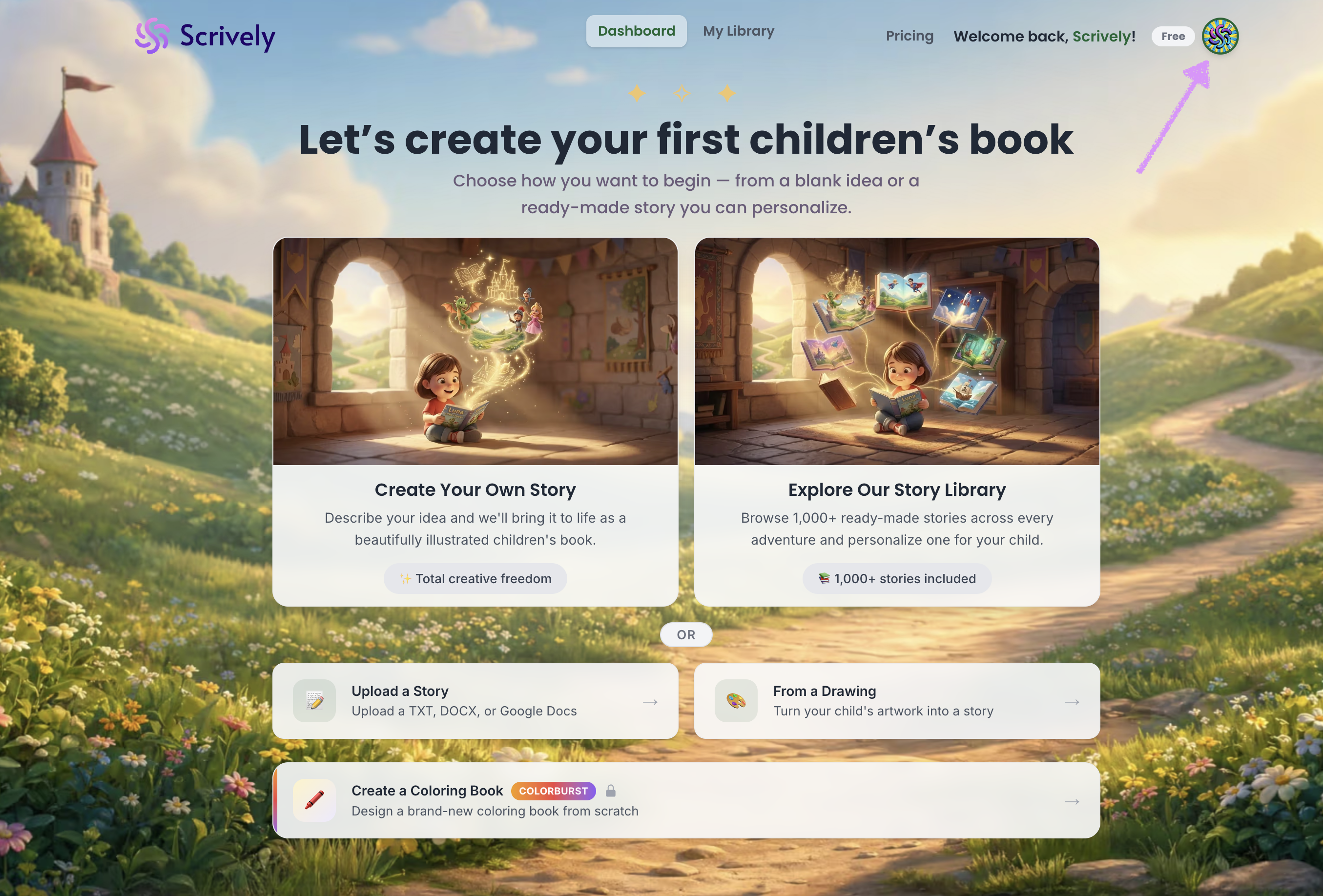
Log into the Scrively Web App. Click your profile icon in the top-right corner of the dashboard.
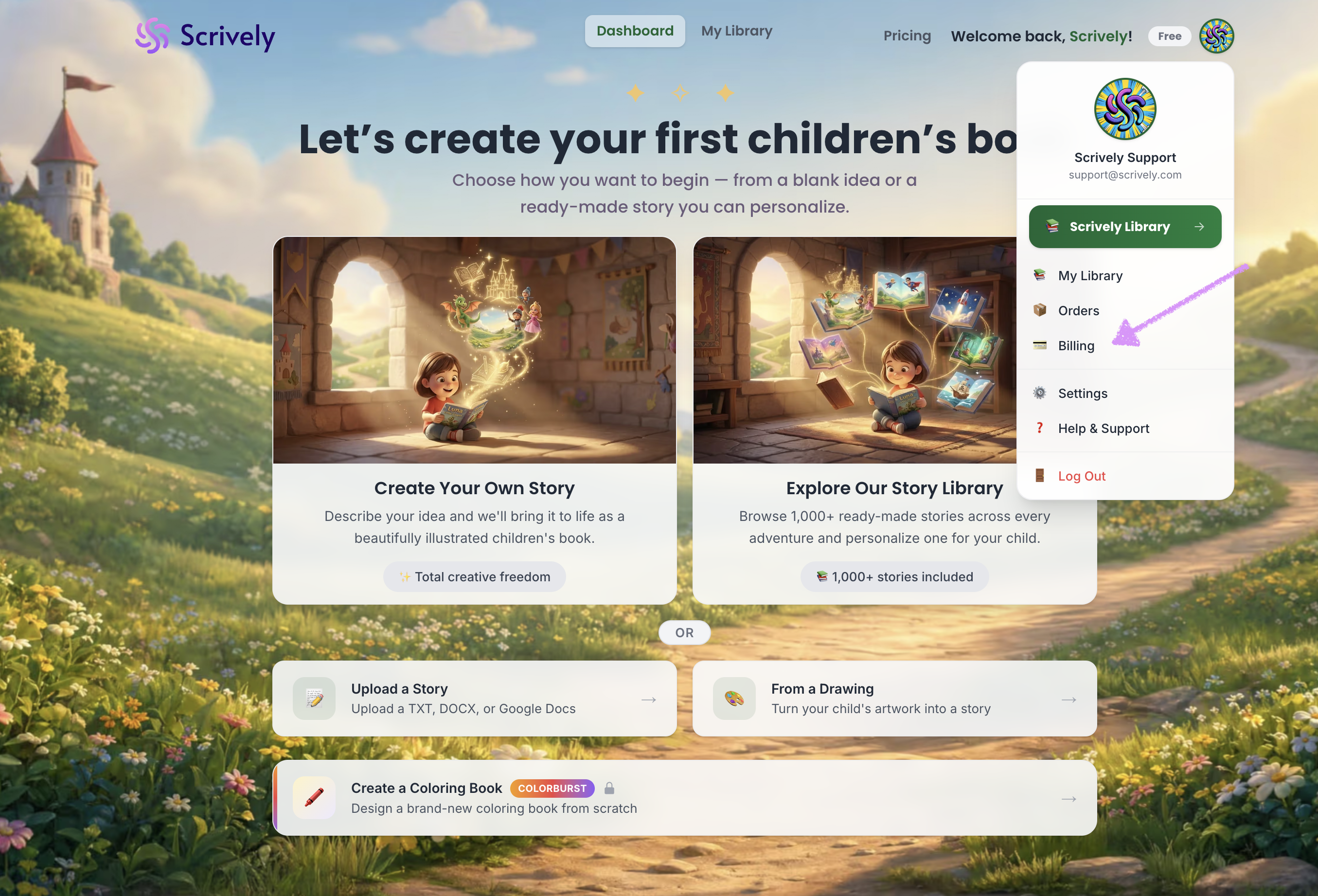
Select "Billing."
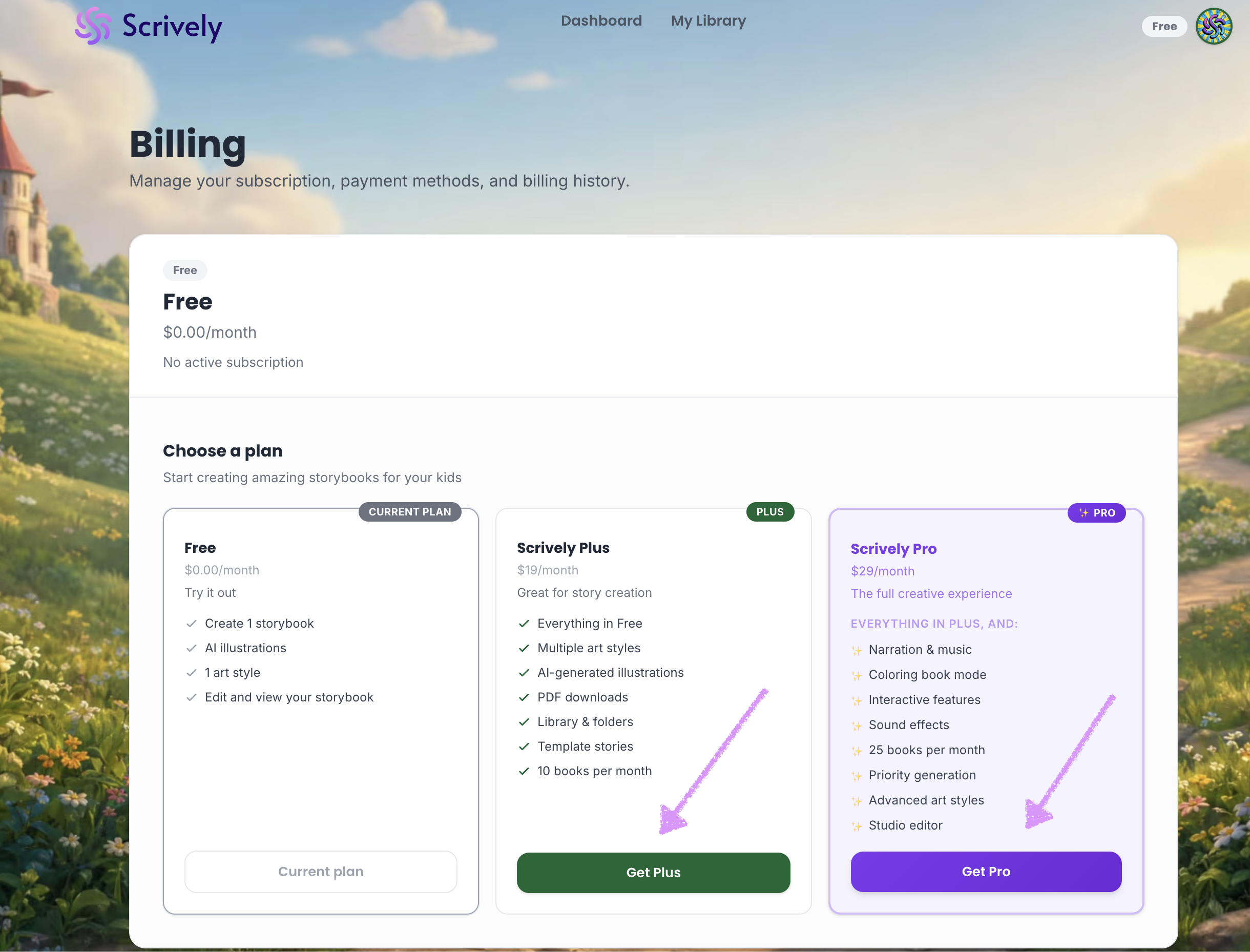
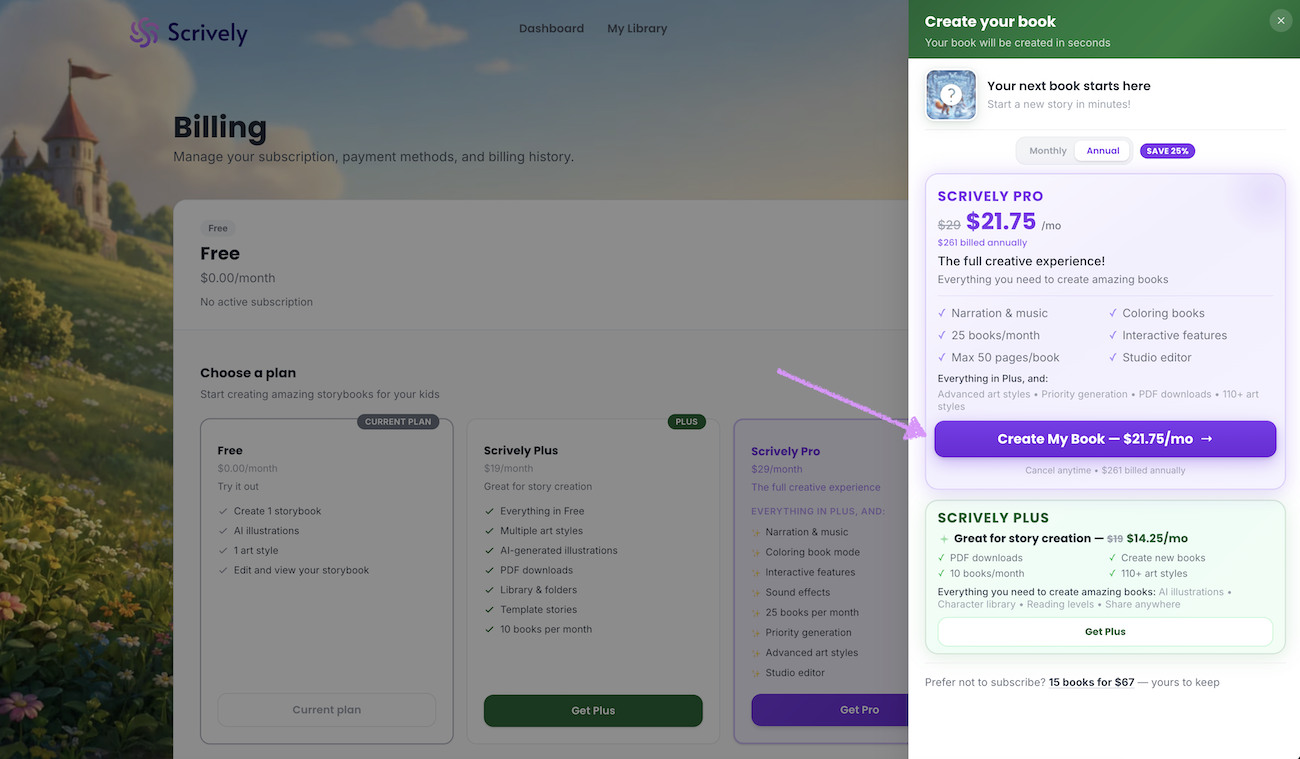
Click on "Get Plus" or "Get Pro."
Choose monthly or annual billing.
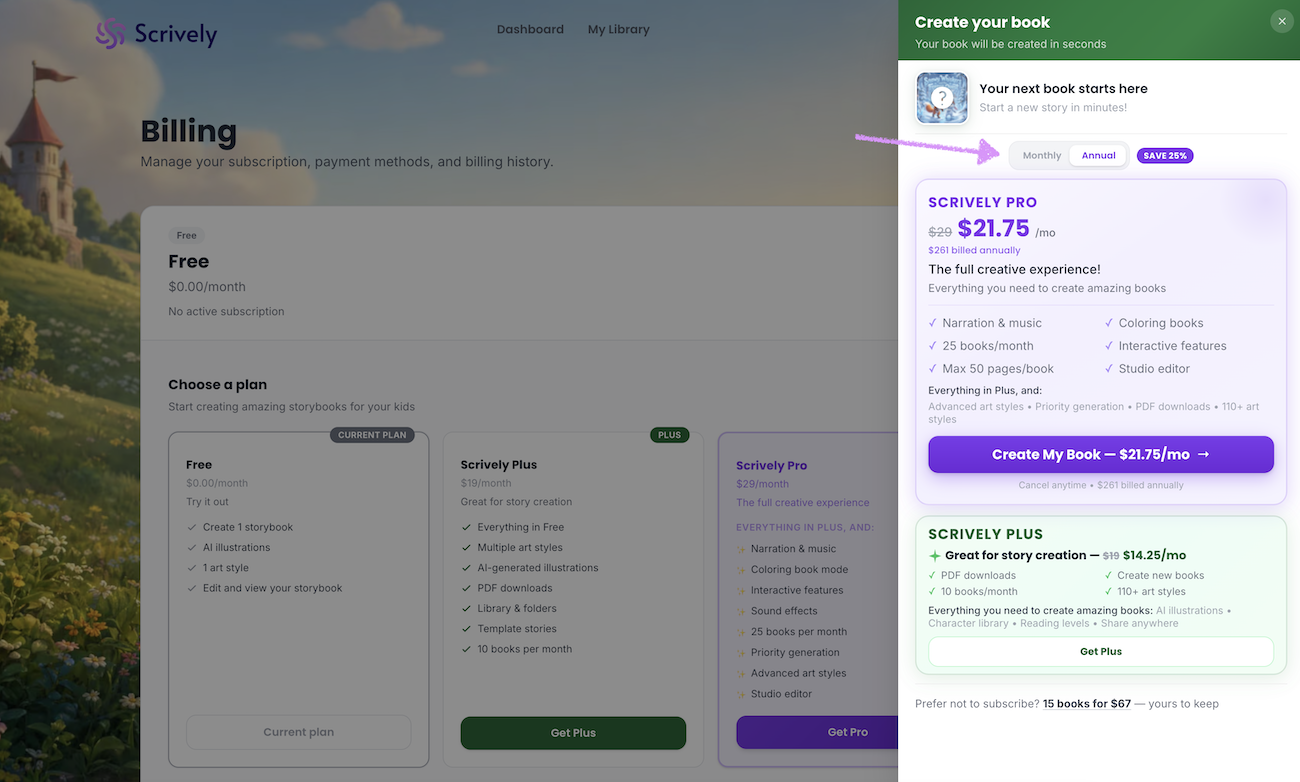
Click on "Create My Book."
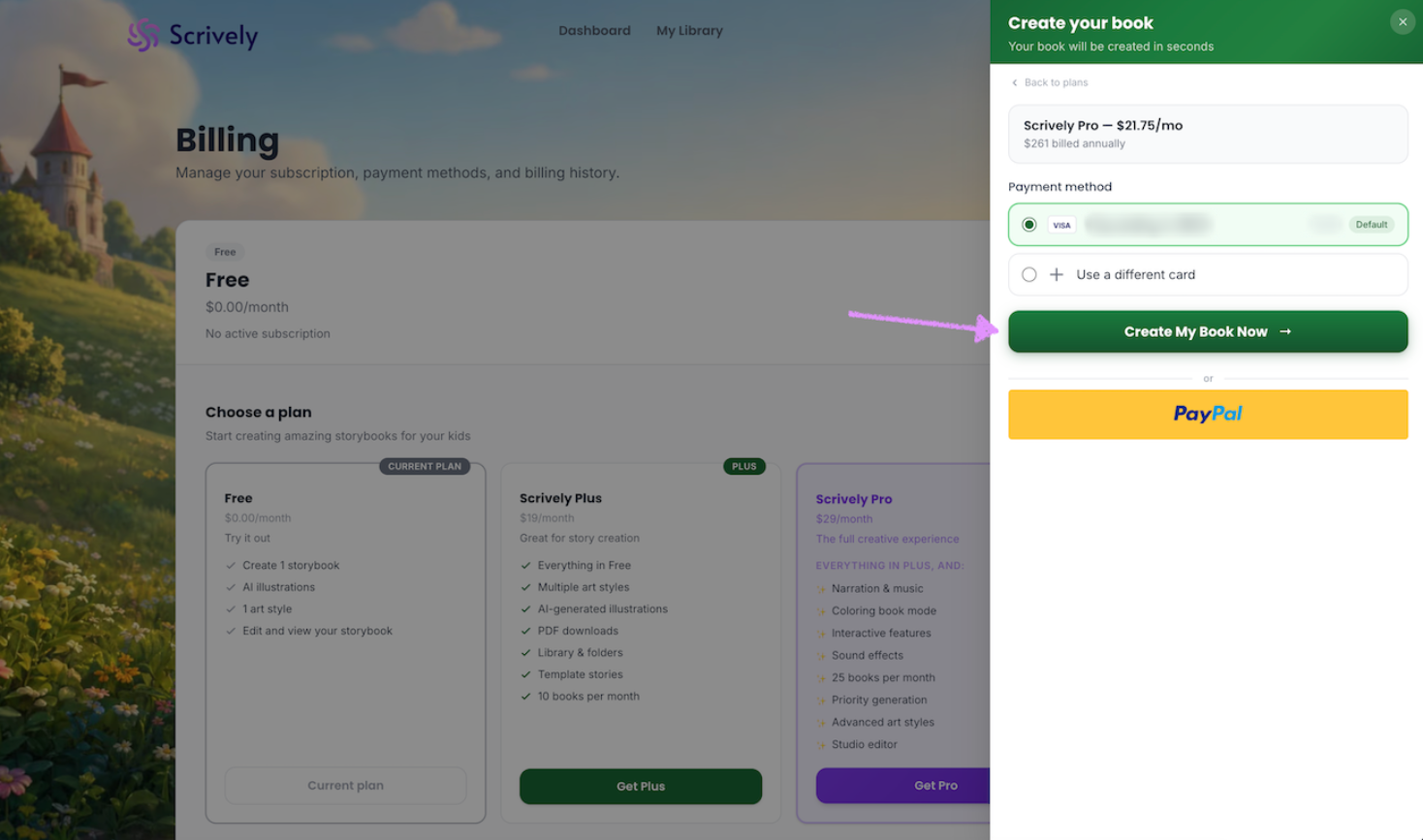
Add your payment method or choose the option to check out with PayPal.
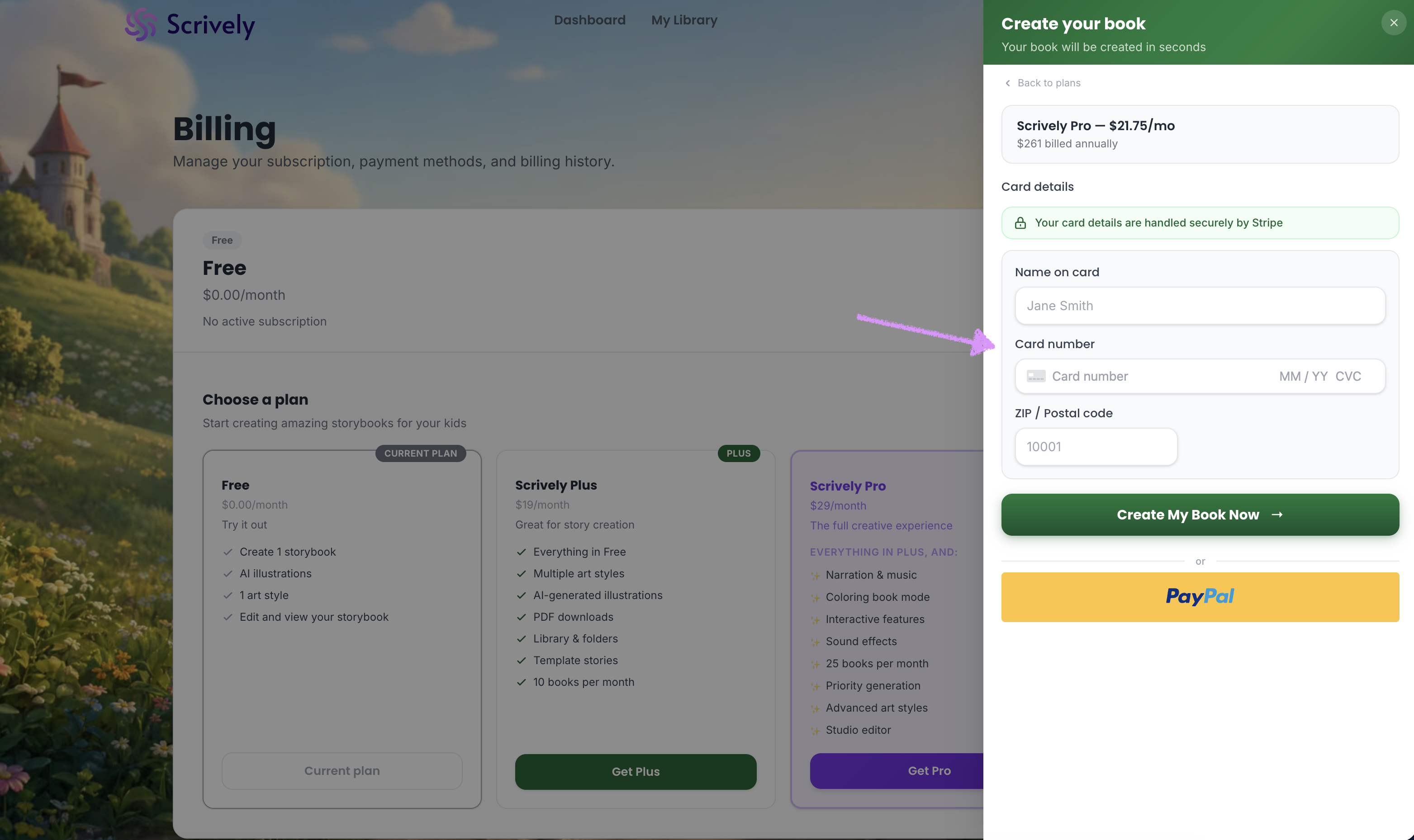
Click on "Create My Book Now." Your upgrade will take effect immediately, and you’ll gain access to the additional features included in your selected plan.
If you run into any issues, please reach out to our customer experience team and we’ll be happy to help.
Was this article helpful?
That’s Great!
Thank you for your feedback
Sorry! We couldn't be helpful
Thank you for your feedback
Feedback sent
We appreciate your effort and will try to fix the article
