
Pricing and Billing
Web App users can view their subscriptions history directly from their account.
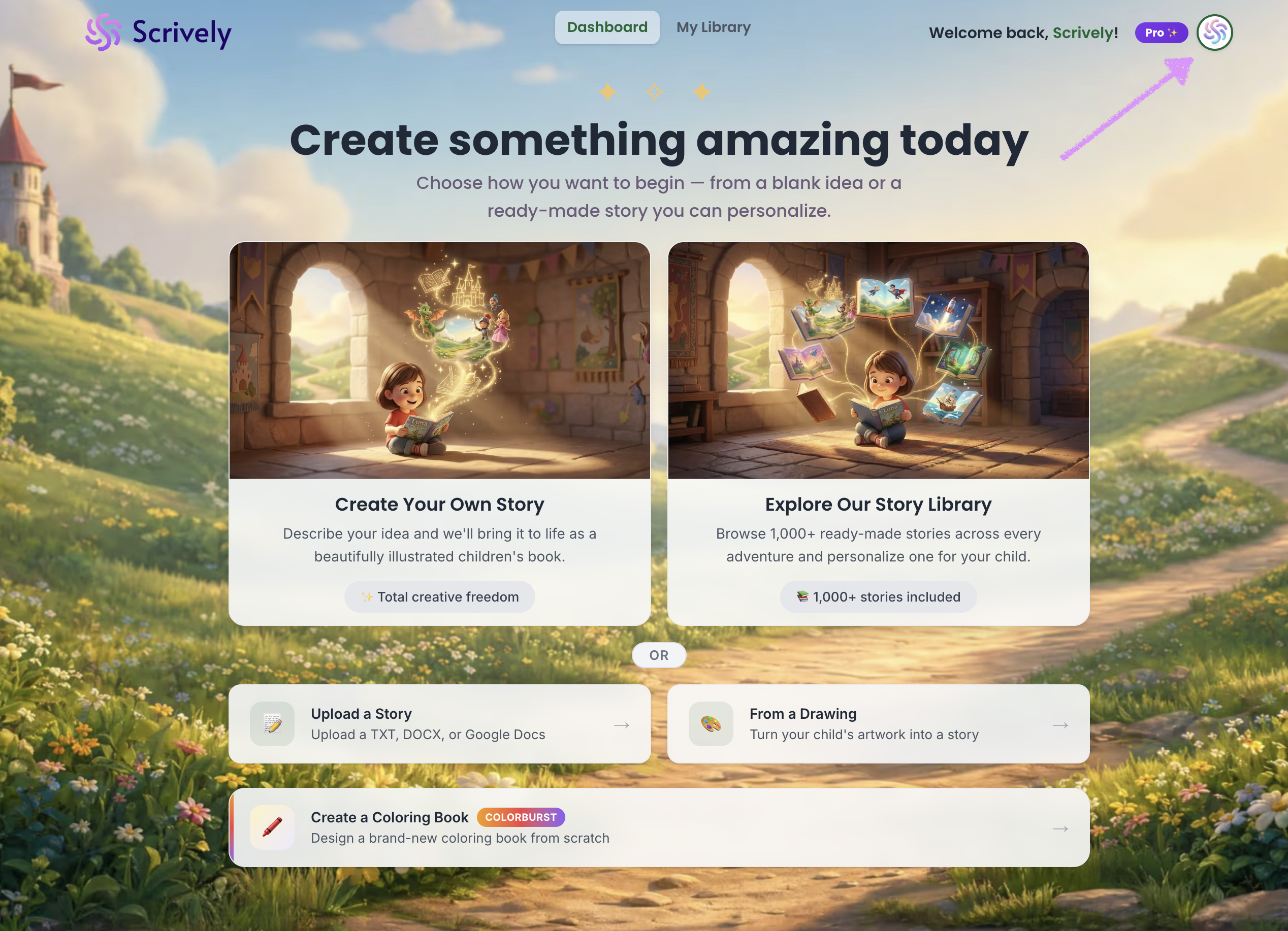
Log into the Scrively Web App. Click your profile icon in the top-right corner of the dashboard.
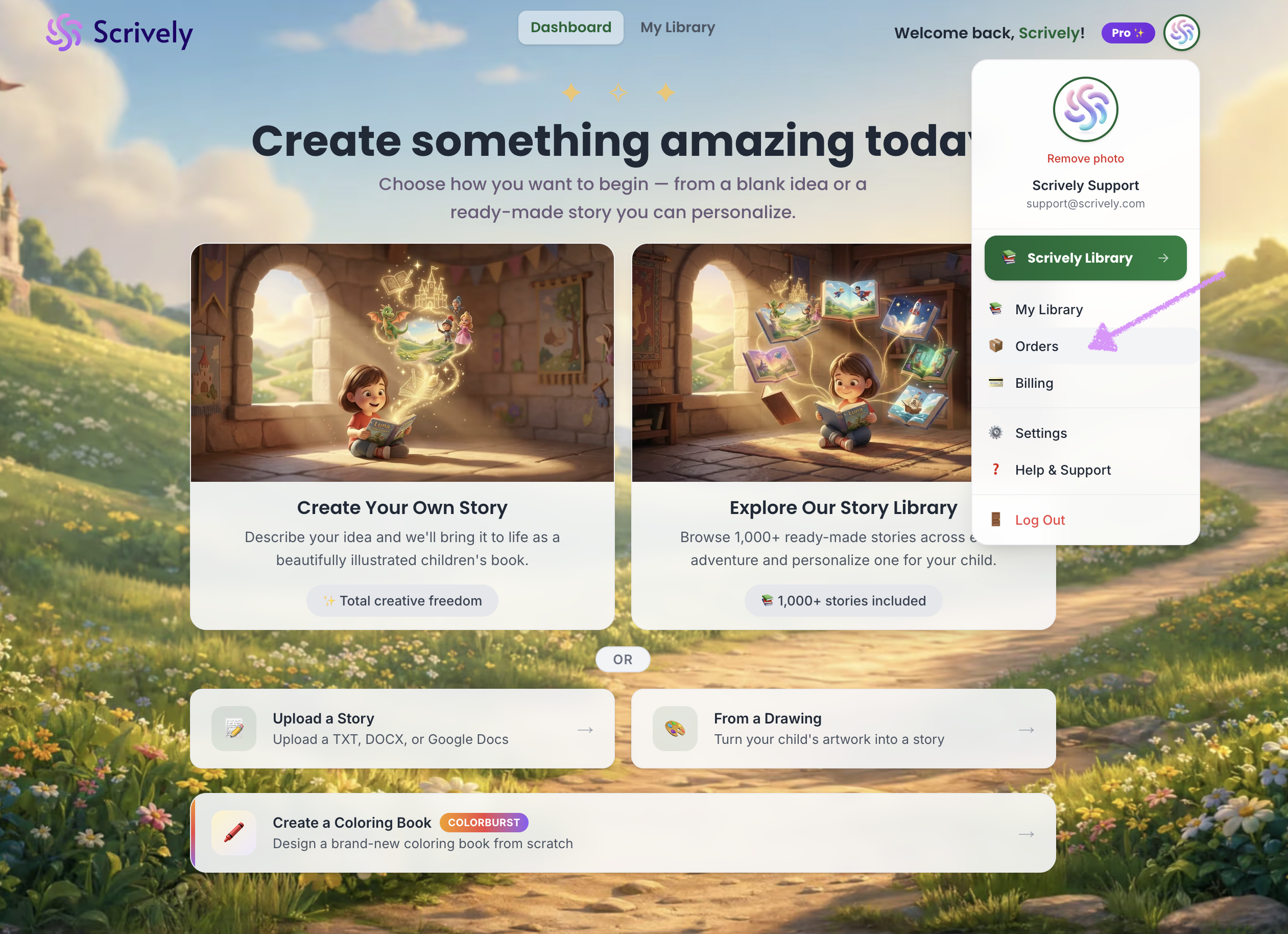
Select "Orders."
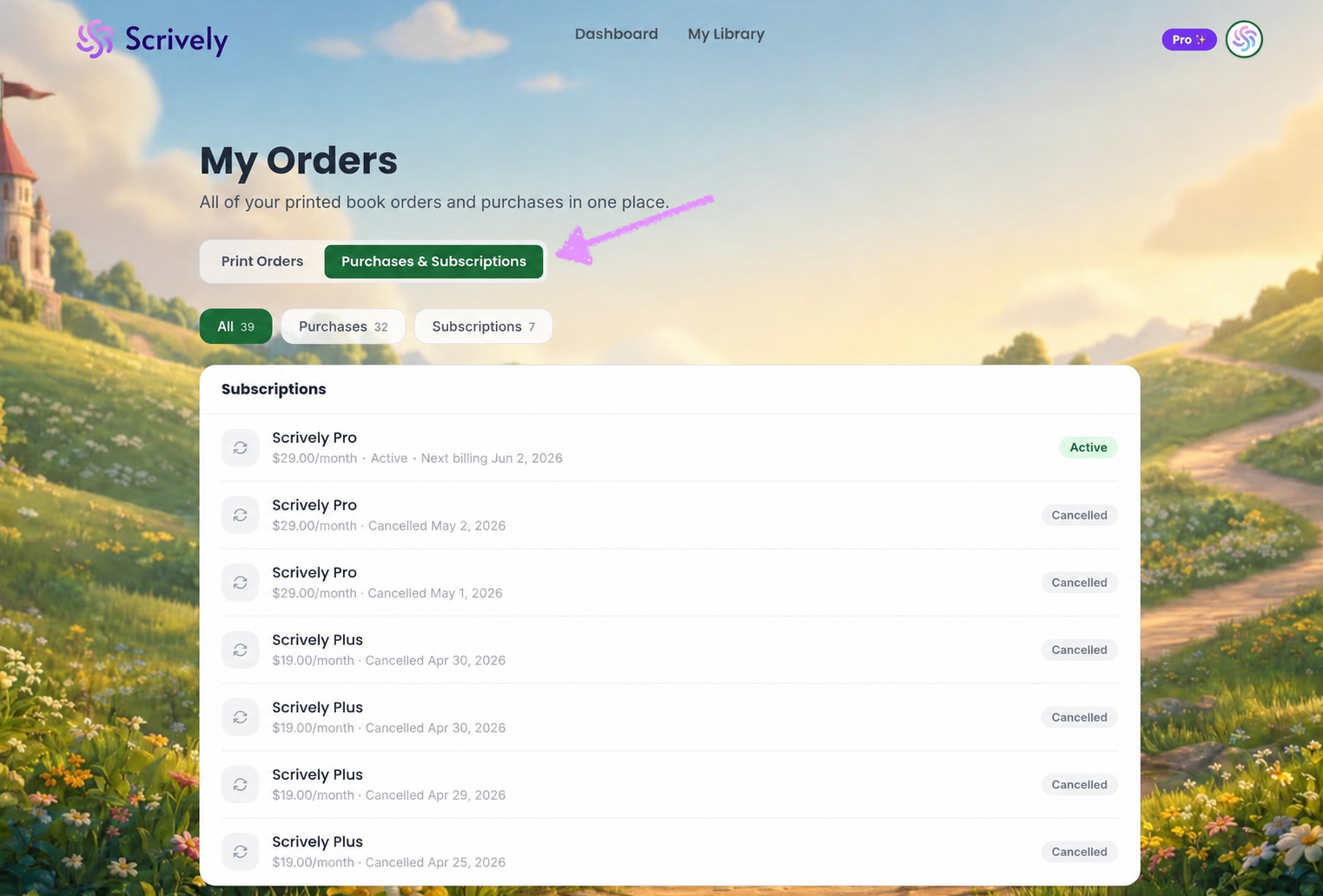
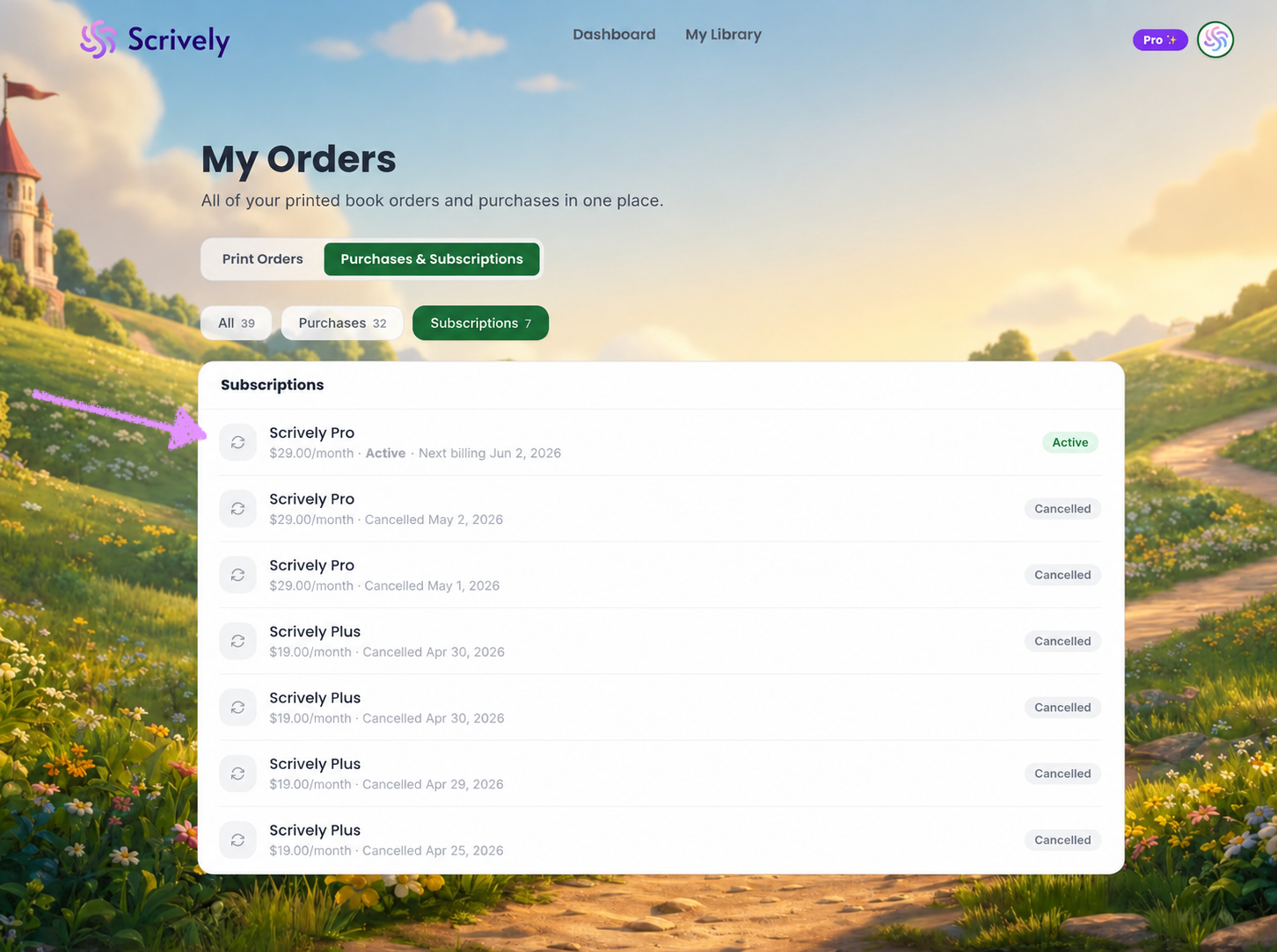
Click on "Purchases & Subscriptions." All subscriptions will be displayed at the top.
Alternatively, click on "Subscriptions."
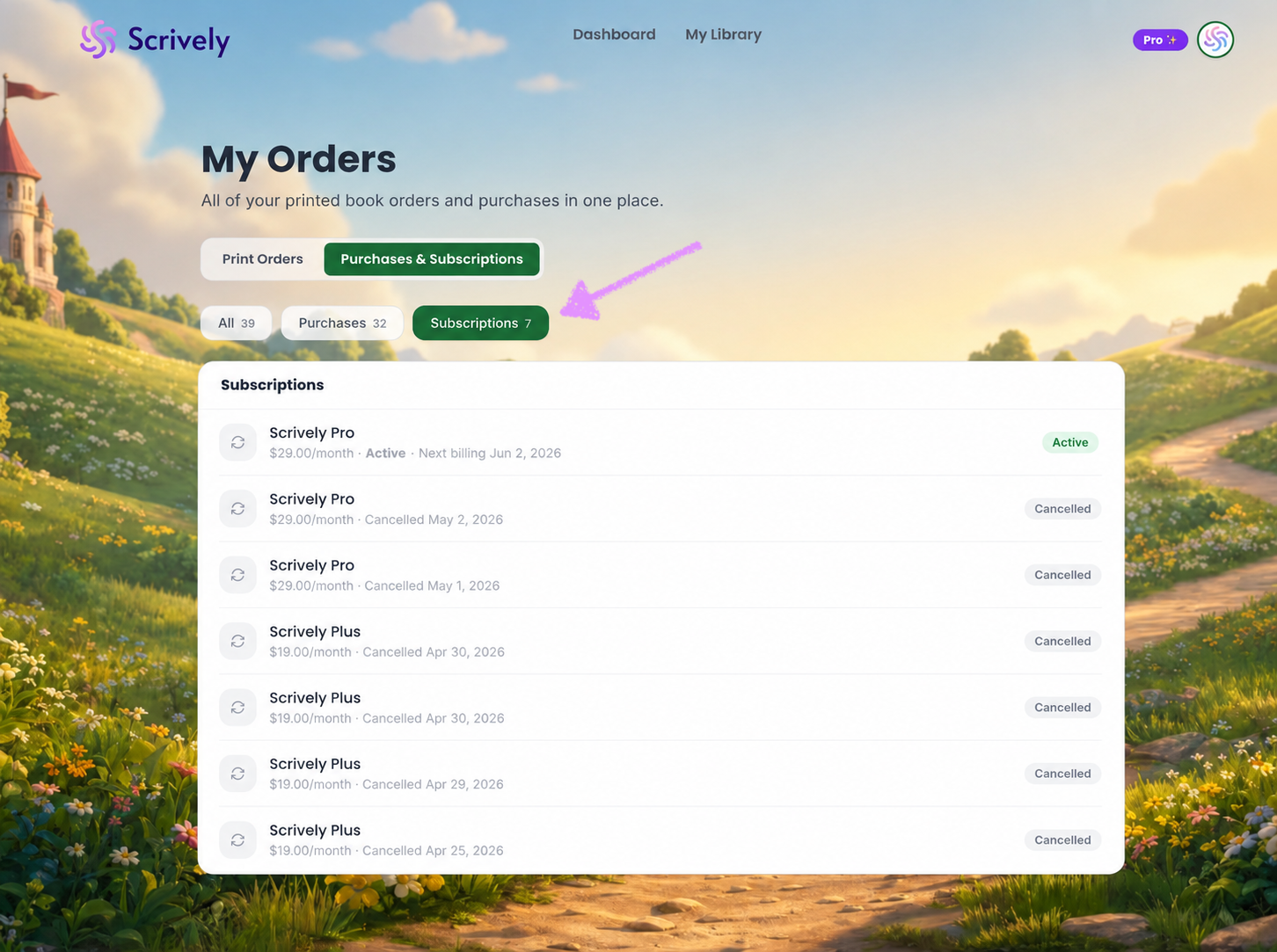
You will see a list of all your subscriptions, including their monthly recurring fees, current status, and renewal dates.
Was this article helpful?
That’s Great!
Thank you for your feedback
Sorry! We couldn't be helpful
Thank you for your feedback
Feedback sent
We appreciate your effort and will try to fix the article
