
Scrively makes it easy to transform a storybook into a fun, interactive coloring book. With a few simple steps, you can convert your story into black-and-white illustrations designed for coloring, creating an engaging experience that brings your content to life in a new way.
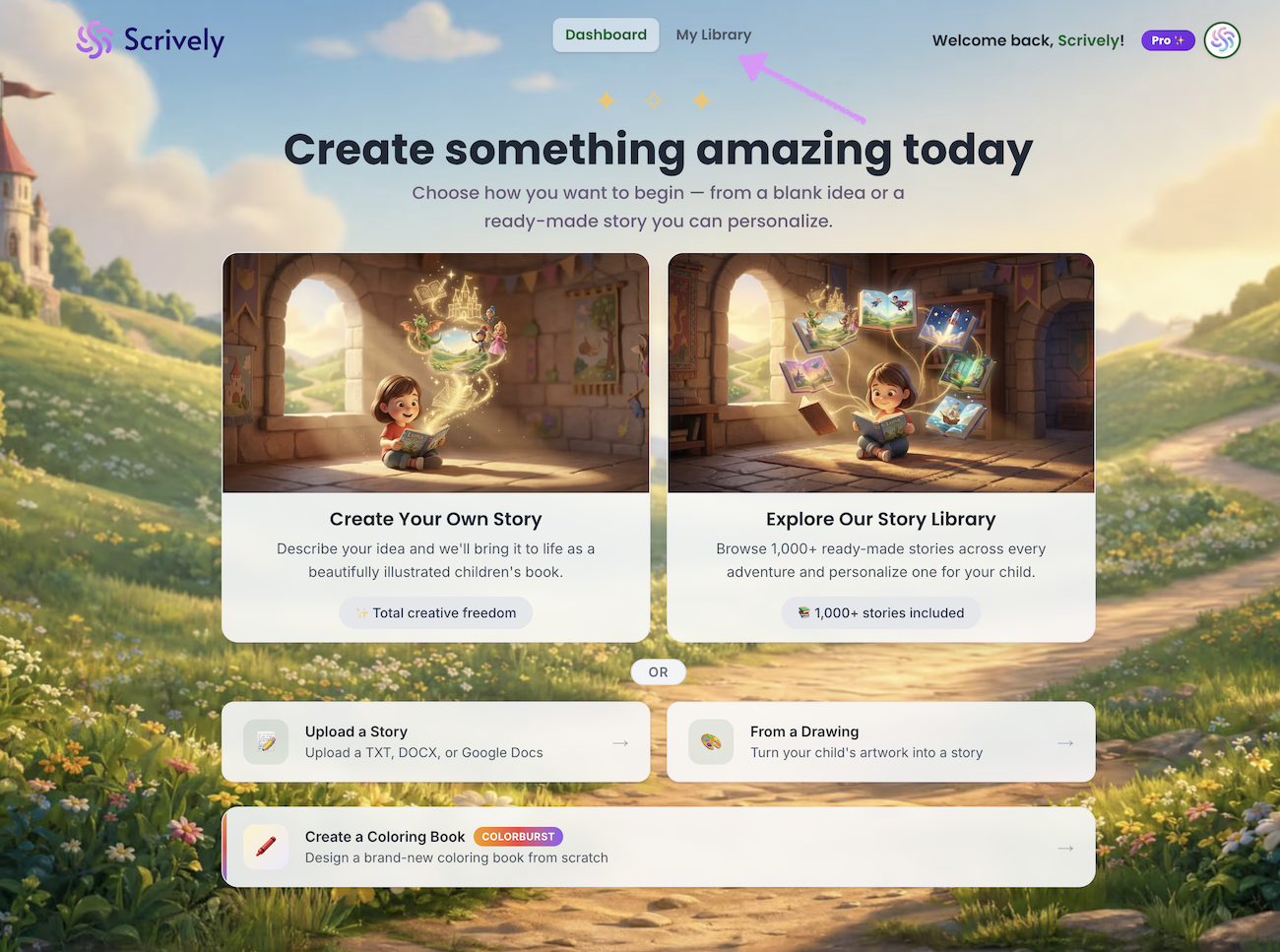
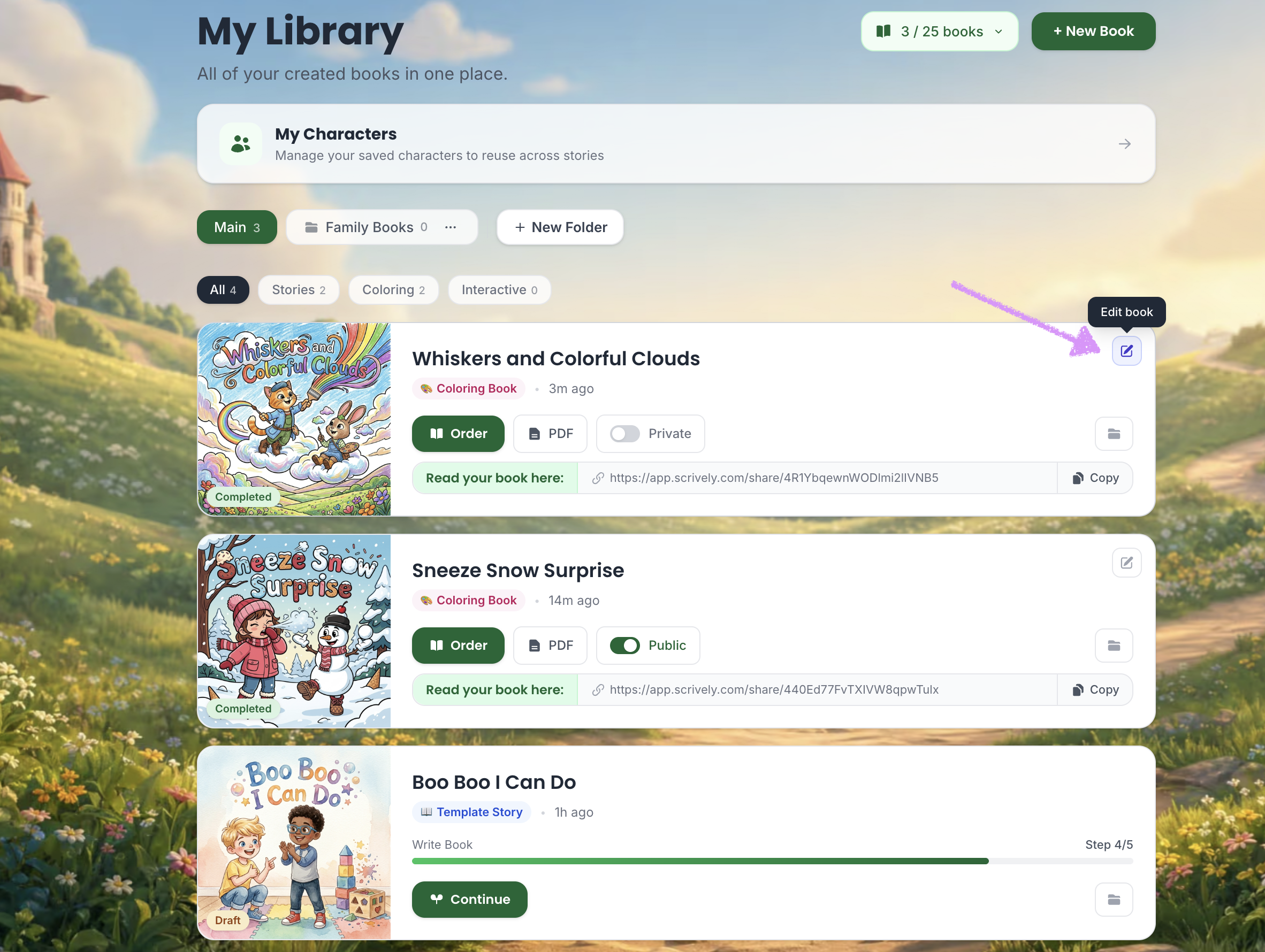
Head over to the "My Library" tab.
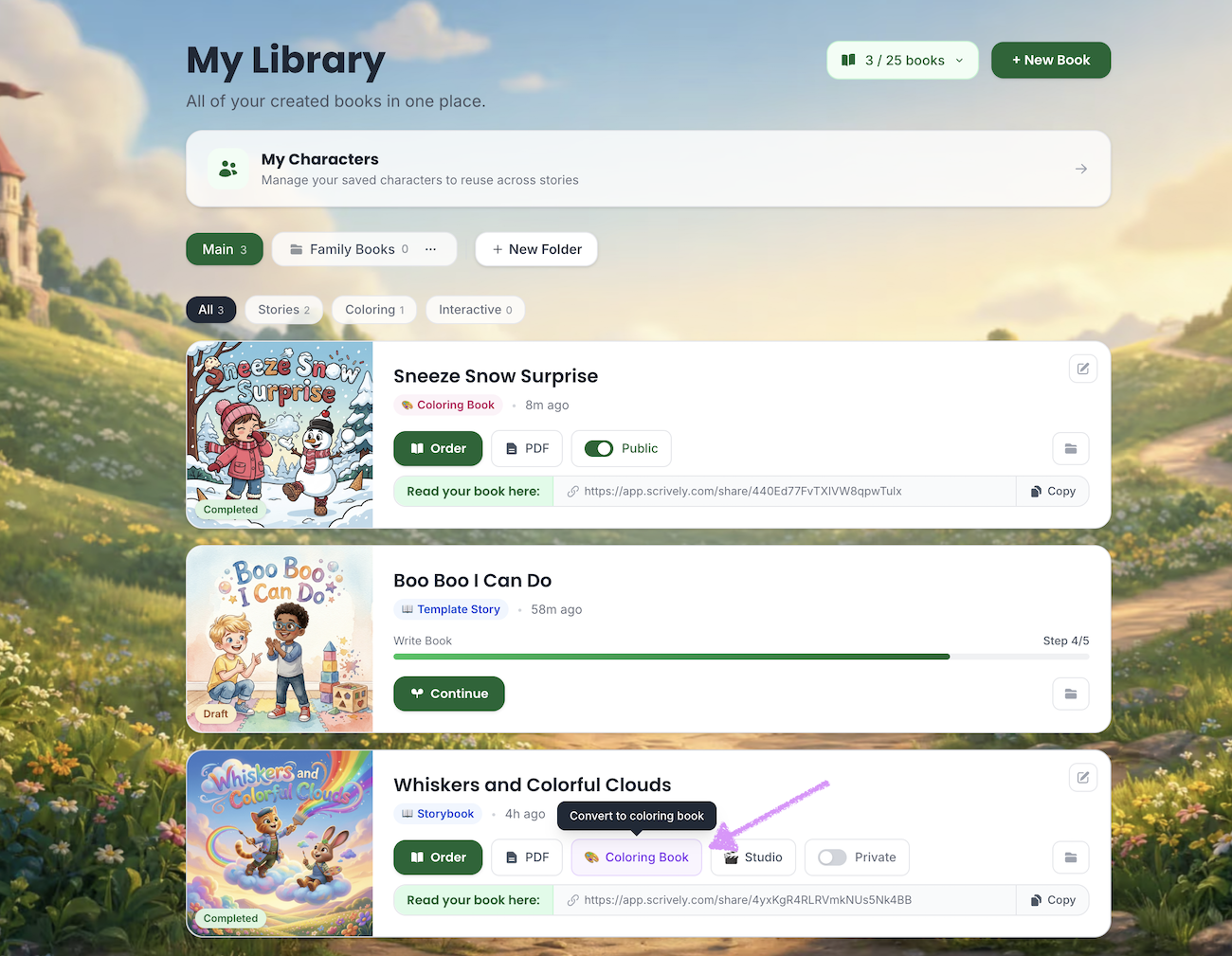
Click on "Coloring Book" for the storybook that you'd like to convert.
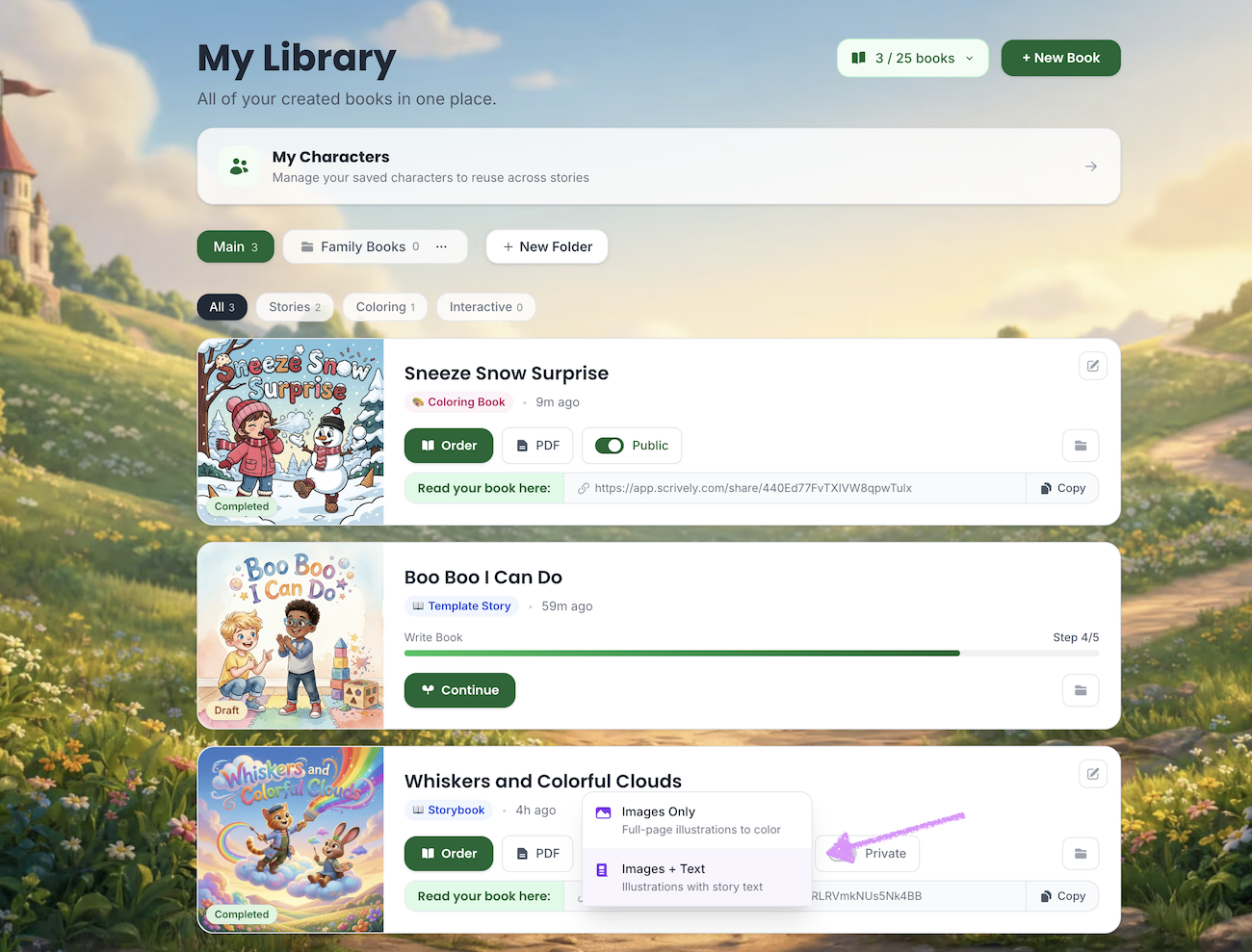
Choose either "Images Only" or "Images & Text."
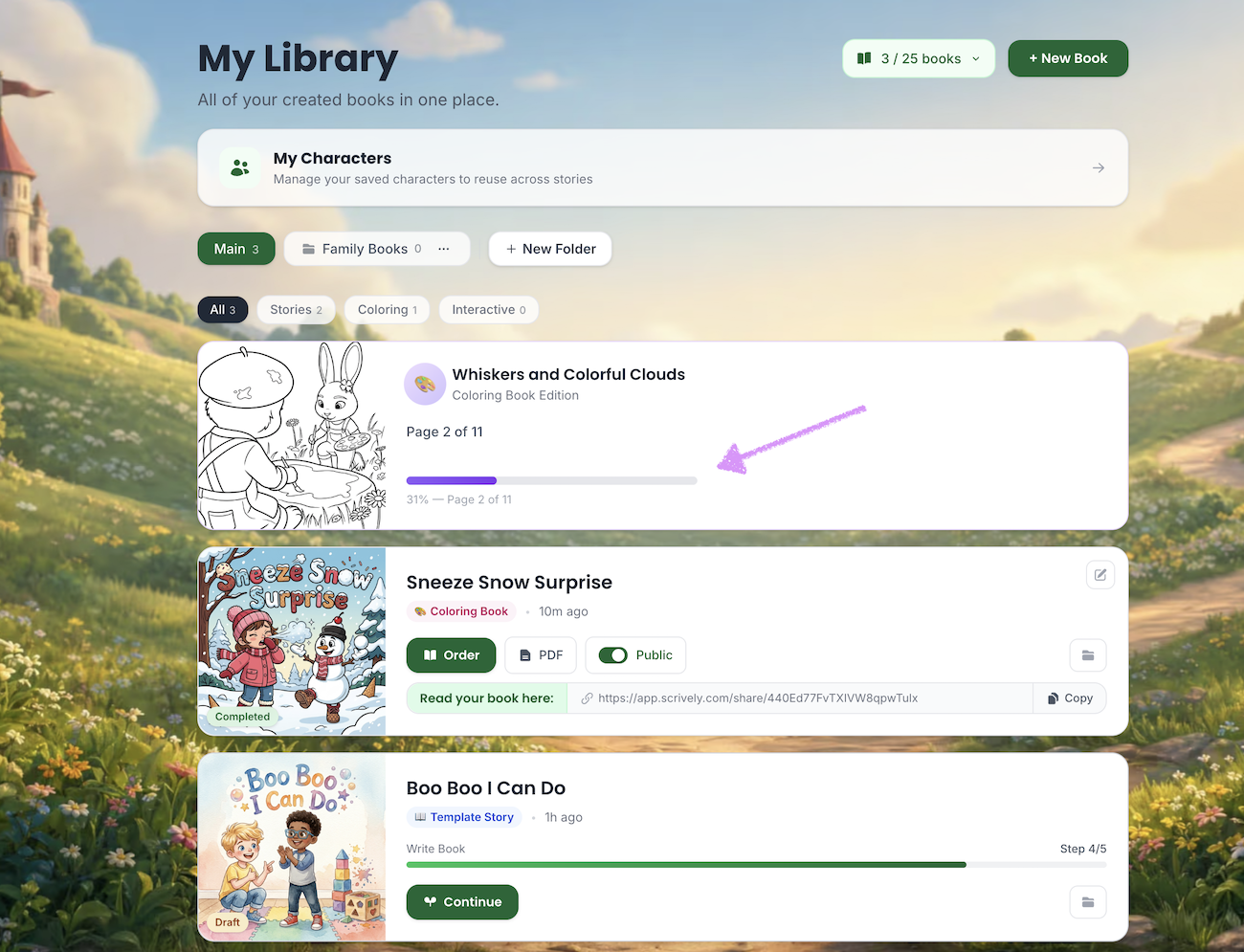
The book will appear at the top of your list while it is being converted into a coloring book.
Click on “Edit Book” on the right side of the coloring book to open and review it in the editor.
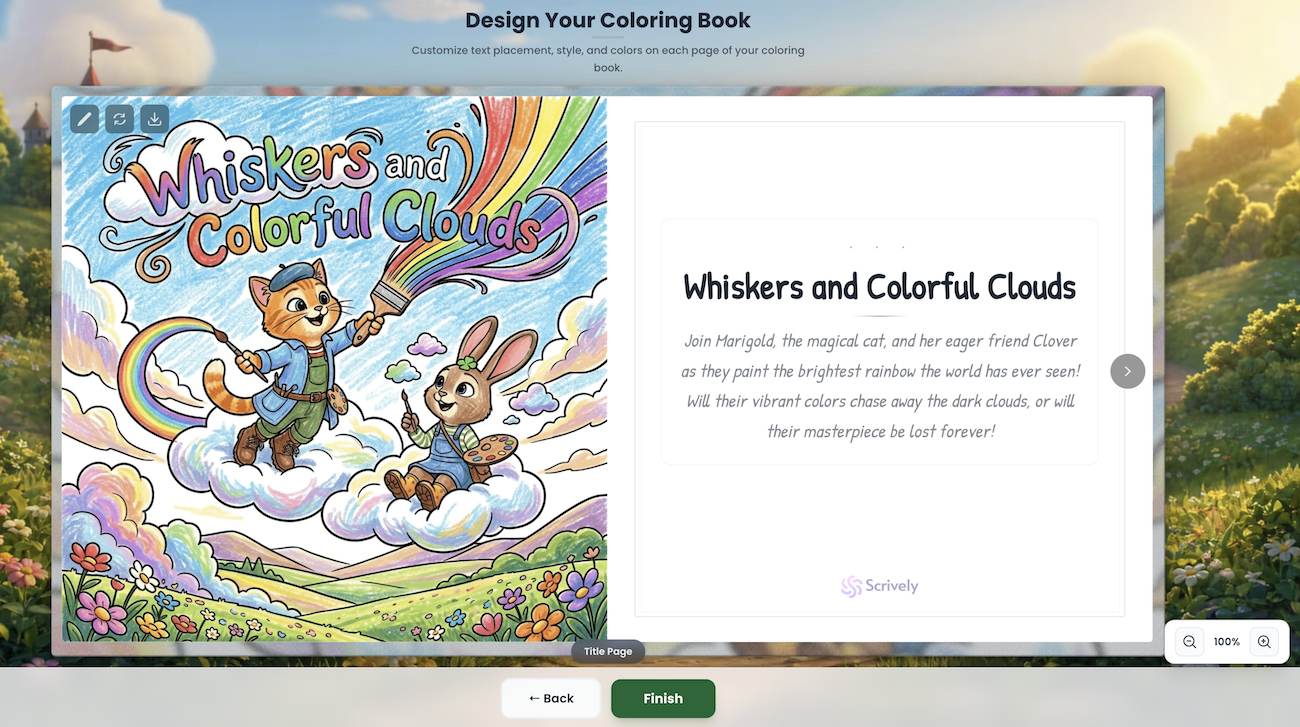
The coloring book will open in the editor.
Was this article helpful?
That’s Great!
Thank you for your feedback
Sorry! We couldn't be helpful
Thank you for your feedback
Feedback sent
We appreciate your effort and will try to fix the article
